

Managing your finances efficiently and effectively is easy with quick access to your bank statements. Downloading your bank statement can help you plan, whether it is for a loan application, tax purposes, or personal tracking.
Your bank statement is available in both online & offline mode. However, getting the bank statement PDF on your mobile phone is more convenient. So, let’s discuss different ways to download your Bank Statement online via mail, mobile banking app, or the bank’s NetBanking facility.


You can download your bank statement directly from your mobile phone for each month or for your selected custom dates. Banks provide the statement download facility via various methods, including net banking and mobile banking, or you can have it sent to you via email.
Are you looking for a personal loan?

Download Bank Statement From Email
Accessing your bank statement through email is an easy way to keep track of your transactions. You can set up the functionality through net banking and the bank will send you the statement, periodically.
Here is how you can set up the email statement functionality:
- Open your bank’s webpage.
- Log in with your user ID and password.
- Navigate to the ‘Account’ section.
- Choose your account and look for the ‘Statement delivery option’.
- Select the option labelled as ‘Email Statement’.
- Provide your email address and verify it.
- Choose your frequency of delivery.
- Confirm your preferences and save changes.
From now on, you will receive the statement via the provided email for the set frequency.
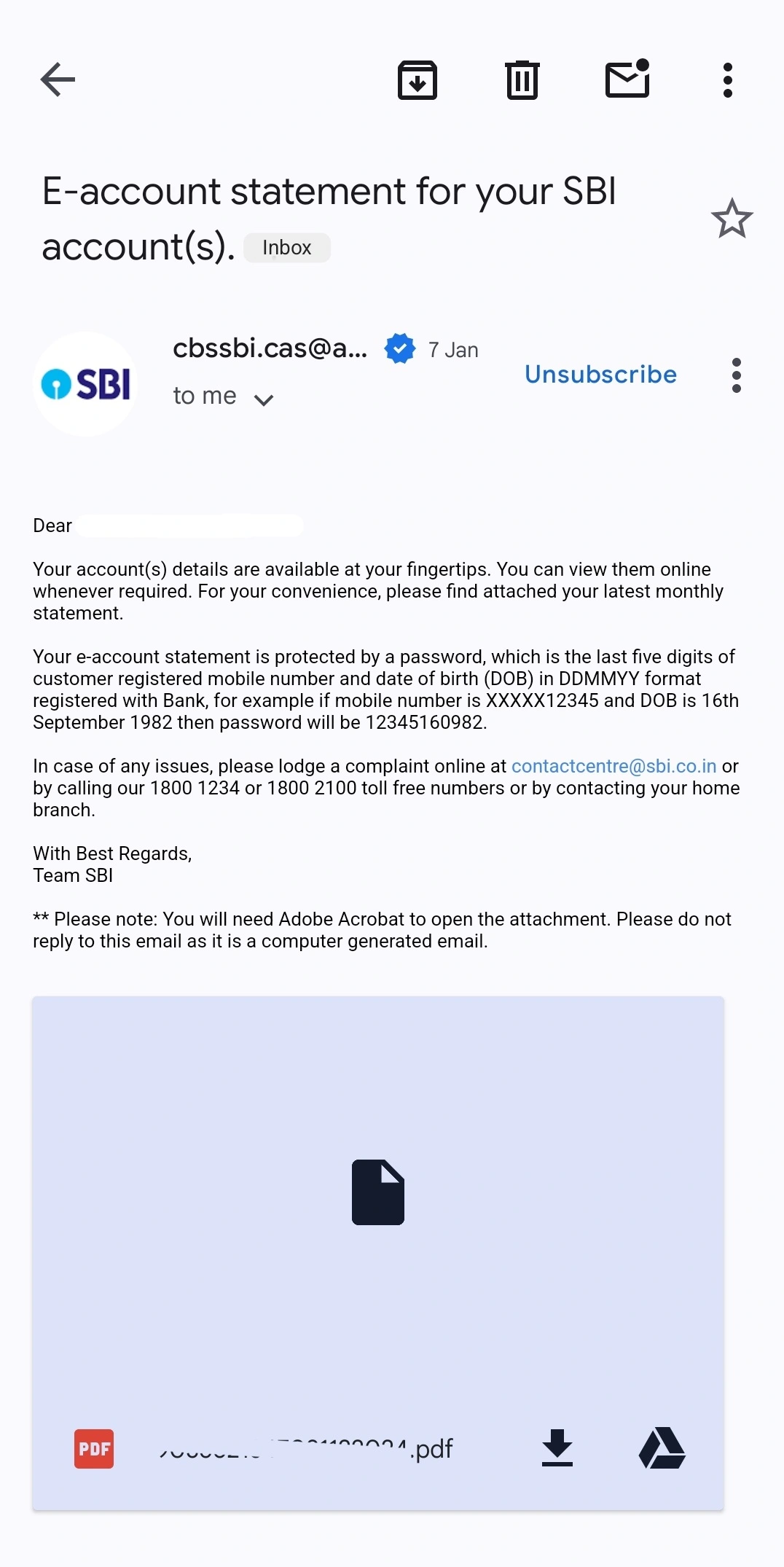
The emailed statement will be password protected, with a unique combination of the owner’s details.
For example, the following is an email statement sent by SBI:
Download Bank Statement From Net Banking Portal
Often referred to as Netbanking, one can download their statement from the official website of the bank, via a browser. Following are the simplified steps for this process:
- Log into your bank’s official portal.
- Navigate to the account summary or services tab.
- Look for an option named “account statement”.
- Select your desired period (time frame) and format (pdf, excel, etc.).
- Download the statement by selecting the download option or print option.
Download Bank Statements PDF on Mobile Banking App
Most banks provide a mobile banking application, which can be accessed anywhere as long as you have your mobile phone with the internet and a registered mobile number.
Following are the steps to access your bank statement through a mobile application:
- Download and install the mobile application on your mobile phone.
- Login into your banking application.
- Navigate to the transactions section.
- Locate your “balance statement”.
- Click download and save the file.
Bank-Wise Bank Statement Download
Net banking is a seamless and secure way of accessing and controlling your bank account through the Internet. It is a comprehensive platform to access, view and download bank statements or make any changes related to your bank account.
Following is the list of generic steps to follow by which you can access your bank statement:
SBI Statement Download
Follow the below-mentioned steps to download statement from SBI:
-
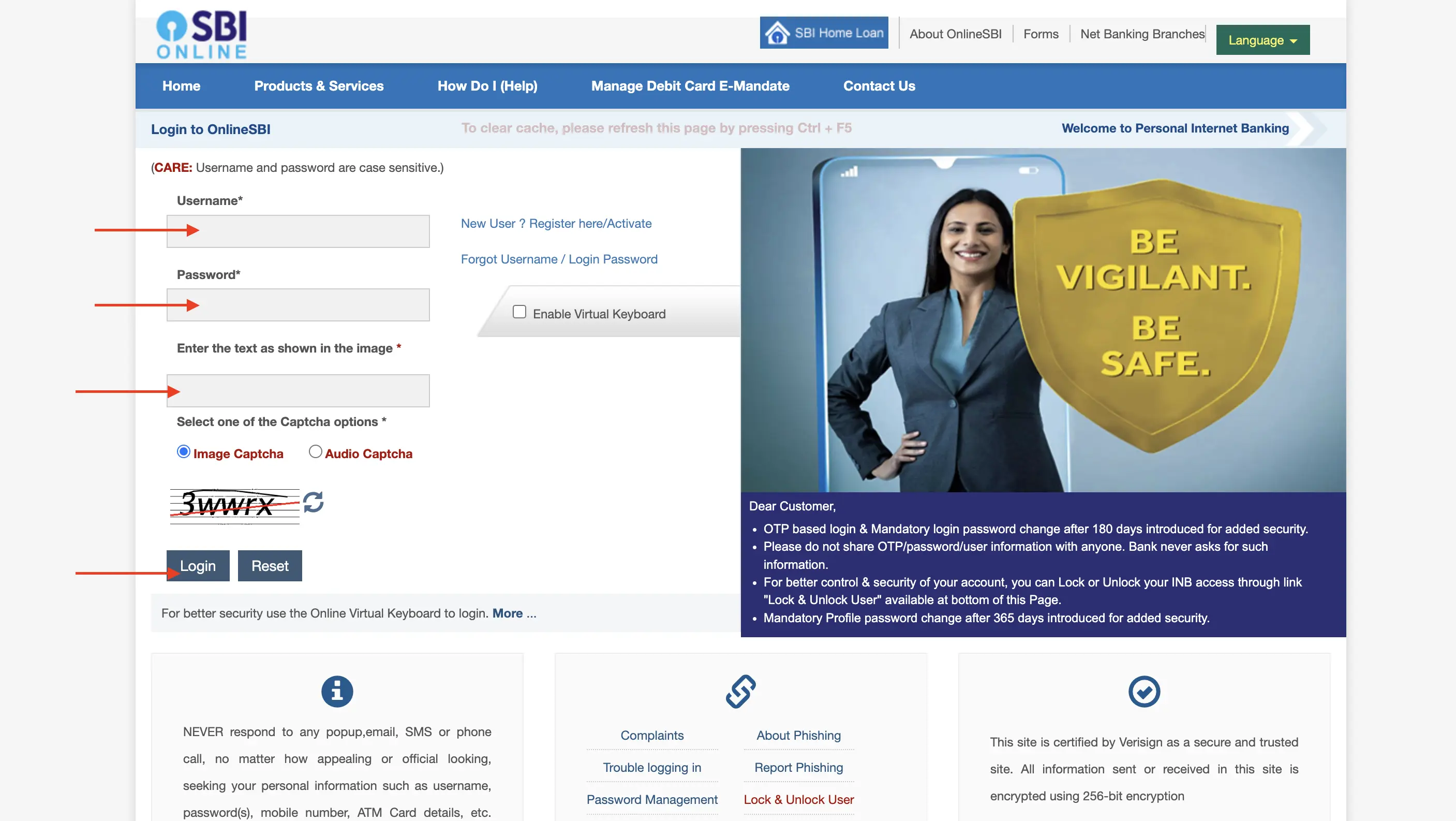
- Visit the Official website of SBI Net Banking.
- Enter the Username, Password and Captcha and Click on ‘Login’
- Then, Click on the ‘Accounts’ tab.
- Select the ‘Account Statement’ Option from the dropdown menu.
- Choose your account.
- Select the period for which you want the transaction history.
- Choose the format and click ‘Download’.
Not sure of your credit score? Check it out for free now!

HDFC Bank Statement Download
Follow the below-mentioned steps to download statement from HDFC Bank:
-
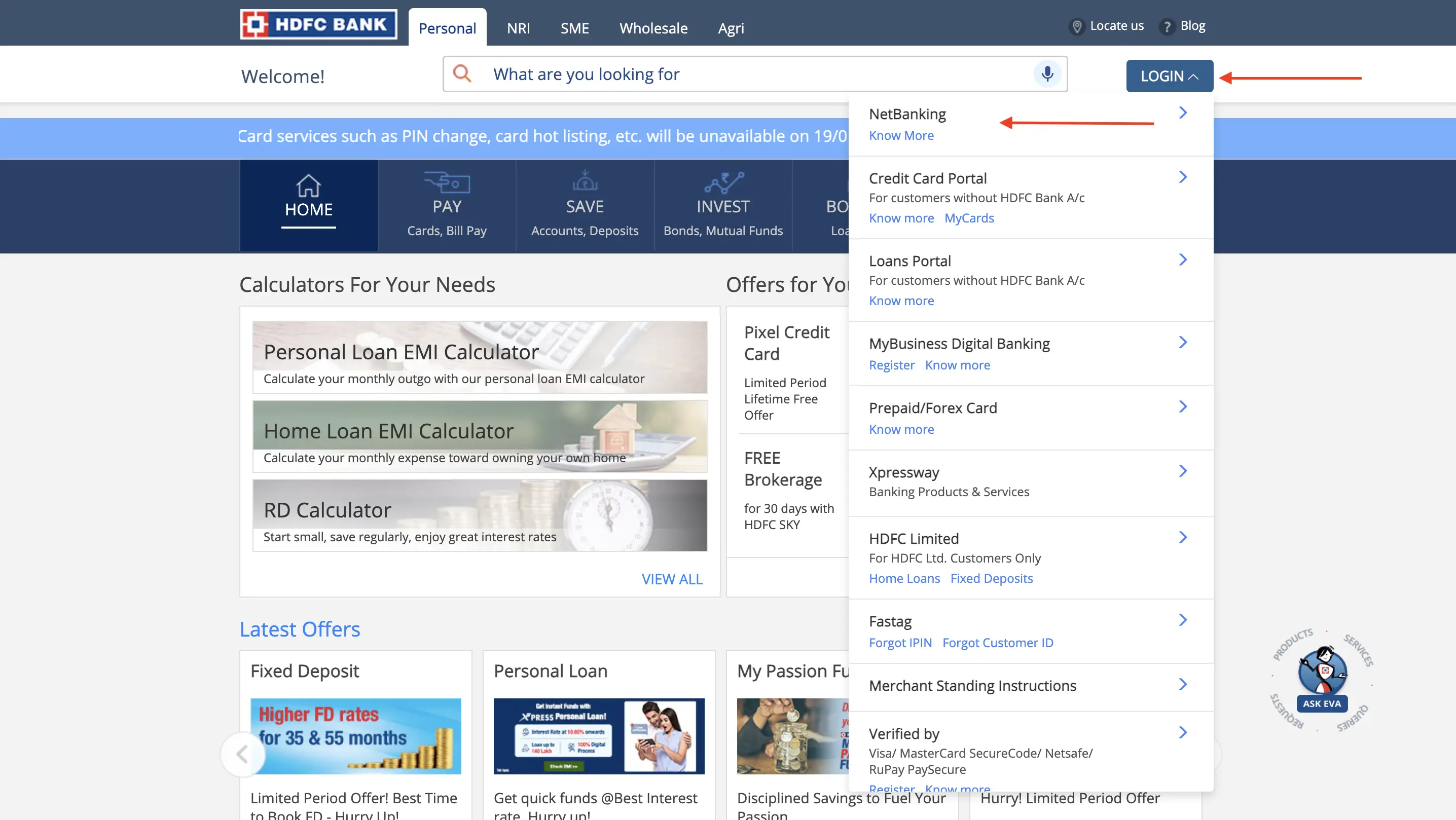
- Visit the Official website of HDFC Net Banking and click login.
-
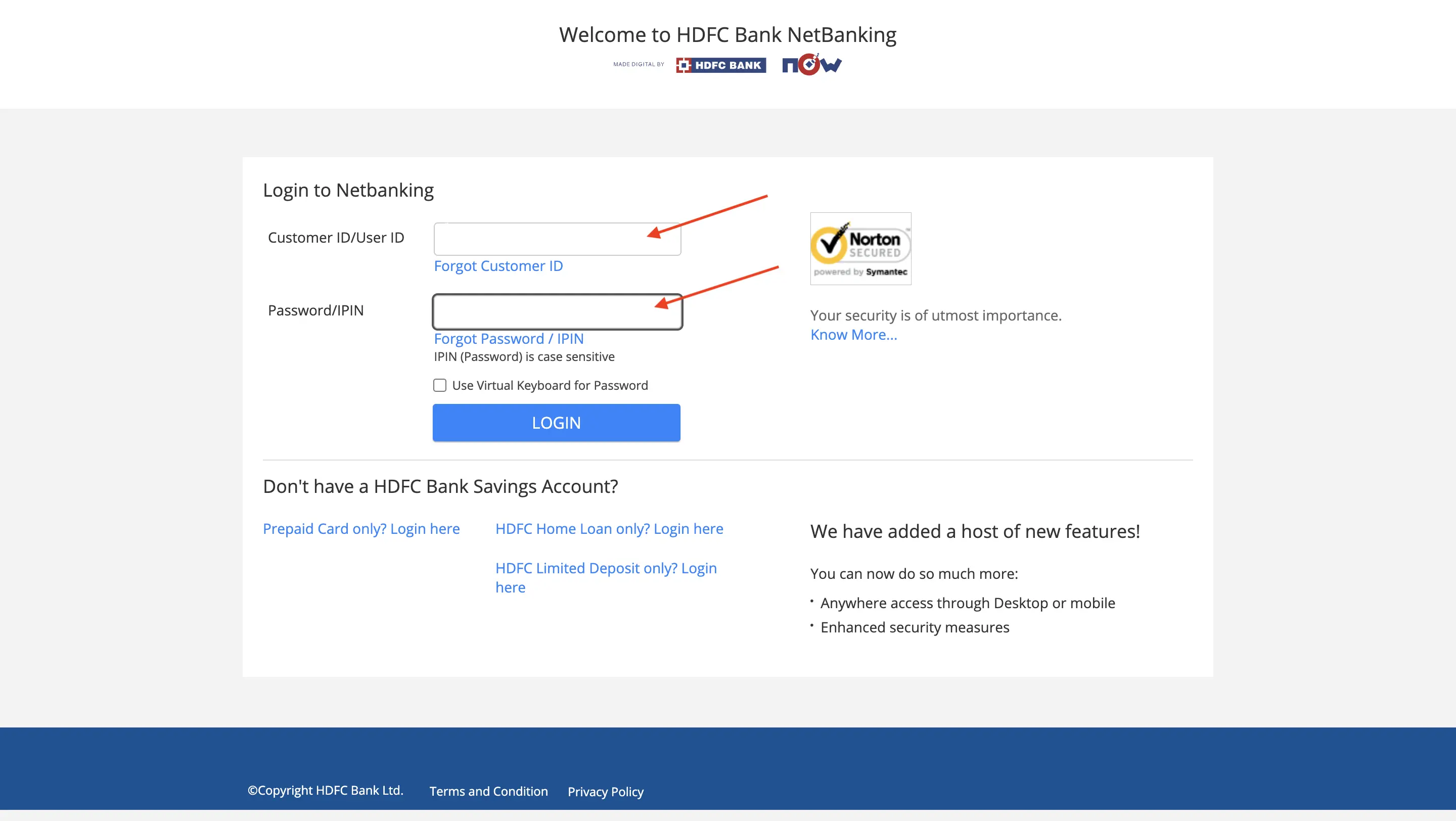
- Enter the Customer ID, Password and Click on ‘Login’.
- Click on the ‘Accounts’ tab.
- Select ‘Enquire’ and then click on ‘Download Statement’.
- Choose your account.
- Select the date range.
- Download the Statement.
Axis Bank Statement Download
Follow the below-mentioned steps to download statement from Axis Bank:
-
- Visit the Official website of Axis Net Banking, and choose login option from the dropdown menu.
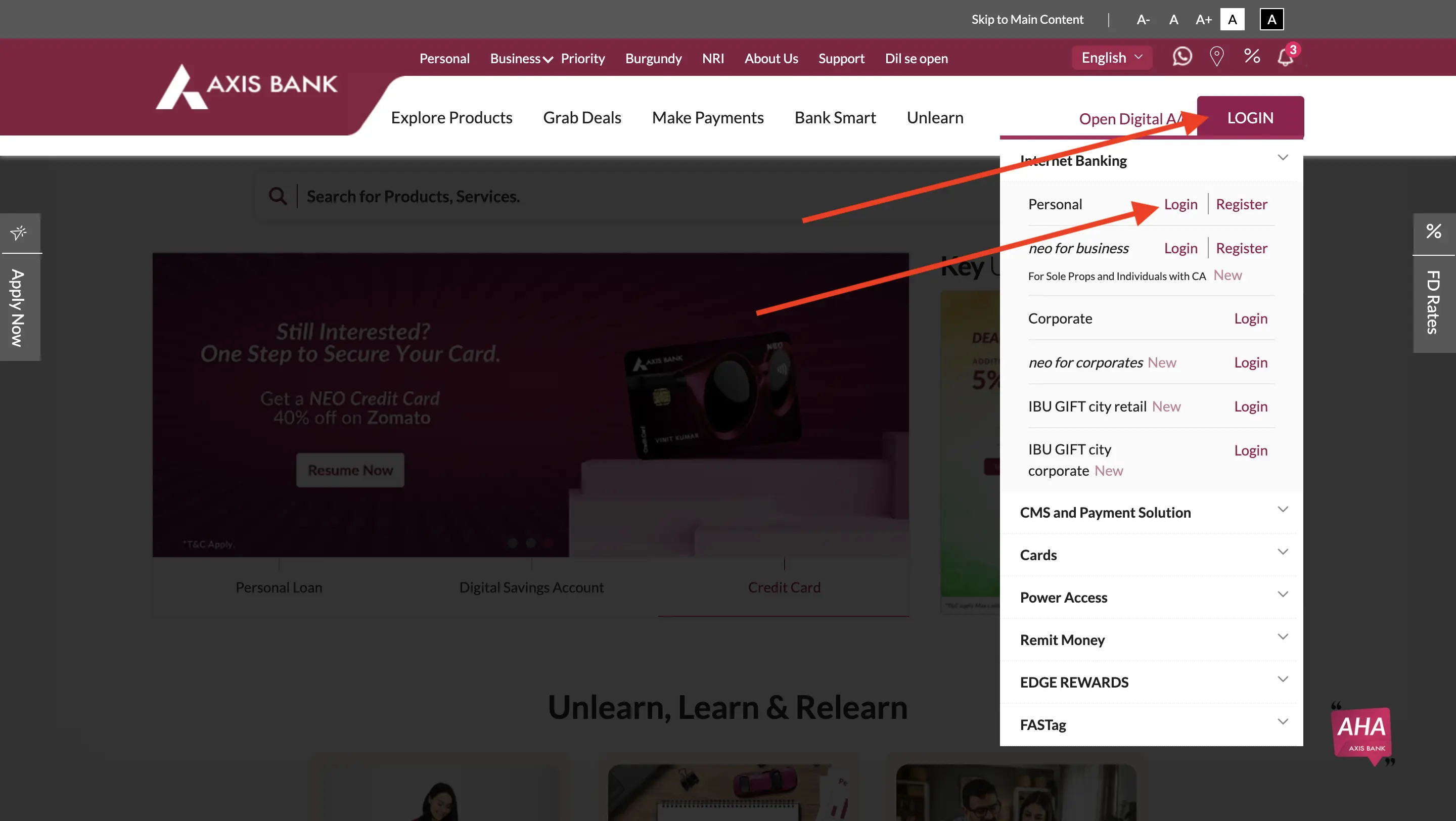
-
- Login to Axis Bank’s internet banking portal and enter your customer ID and password. Alternatively, you can use your debit card details too.
- You can login directly to ‘Accounts’ tab by choosing the option from the dropdown menu.
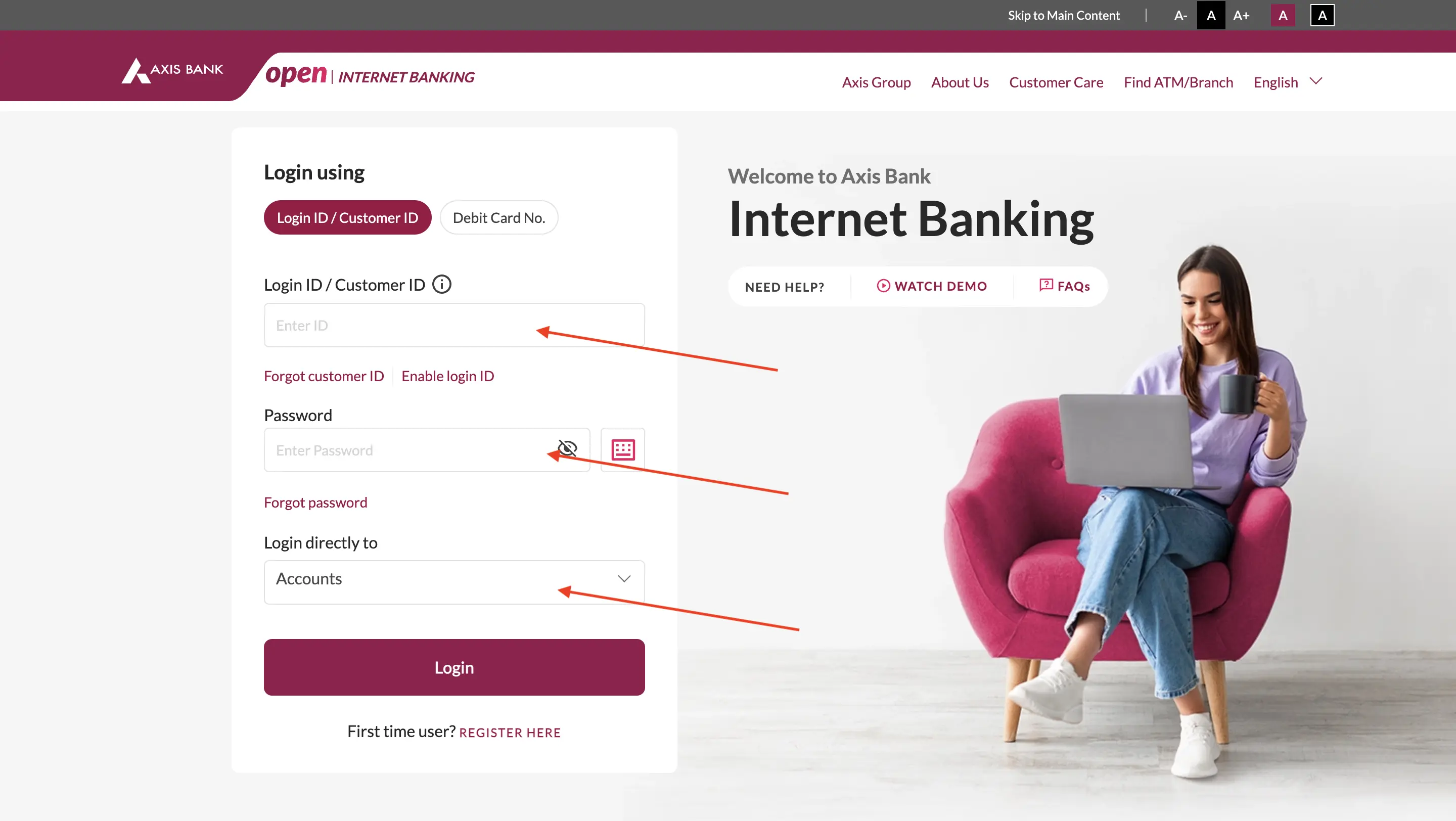
- Select the account statement option.
- Specify details like account, period etc.
- Select the format you want to download in.
- Choose the download or print option.
Canara Bank Statement Download
Follow the below-mentioned steps to download statement from Canara Bank:
-
- Visit Canara Bank’s website and click on the login button at the top right corner.
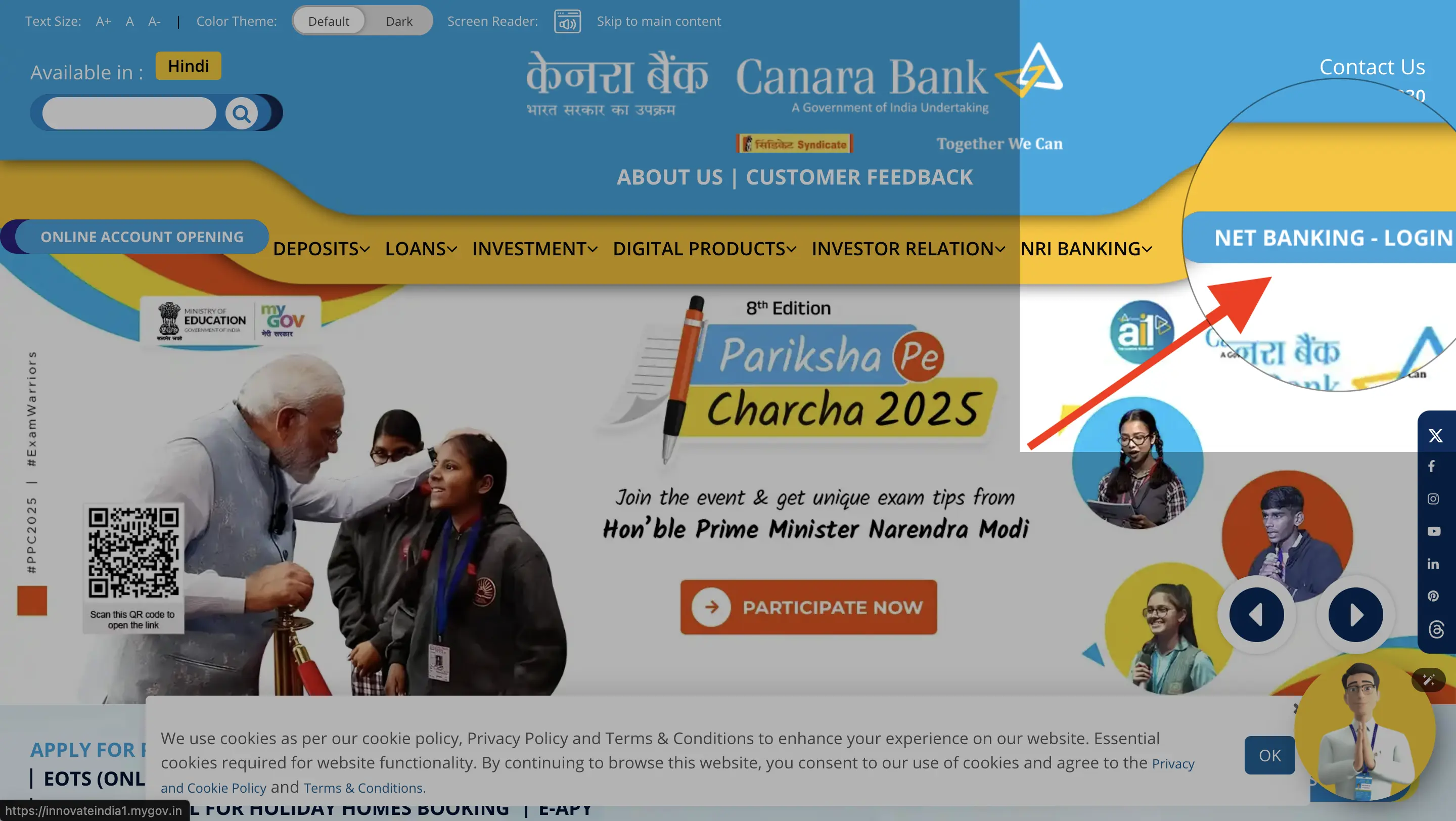
-
- After, select netbanking as shown in the image.
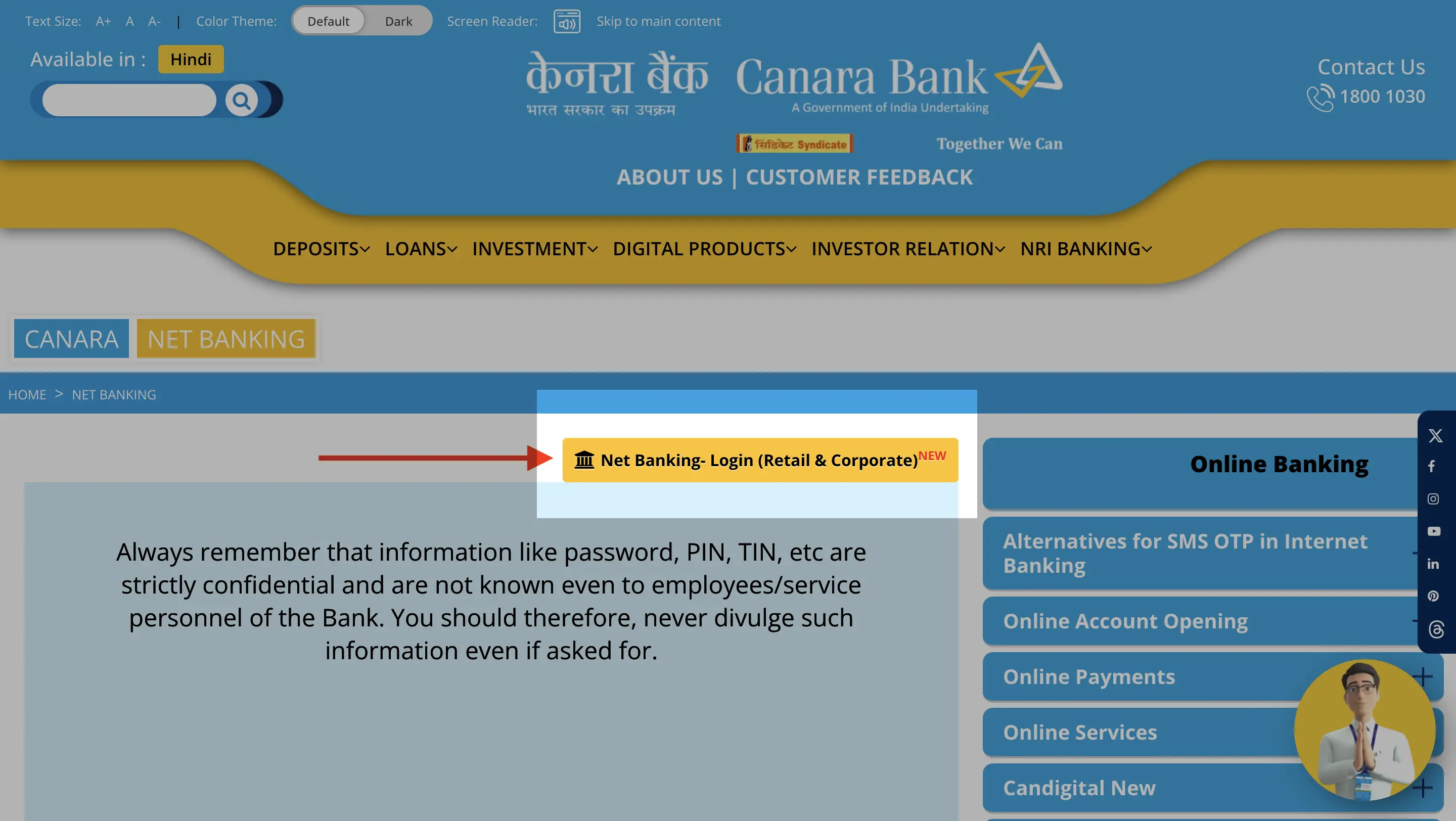
-
- Log in to Canara Bank’s internet banking portal using your ID and password.
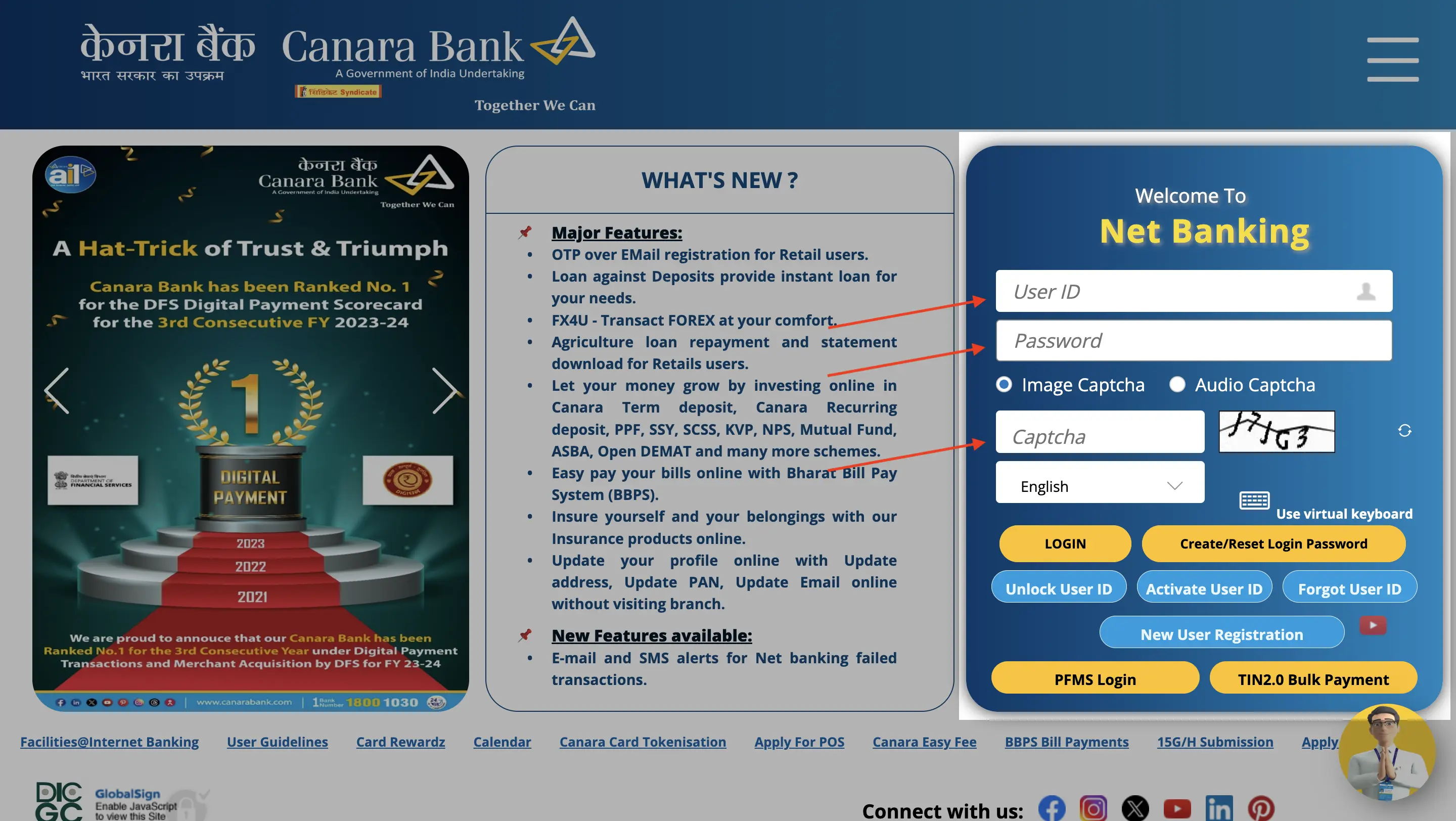
- After logging in, click on the accounts tab.
- Select the account statement option from the dropdown menu.
- Choose your account type.
- Choose the duration and format of your statement for download.
- Select download or print.
Kotak Bank Statement Download
Follow the below-mentioned steps to download statement from Kotak Mahindra Bank:
-
- Visit Kotak Mahindra’s website and click on login.
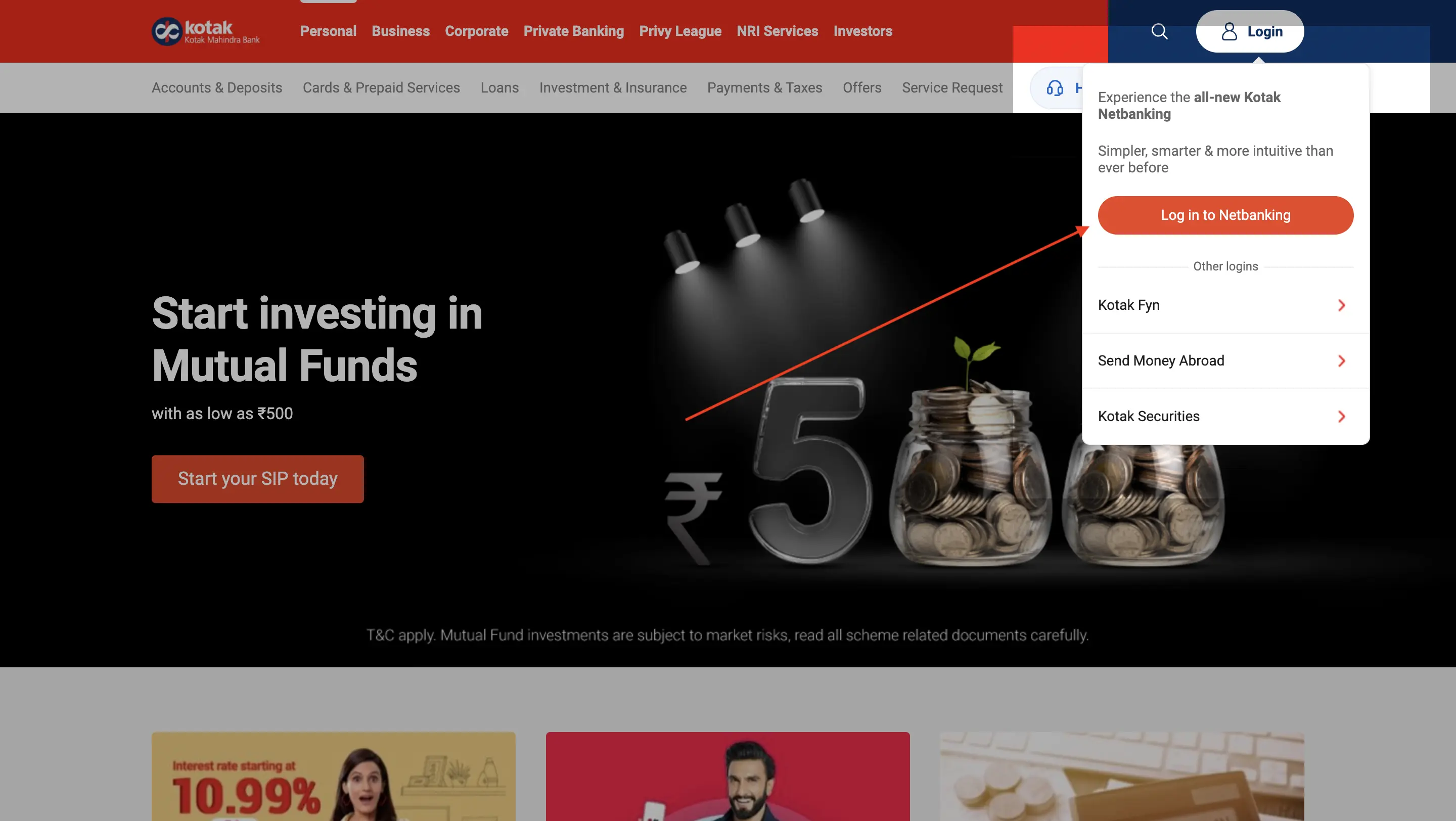
-
- Login to your net banking portal using your CRN (Customer Relationship Number).
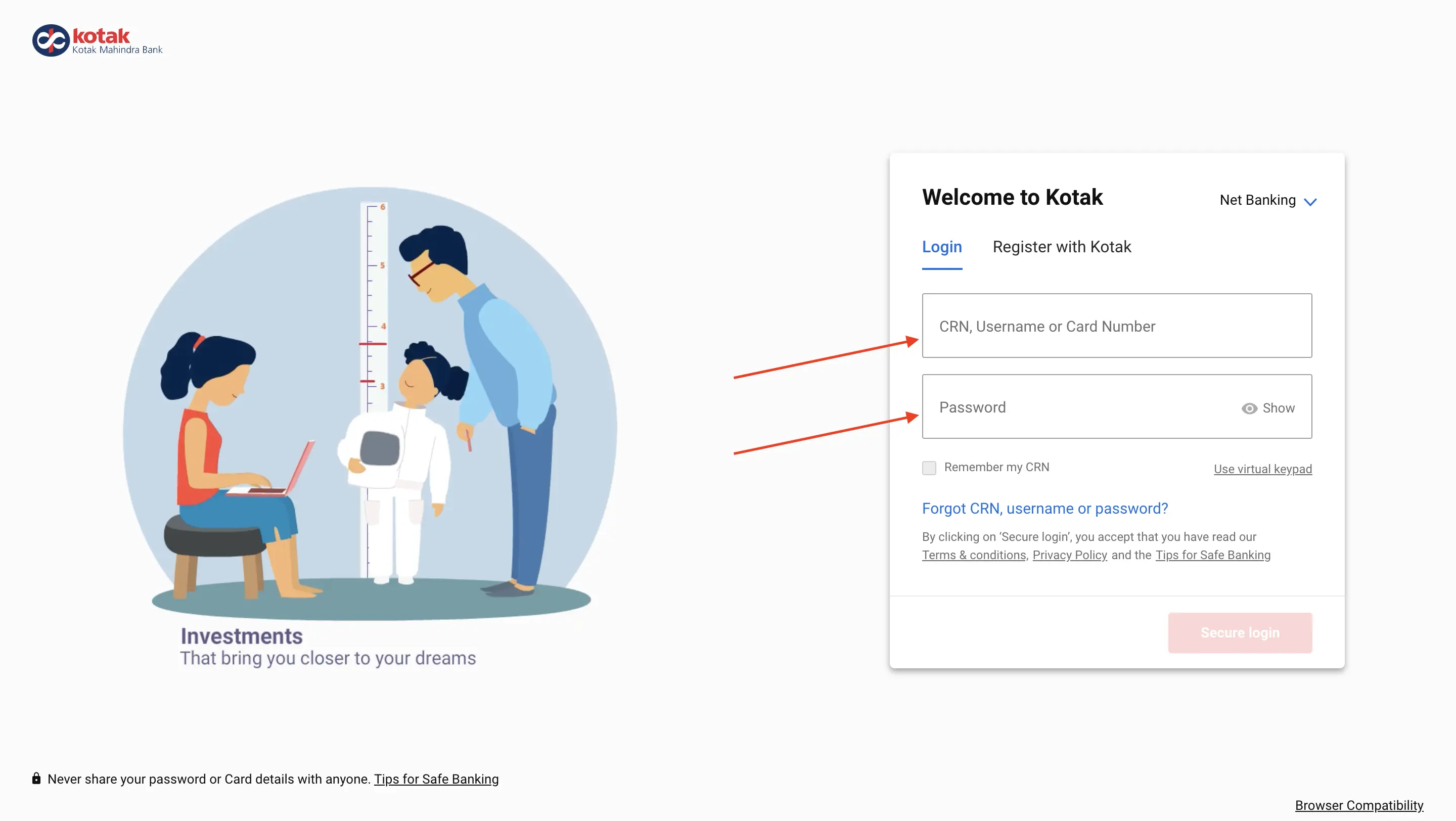
- After logging in, click on the accounts tab.
- Select the account statement option from the dropdown menu.
- Choose your account type and select duration.
- Choose a format for download.
- Select download or print.
Avail an instant loan in a few simple steps!
BOI Statement Download
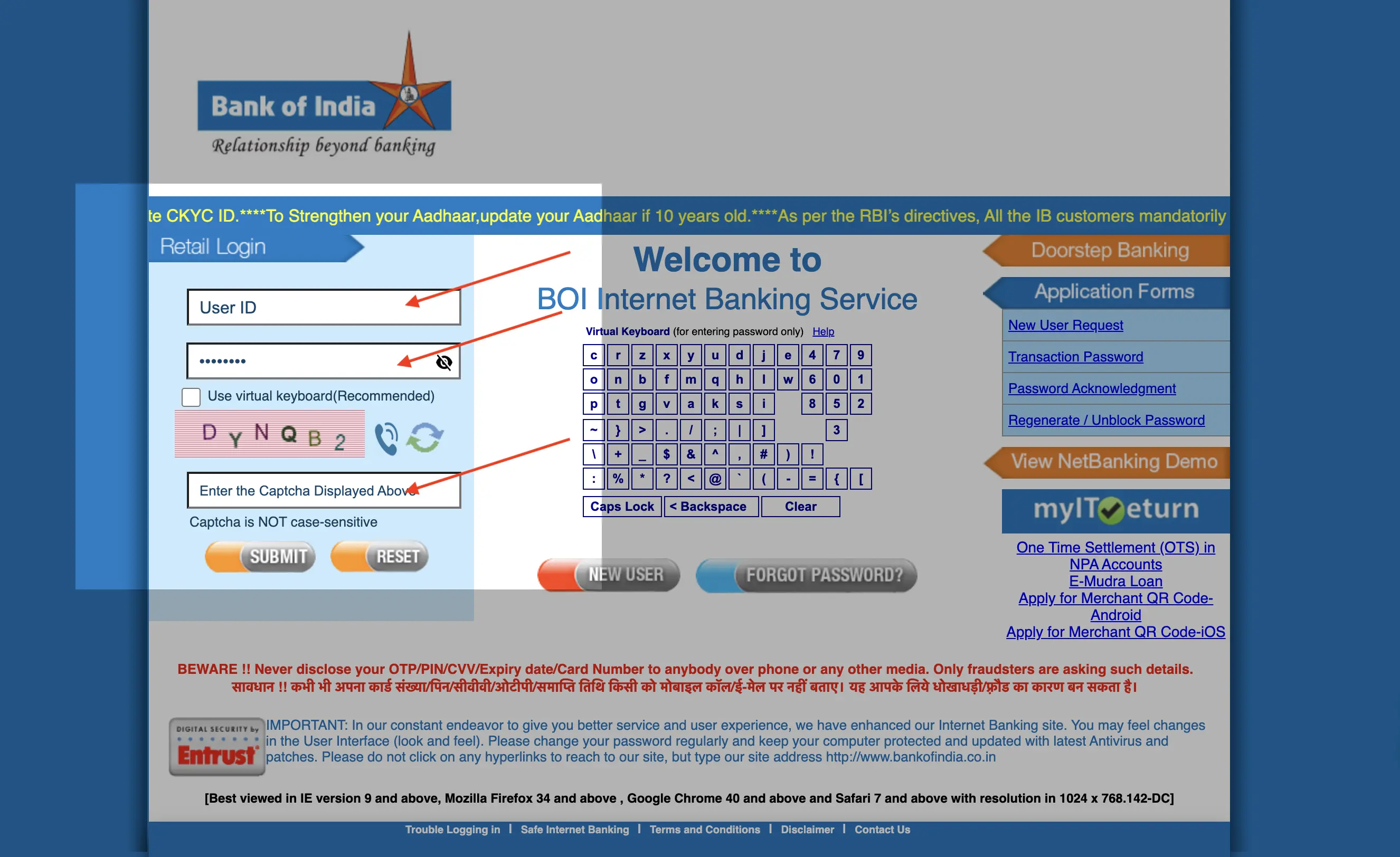
Follow the below-mentioned steps to download statement from the Bank of India:
-
- Open BOI website and click on ‘Internet banking’ option, and choose ‘Personal’.
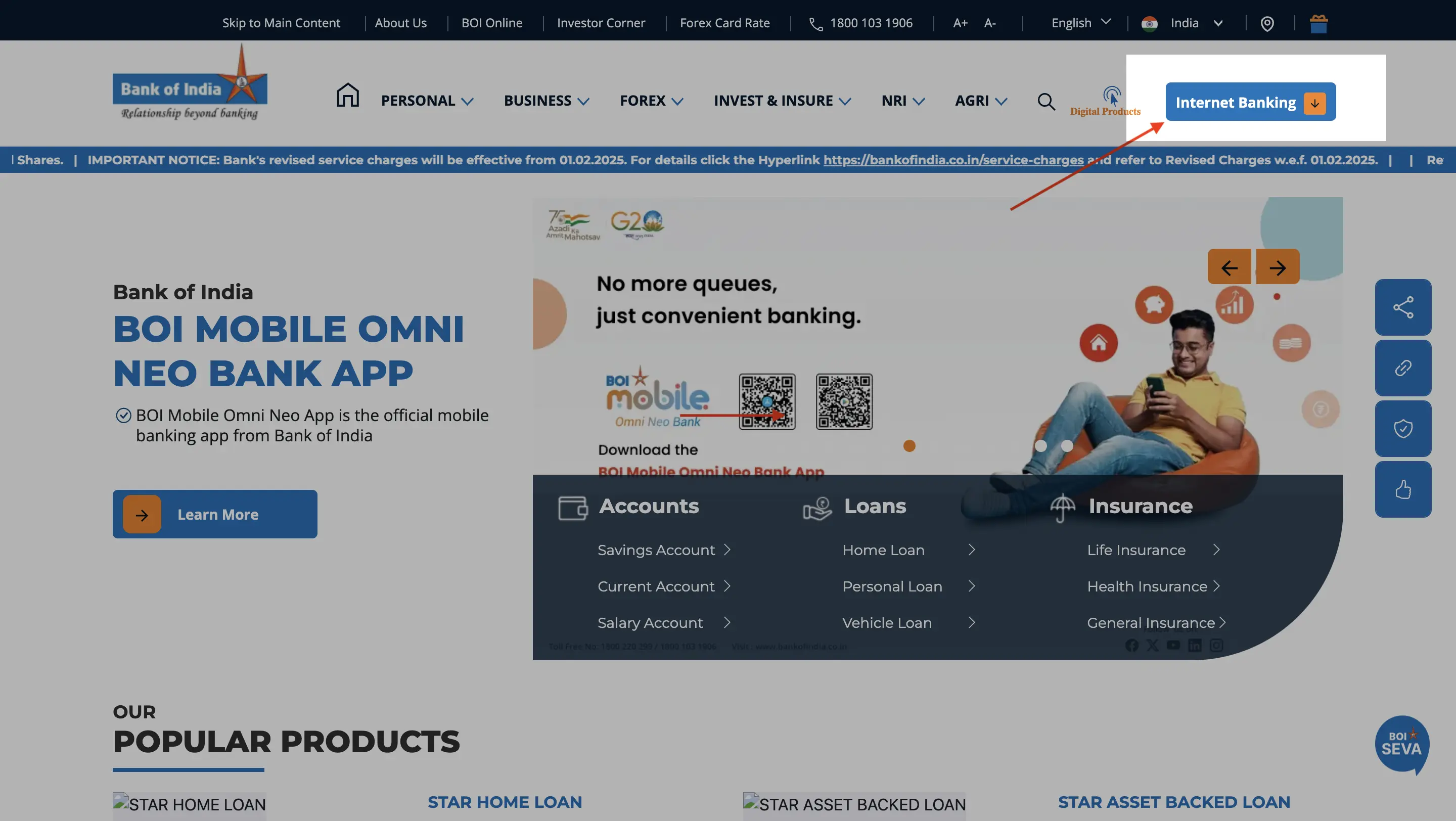
-
- Log in to the Bank of India’s net banking portal with the user ID and transaction password.
- Go to the ‘Accounts’ tab.
- Select the ‘Account statement’ option.
- Specify the duration and downloadable file format you require.
- Click on download and save your statement.
ICICI Bank Statement Download
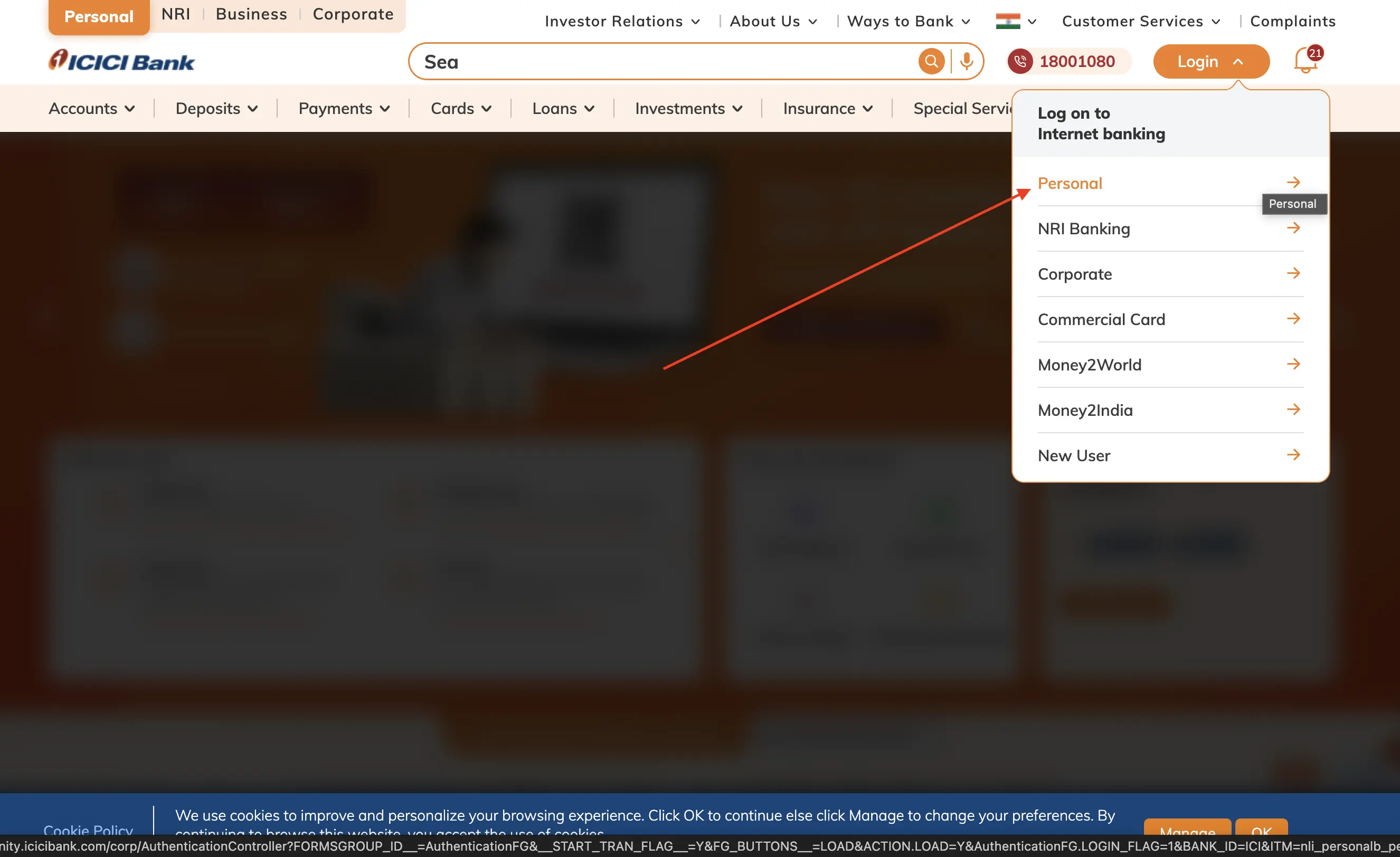
Follow the below-mentioned steps to download statement from ICICI Bank:
-
- Visit ICIC website, click on ‘Login’ button and choose ‘Personal’.
-
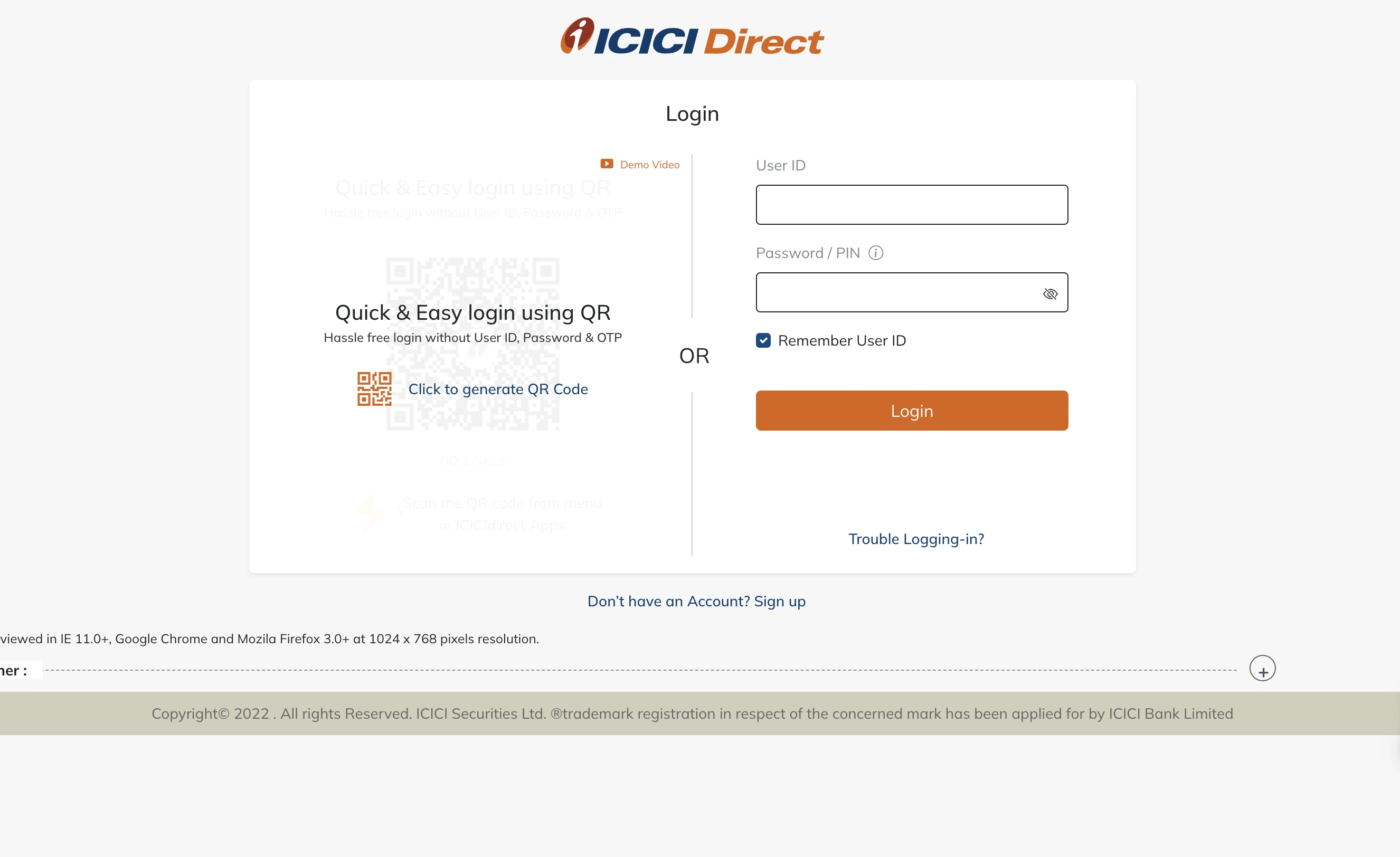
- Log in to the ICICI internet banking portal, using your User ID and password.
- Open the ‘Accounts’ tab.
- Choose your account.
- Choose the option of bank statement.
- Select your range and format.
- Click on download and download your file.
PNB Statement Download
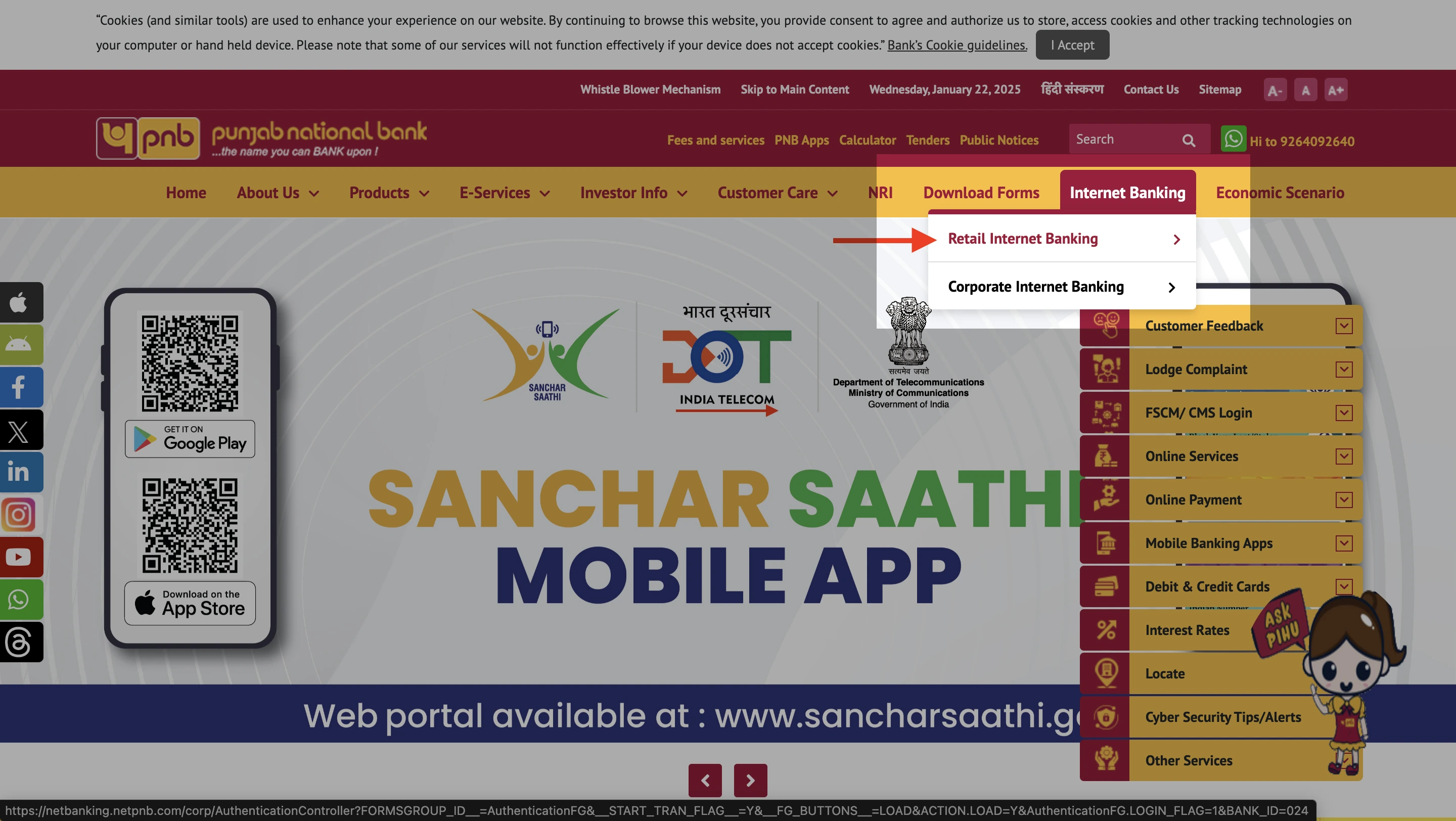
Follow the below-mentioned steps to download statement from Punjab National Bank:
-
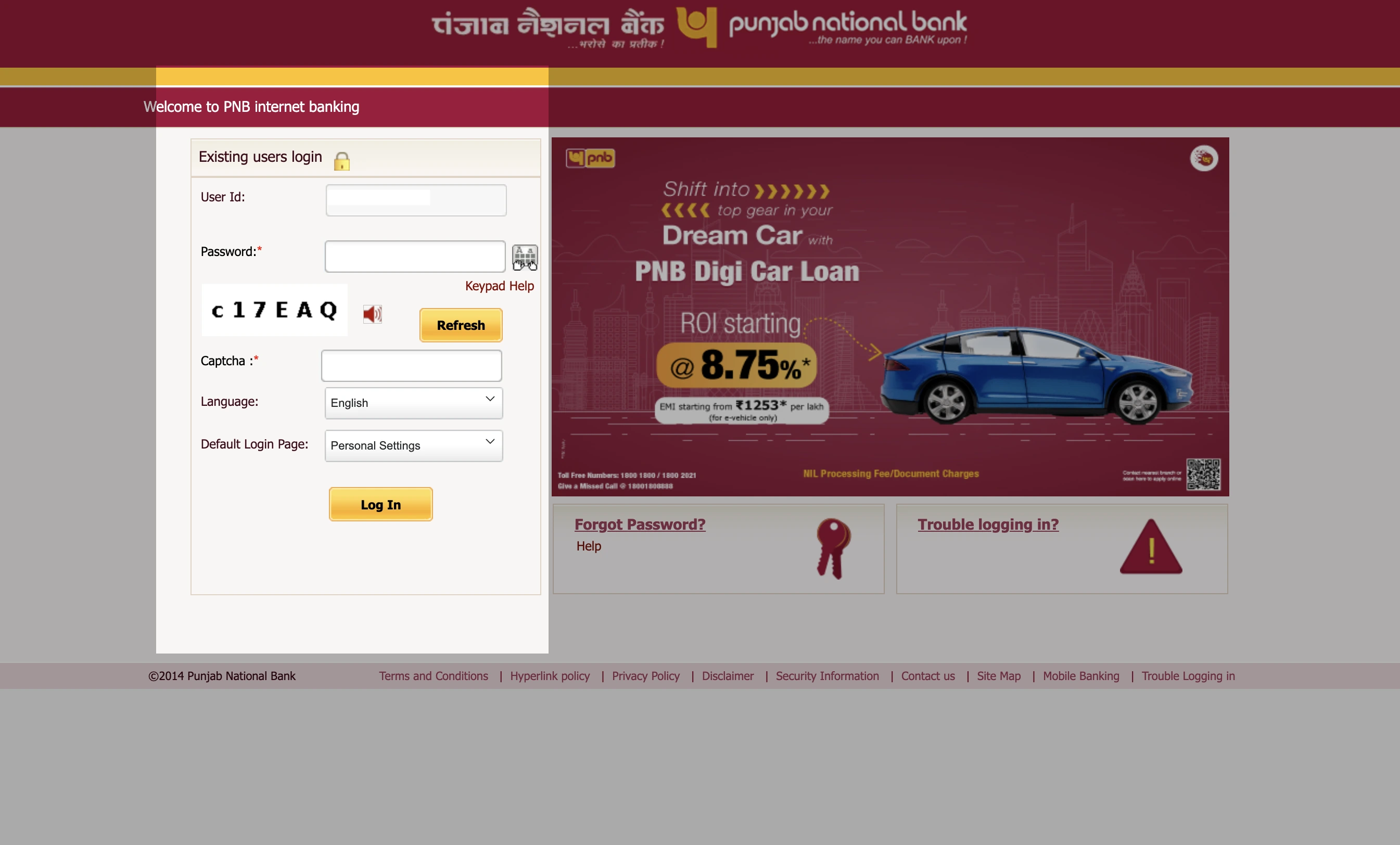
- Open the website of PNB and click on the internet banking option.
-
- Log in using your unique user ID and password.
- Navigate to the ‘Service Requests’ or ‘Accounts’ section.
- Choose the option of account statement.
- Specify account type and date range.
- Choose the format option.
- Click download.
Bank of Baroda Statement Download
Follow the below-mentioned steps to download statement from the Bank of Baroda:
-
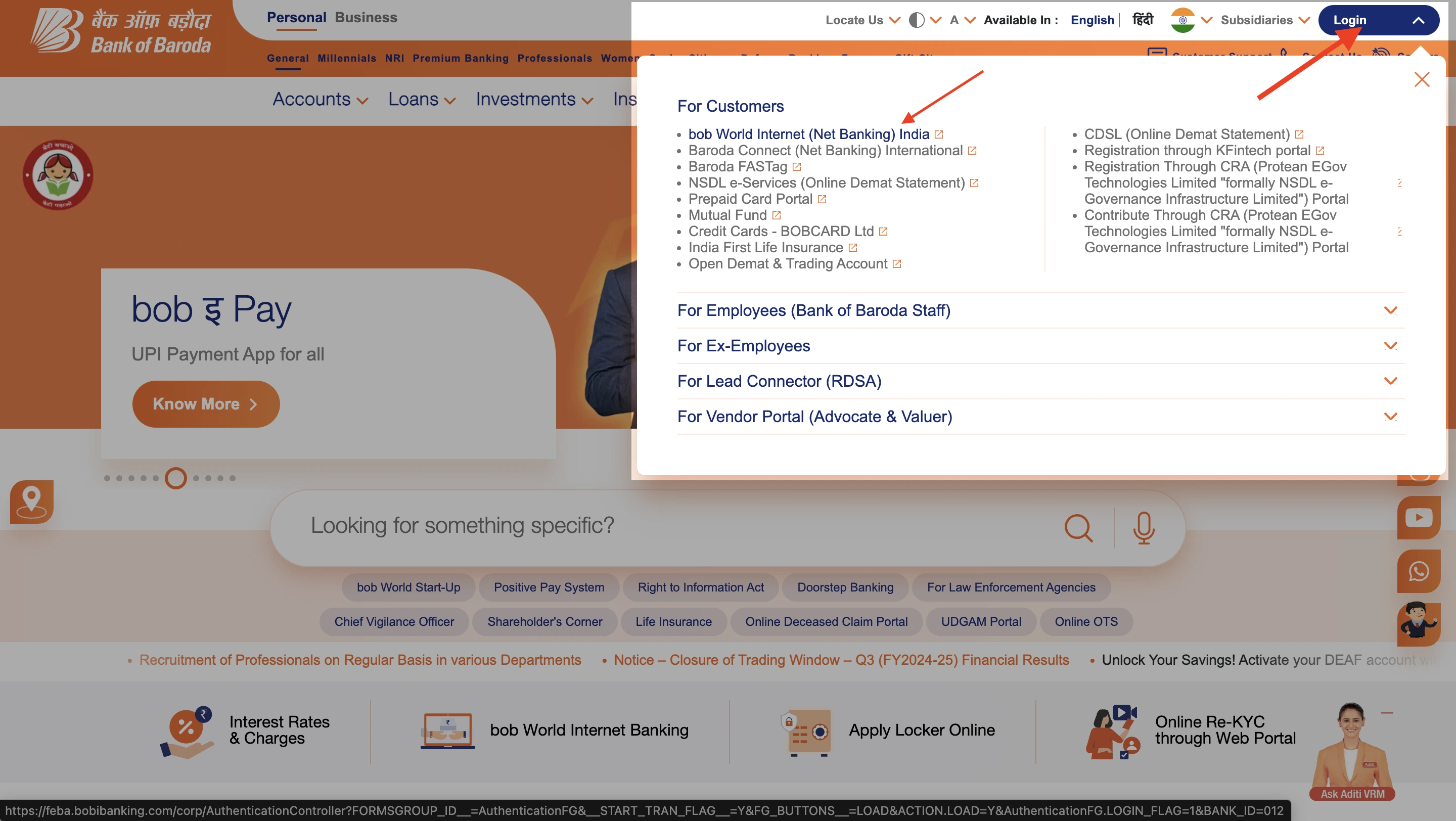
- Open Bank of Baroda webpage, click on ‘Login’ and choose ‘BOB World Internet’.
-
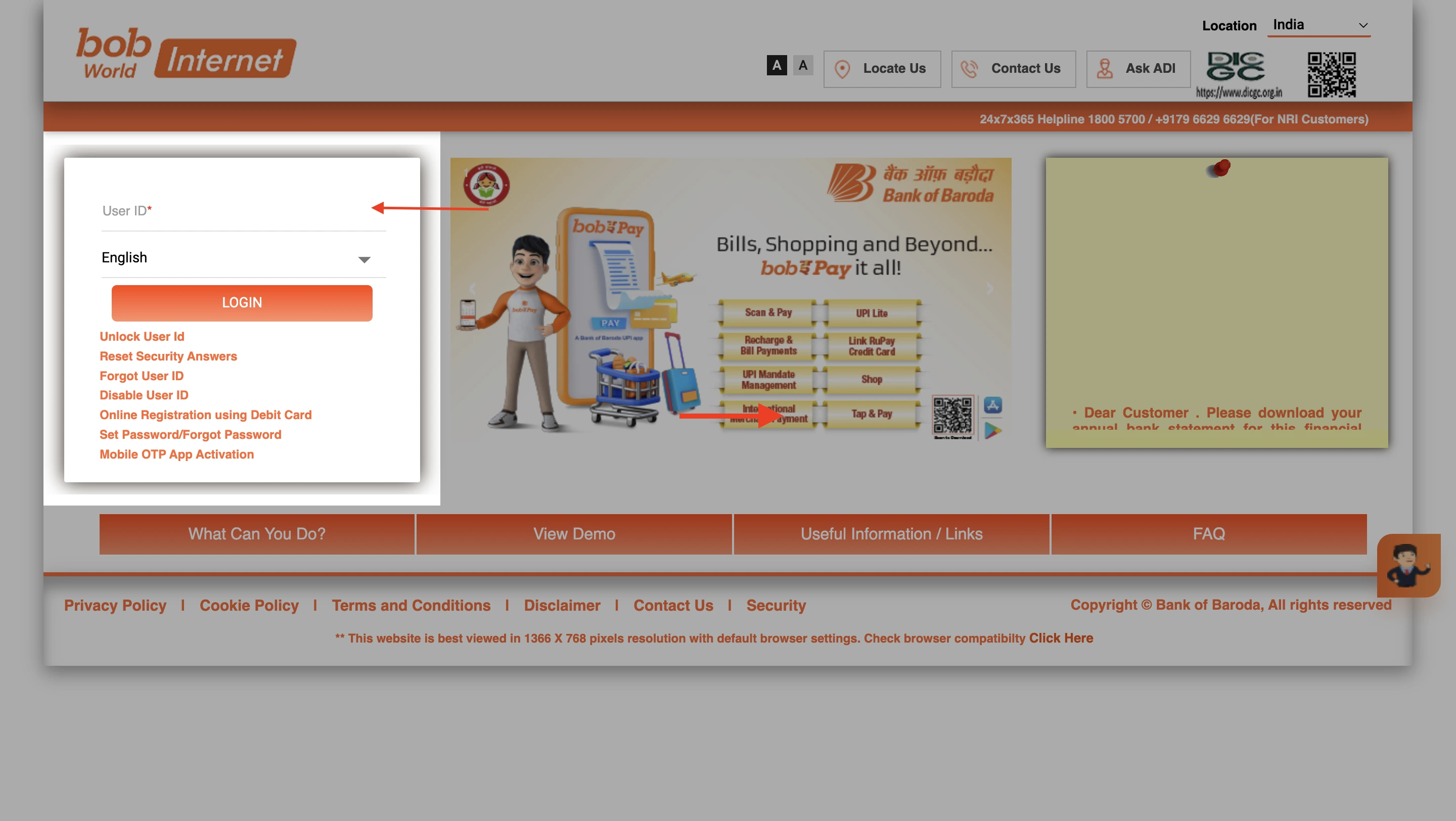
- Log in to your net banking webpage using the unique user ID and password.
- Navigate to the ‘Accounts’ section.
- Select the ‘Account statement’ option and specify the account.
- Choose your account type and date.
- Choose your file format.
- Click on download.
IndusInd Bank Statement Download
Follow the below-mentioned steps to download statement from Induslnd Bank:
-
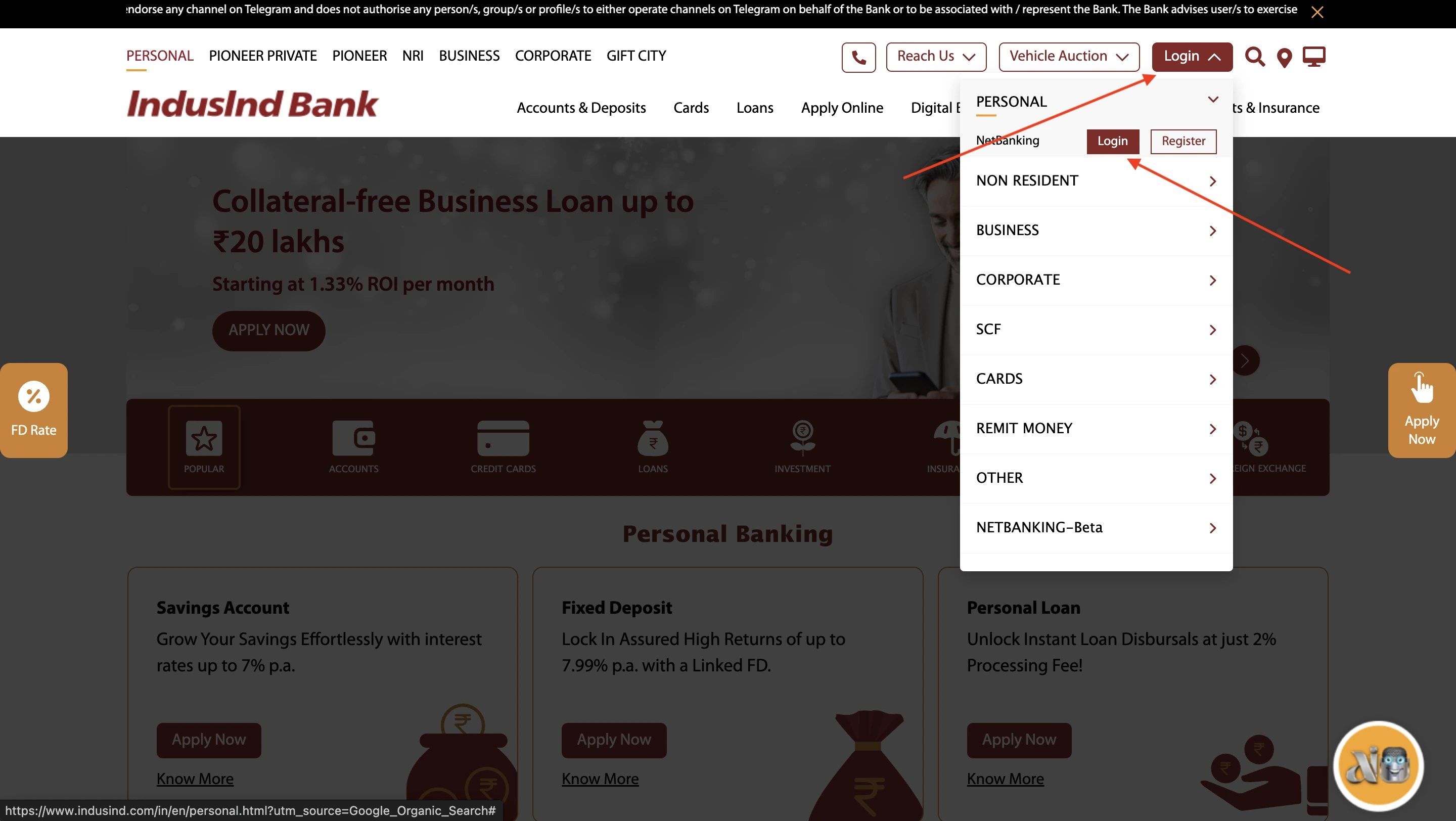
- Open IndusInd Bank website, hover over ‘Login’ button on the top right corner of the website. Click on ‘Login’ button again, under the ‘Personal’ banking section.
-
- Log in to the IndusNet banking portal and enter your user ID and password.
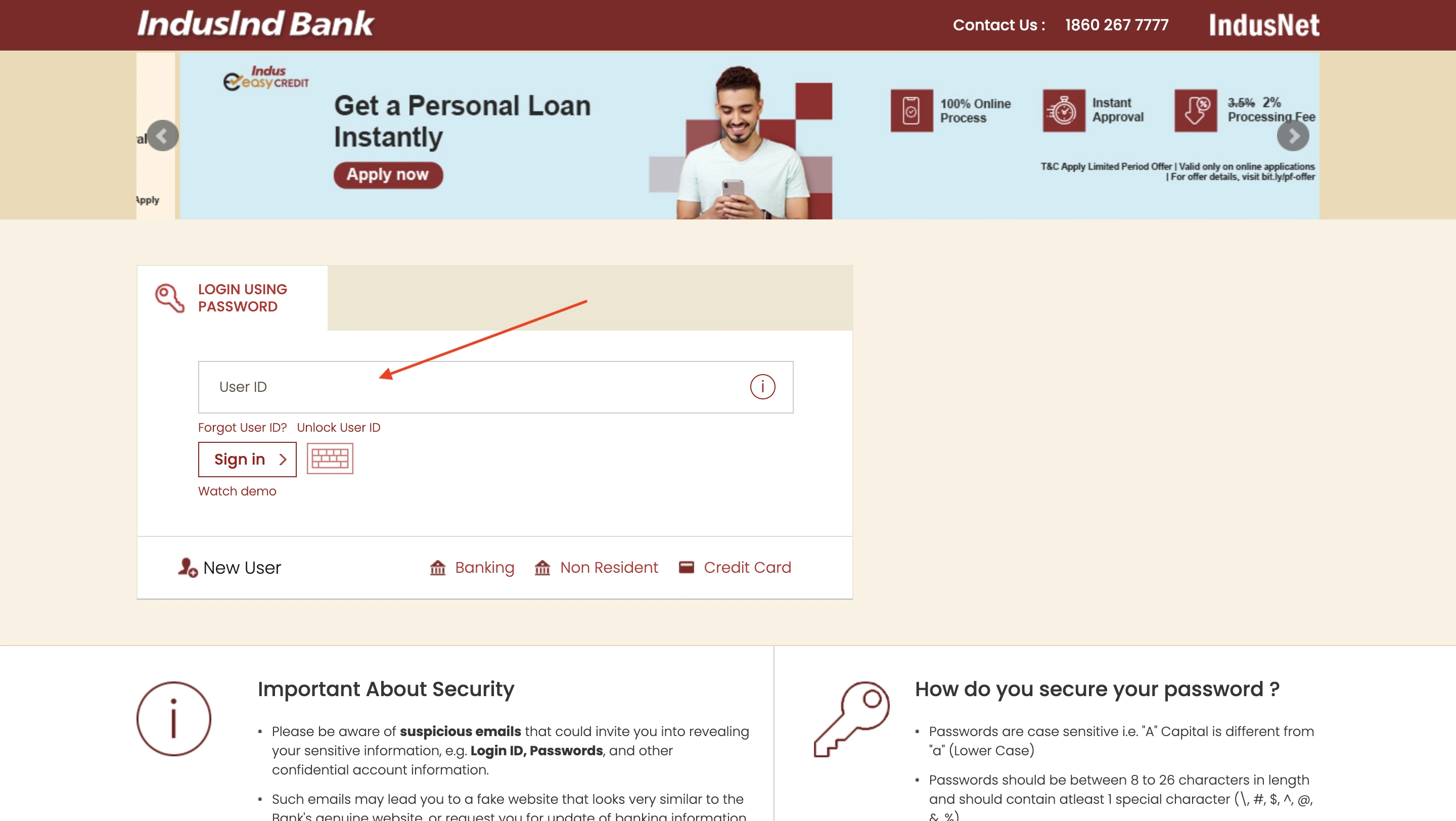
- Access the account statement section.
- Select the account statement option.
- Choose your account by entering your account details.
- Select your statement period.
- Choose your delivery method (direct download or mail).
- Download your statement.
Benefits of Downloading Bank Statement Online
Your bank statement is an official document from the bank, which lists all your transactions within a chosen time frame.
Downloading your bank statement has a lot of benefits, such as:
-
- Instantaneous access
You can access the bank statement instantly at any time with a few steps, granting a better overview of your transactions.
-
- All-time access
You can access the bank statement from anywhere without any charges, using your mobile or computer, making it convenient to access.
-
- Ease of usage
As a digital document, it is easy to produce and store, making it easy to keep with the user.
-
- Eco-Friendly
Keeping a digital copy is far more eco-friendly than a hard copy.
-
- Added security
Most banks provide the balance statement in a protected format, with a password that combines the user’s details, adding additional security.
-
- Customization and filtering
Producing your statement online lets you customise the period of transactions or transaction type you would like to include in the statement.
-
- Efficiency in production
The process of downloading your statement is immediate and you can get the report quickly via a chosen method.
Key Details on Bank Statement PDF
- Account details
- Statement Period
- Opening and Closing Balance
- Transaction Details
- Transaction Type
- Bank Charges and Fees
- Interest Earned or Paid
- Cheque Details
- Loan or EMI Details
- Tax Deductions
Things to be Careful of While Downloading Bank Statement
Although the process is fairly simple and secure, there are certain things one must be careful of while downloading your bank statement:
-
- Ensure a secure connection.
Avoid using public Wi-Fi networks; instead, use a trusted and private internet connection. Make sure there is a padlock icon on the address bar and the url begins with “https://”.
-
- Use the correct login credentials.
Check whether your input credentials are accurate. For example, users often confuse credentials such as profile passwords with transaction passwords.
-
- Technical issues/site under maintenance.
Make sure you access the portal at a working hour or a time outside of the maintenance period. Most banks alert users about scheduled maintenance.
-
- Browser compatibility issues.
Make sure your bank supports net banking on your website.
-
- Pop-up blockers/ad blockers.
Make sure your ad blocker extension or VPN is not interfering with your banking websites, as some banks do not support them; hence deny access.
-
- Outdated software.
Using an outdated mobile application can block you out of the bank application. So ensure your application is updated.
-
- Log out after each session.
Always log out of your online banking session after downloading your statement. Avoid saving login credentials on shared or public devices.
Do you need an emergency loan?