
CIBIL offers detailed helpline support for its customers through the CIBIL customer care support feature, enabling you to contact and resolve issues, disputes, and complaints regarding your credit report.
Operated by TransUnion CIBIL, the CIBIL score is one of the prominent credit scoring schemes used widely in India by lenders to assess the creditworthiness of credit applicants. They generate a comprehensive report of the applicant’s past credit usage. If you notice any errors or discrepancies in your CIBIL report, you can raise a dispute and get them resolved through the tools and support options provided by CIBIL’s customer care services.
Read on to learn more about the CIBIL customer support and how to raise any issues if you have them with it.
| The CIBIL customer care number is +91 22 6140 4300, which can be used to contact customer care support during the time of 10 am to 6 pm, from Monday to Saturday. |


CIBIL Customer Care Number & Email Support
As a part of faster support, CIBIL offers various methods to contact the customer support feature. For quick assistance with credit reports, disputes, or score-related queries, CIBIL provides dedicated customer care through both phone and email, using which you can raise complaints online to CIBIL.
The following are the respective data and related information:
| Contact Method | Things to Keep in Mind | |
|---|---|---|
| Mobile | +91 22 6140 4300 | Monday to Friday from 10:00 AM to 6:00 PM. |
| info@cibil.com | No restrictions, as you can send the mail at any time. | |
| Online Contact | CIBIL contact | Gives you a comprehensive guide on how to use the CIBIL customer care services. |
Note: Unfortunately, CIBIL does not provide a toll-free number to contact or modern services like WhatsApp communication regarding the CIBIL scores or customer service yet.

Reasons to Contact CIBIL
There can be many reasons why you should contact CIBIL customer care. Let’s go through some cases below:
- Incorrect personal details on your credit report
- Unfamiliar or unauthorised loans or accounts
- Closed accounts still showing as active
- Duplicate account entries in your report
- No update or delay in dispute resolution
- CIBIL score not updating after loan repayment
- Issues accessing your CIBIL account or report
- Discrepancy in your displayed credit score
- Clarification on how your score is calculated
- Confusion about report entries or account status
CIBIL Report-Related Queries
If you notice incorrect or outdated information in your CIBIL credit report, such as wrong personal details, duplicate accounts, or closed loans showing as active, you can raise a dispute directly through the official CIBIL website or by contacting their customer support system.
Common report-related issues include:
- Incorrect personal information (name, PAN, address, etc.)
- Duplicate or wrongly listed accounts
- Incorrect account status (e.g., “written-off” or “settled”)
- Unfamiliar or unauthorised loans/credit cards
- Closed loans still showing as active
To resolve such issues, access your latest report through your CIBIL dashboard, identify the error and raise a dispute from the website.
CIBIL Score-Related Queries
Your CIBIL score is a three-digit numeric summary of your past credit usage. If you believe your score does not reflect your credit behaviour accurately, it may be due to incorrect or delayed reporting from a lender or some other reason.
Common score-related concerns include:
- Sudden drop in the core without a clear reason
- Score not updated after loan repayment
- Confusion about score calculation or range
What you can do in case of such an error is,
- Check your full report to identify if any incorrect account data is affecting your score.
- Raise a dispute through your CIBIL account if you find inaccuracies in the data affecting your score.
- Understand that the score itself is auto-generated and not manually adjustable by CIBIL.
Note: In both cases, CIBIL does not provide manual score corrections or modify data itself. Your score updates once corrected data is received from the lender.

Steps to Raise a CIBIL Dispute Online
If there are any mistakes in your CIBIL report, such as incorrect account details, inaccurate payment history, or outdated personal information, they can affect your credit score and loan eligibility.
In such situations, TransUnion CIBIL offers streamlined dispute resolution support. The following are the steps to raise a CIBIL dispute online:
Step 1: Log in to myCIBIL (www.cibil.com) using your username and password.
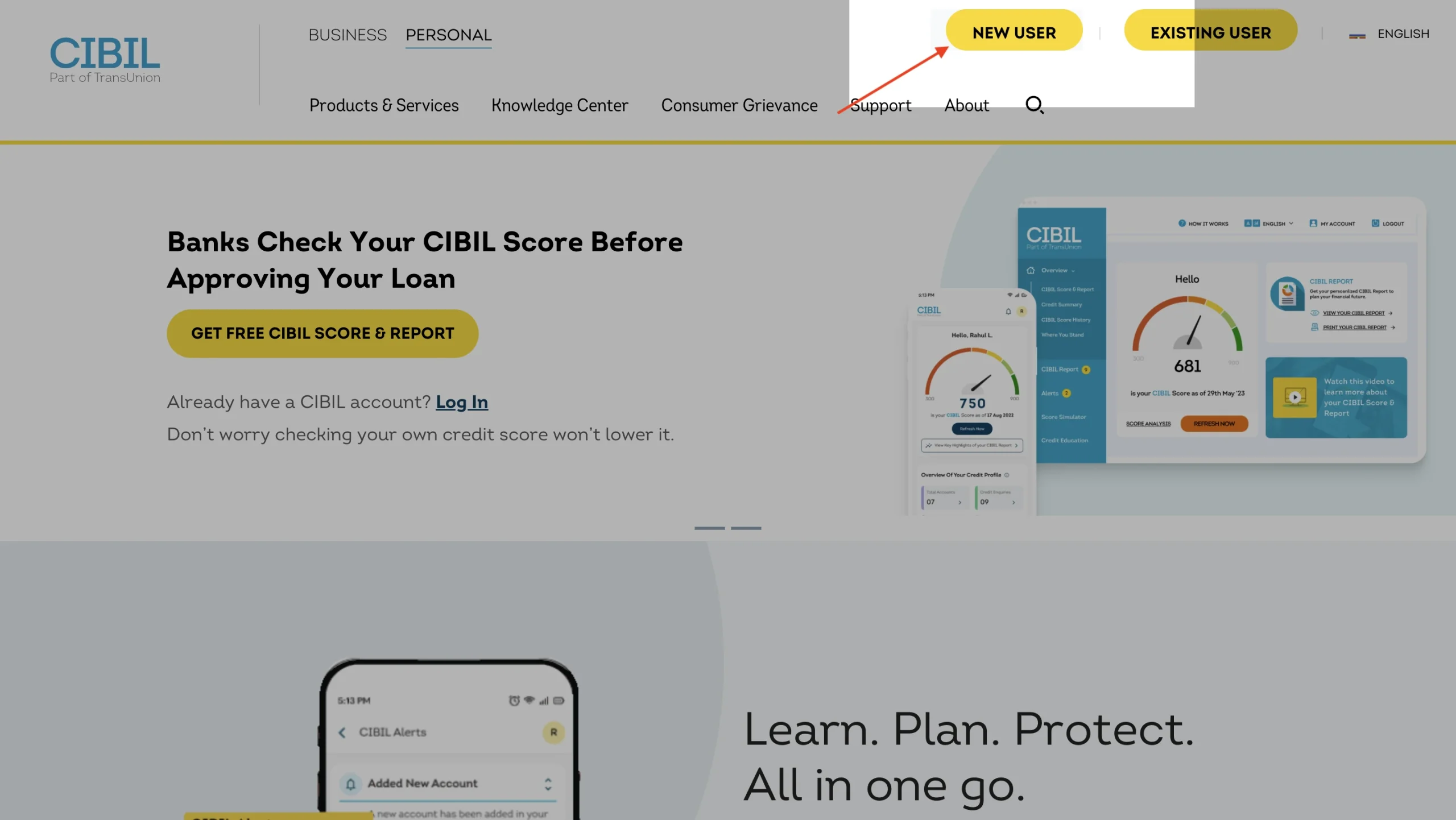
Step 2: Navigate to the credit reports section. There you will find ‘dispute centre’ and click on ‘dispute an item’.
Step 3: Click on the specific section you want to dispute.
Step 4: Choose your dispute type
Step 5: If the dispute is based on data inaccuracies, enter the value in the respective field.
Step 6: Click on ‘submit’.
You will receive a dispute summary along with the field name, details of the dispute, the status of the dispute, and the dispute ID as an email confirmation.
Note: Keep the dispute ID from your confirmation email handy for quick access. You can also raise multiple disputes in a single section.
Suggested Read: Credit Score Range
Tracking Your CIBIL Dispute Status
The turnaround time for a dispute settlement is around 30 days from the date of dispute registration. The applicant will receive a status update from noreply@transunion.com on their registered email ID when the dispute is resolved.
You can follow the steps below to track our CIBIL Dispute Status:
- Visit the official website of the CIBIL score.
- Log in using your username and password.
- In the pending dispute section, enter your dispute ID.
- A dashboard will open up where you can view your updates.
Tips for Quick CIBIL Dispute Resolution
While typically a dispute resolution can take anywhere between a few days to at most 30 days, there are certain things you, as a customer, can do to help with the process.
- Accuracy in Information: Double-check all details before submitting the dispute form.
- Choose Correct Dispute Type: Choose the right category (e.g., ownership, data inaccuracy) for faster processing. Using subdivisions can narrow down your query into a simpler format.
- Attach Supporting Documents: If applicable, provide statements or ID proof to strengthen your claim.
- Track Regularly: Monitor your dispute status online using your dispute ID.
- Avoid Multiple Submissions: Raise one dispute per issue to prevent delays or rejection.
- Follow Up if Needed: If no update is received within 30 days, contact CIBIL support with your dispute ID.
CIBIL Grievance Redressal
Grievance redressal is a form of escalation in case your disputes or queries remain unattended even after the standard period.
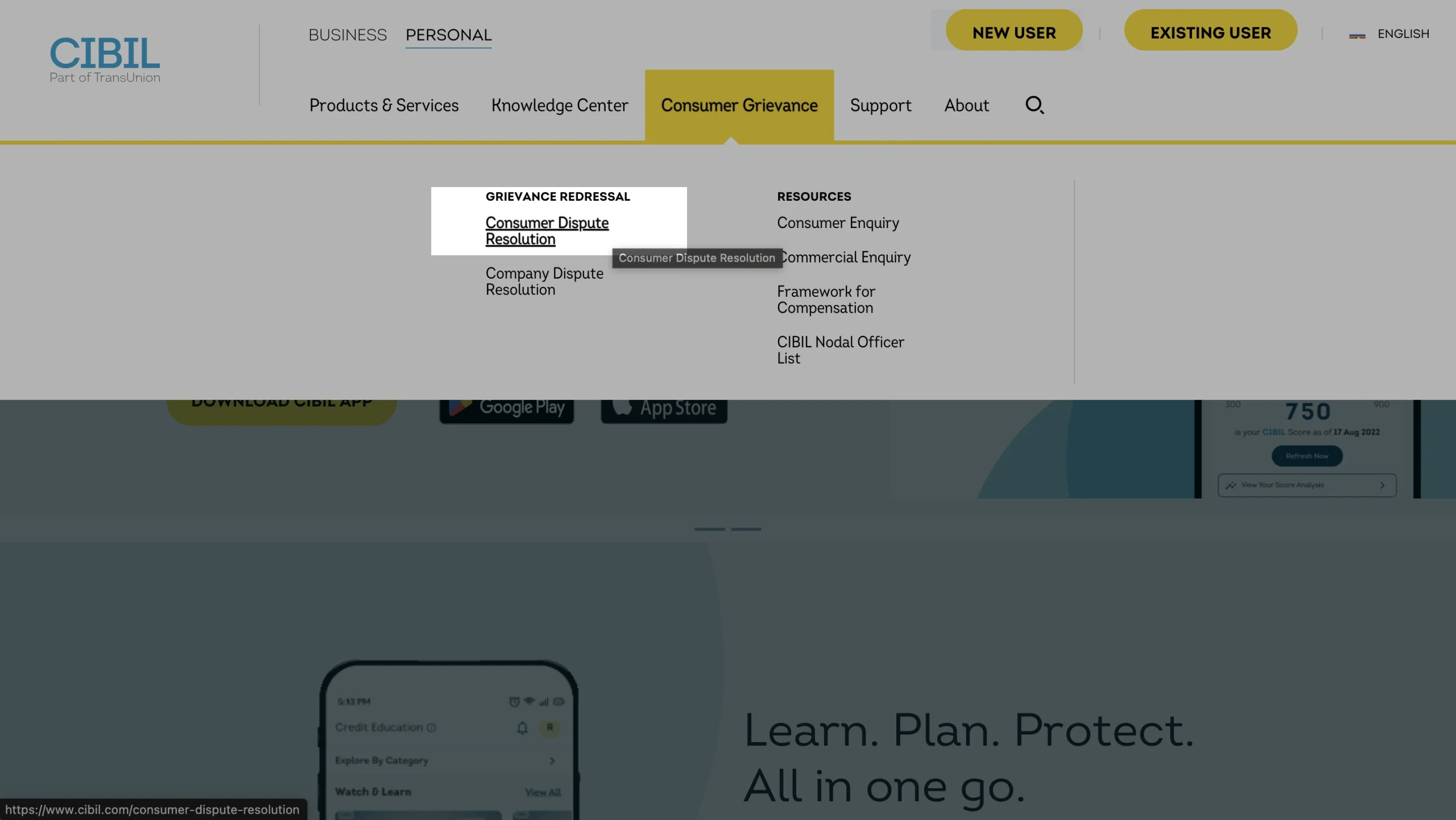
If your concern has not been resolved through standard customer care channels or your dispute remains unattended beyond the expected timeframe, you can escalate it through CIBIL’s formal grievance redressal process.
You can use the following data to raise escalations:
| Escalation Level | Contact Point | Email / Contact Info |
|---|---|---|
| Level 1 | CIBIL Customer Support | Email: info@cibil.com Ph. no. 022-6638-4600 |
| Level 2 | Nodal Officer | Email: nodalofficer@transunion.com You can also raise a complaint using this official form |
| Level 3 | Principal Nodal Officer | Email: nodalofficer@transunion.com You can also raise a complaint using this official form |
Note: For issues that still remain unattended, it is advised to contact the RBI through their Integrated Ombudsman Scheme.
Suggested Read: Good Credit Score
CIBIL Office Address & Contact Details
For individuals who want to visit the CIBIL office and raise their concerns, CIBIL requests that they keep in mind the following details:
| Walk-in Time | Mon – Fri, 10:00 AM to 06:00 PM |
| Documents (Original or Copies) | 1. PAN card 2. Passport 3. Driving License 4. Voter ID |
| Address | TransUnion CIBIL Limited (Formerly: Credit Information Bureau (India) Limited) One World Centre, Tower 2A, 19th Floor, Senapati Bapat Marg, Elphinstone Road, Mumbai – 400 013. |
| Fax | +91 22 6638 4600 |

Download the Buddy Loan App Now!
One solution to each of your financial needs at your fingertip.

Scan to download now

