

Speed Post Passport Tracking is a vital service provided by India Post that allows passport applicants to monitor the status of their passport delivery after dispatch. Whether you are awaiting a new passport or a Police Clearance Certificate (PCC), this tracking system ensures transparency and ease in knowing exactly where your document is in transit. Individuals can check updates online, via SMS, or at a local post office using the unique 13-digit speed post tracking number provided. This efficient tracking process ensures the secure and timely delivery of passports across India.
India Post helps you to track your passport’s delivery in real-time using a 13-character speed post tracking number. To track your Passport delivery status you can use the India Post Tracking website, send an SMS to 166 or 51969, or check via the mPassport Seva App for quick updates.


Prerequisites to Track Your Passport by Speed Post
To track your passport dispatched through India Post’s Speed Post service, ensure you have the following:
- Speed Post Tracking Number: A unique 13-character tracking number provided by the Passport Office.
- Receipt, SMS, or Email Confirmation: At the time of dispatch, the tracking number is shared through a confirmation email, SMS, or other means.

Speed Post Passport Tracking Number
The Speed Post Passport Tracking Number is a unique 13-character identifier that helps you monitor your passport’s delivery status. Once your passport has been dispatched, the Passport Seva Kendra (PSK) shares the passport speed post tracking number.
The Passport Office will notify you through:
- Email: A confirmation email will be sent to your registered email address.
- SMS: A text message on your registered mobile number, confirming dispatch details.
You can use this tracking number to check the delivery status on the official India Post Tracking Website.
Always keep the tracking number secure, as it is essential for accessing updates about your passport’s delivery progress.
Ways to Track Your Passport Delivery Status
Tracking your passport dispatched via speed post can be done through multiple convenient methods. Below is an overview with the details you requested:
| Method | Platform | Details |
|---|---|---|
| Online Tracking | India Post Website & Passport Seva Website | Enter the 13-character tracking number for real-time updates. |
| SMS Tracking | Mobile SMS Service | Send an SMS in the format POST TRACK <13-digit article number> to 166 or 51969 for updates. |
| mPassport Seva App | Mobile Application | Download the app from Google Play or Apple Store, and check status or link to India Post tracking. |
| Post Office Visit | Physical Visit to Post Office | Visit your nearest India Post office and provide your tracking number for assistance. |
Each method provides accurate updates about your passport dispatch status speed post, ensuring a seamless and secure tracking experience.
1. Track Passport with Speed Post Tracking Number
The most popular and efficient way to track your passport speed post-track status is by using the India Post tracking website. Follow these steps:
-
- Go to the India Post Tracking Portal.
- On the homepage, you will find a tracking tool where you can enter your details.
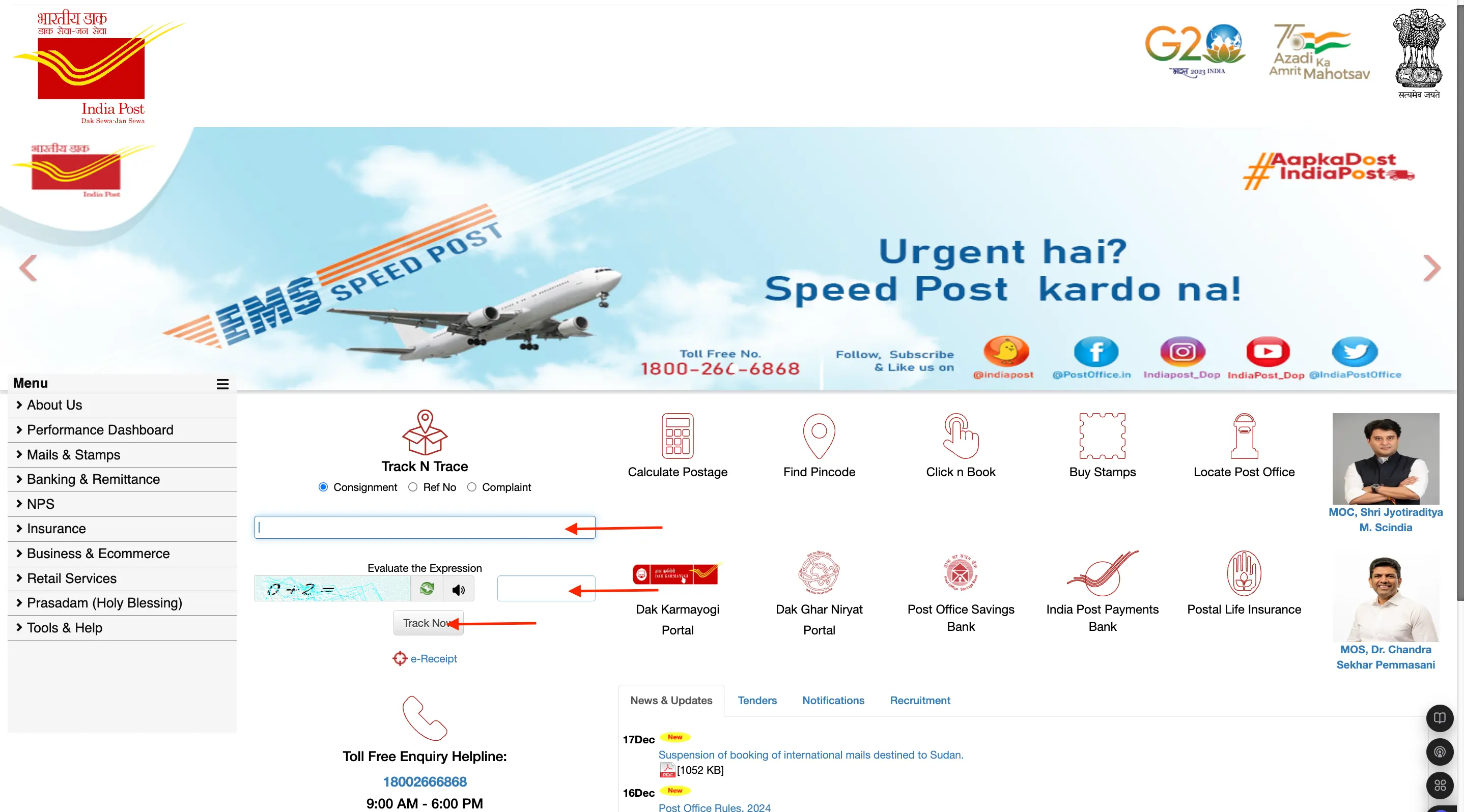
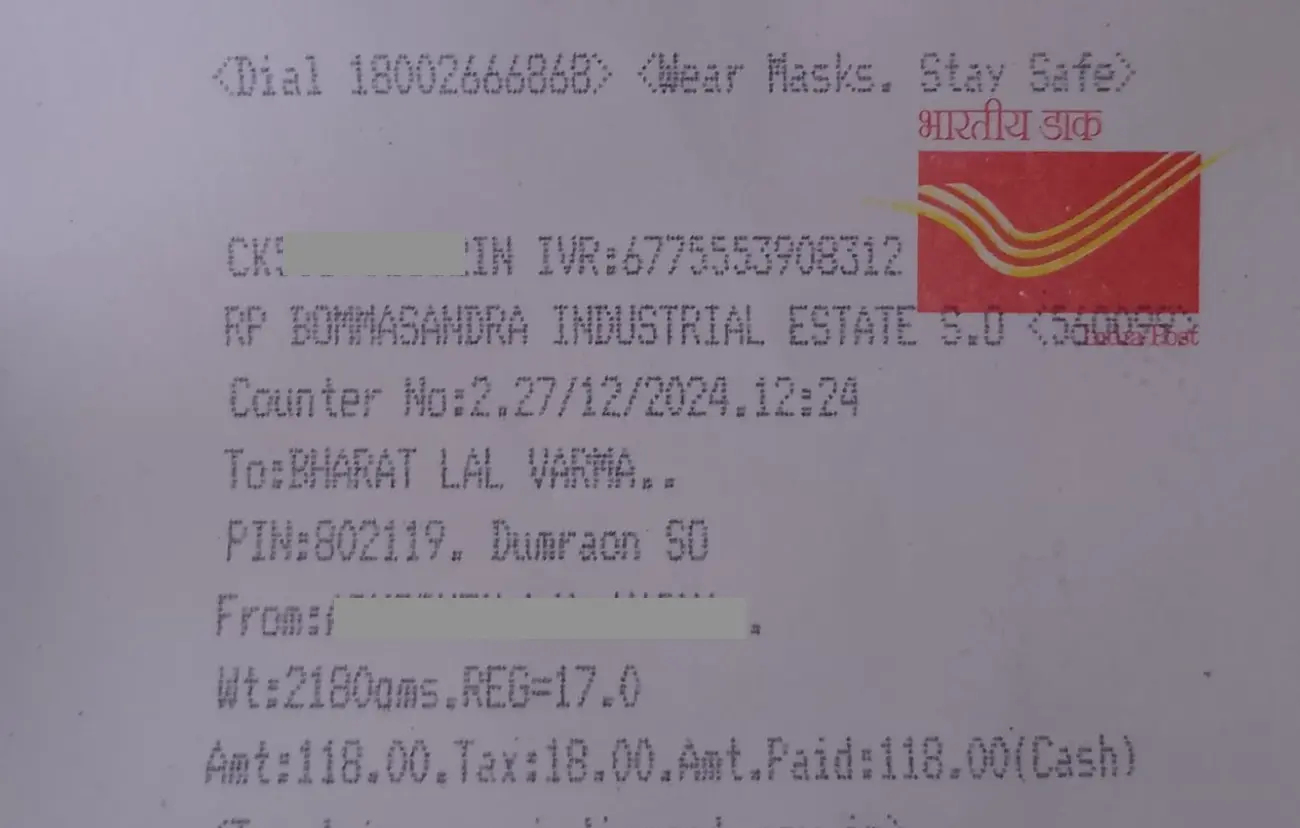
- Enter the 13-digit speed post tracking number passport provided by the RPO (Regional Passport Office).
- Enter the Captcha.
- Now, Click the “Track” button to view the status of your passport.
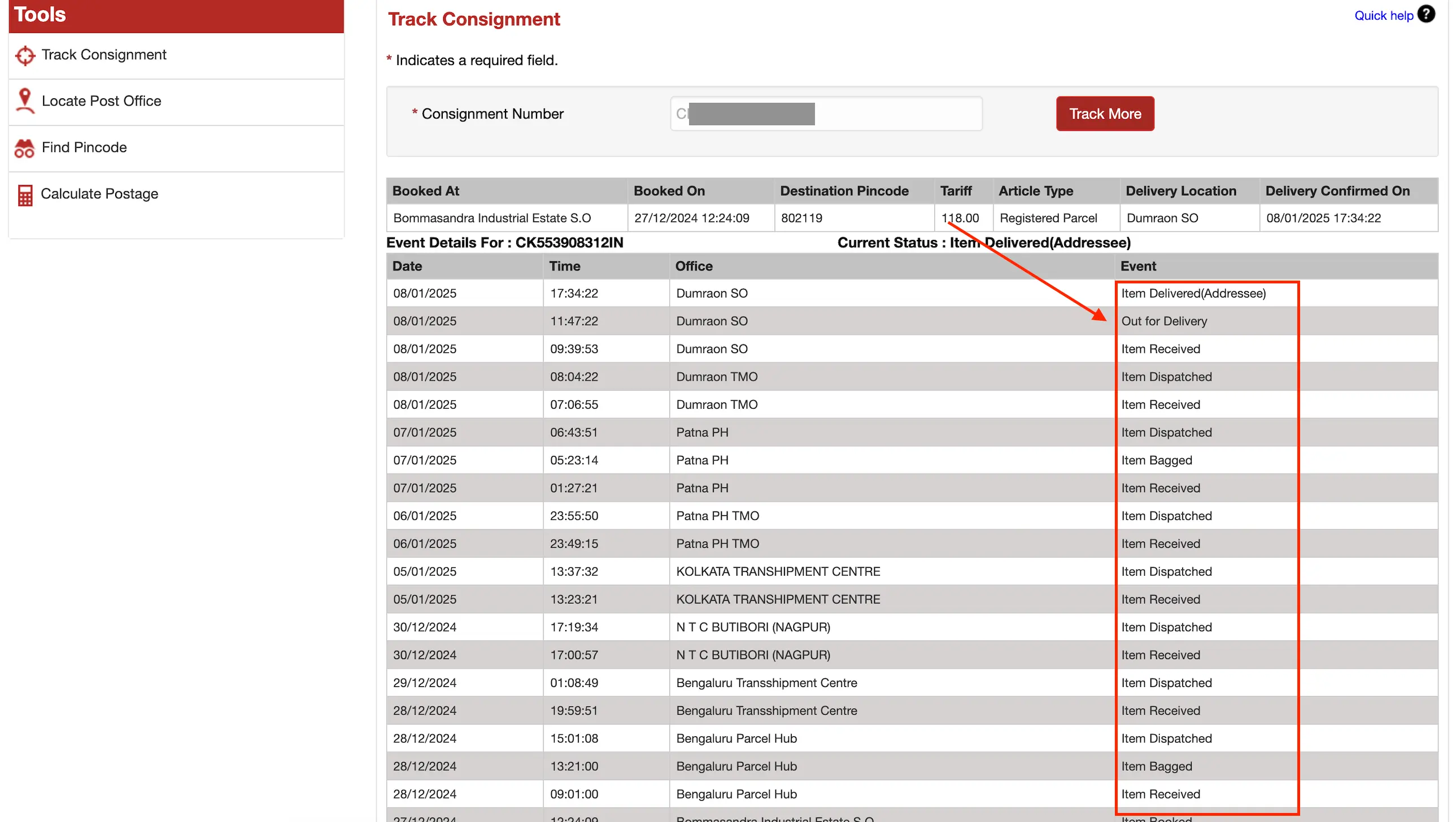
- The system will display information such as:
- Item Bagged: Your passport is on its way to the delivery location.
- Out for Delivery: The passport is out for final delivery.
- Delivered: Your passport has been successfully delivered.
2. Track Passport Status on the Passport Seva Portal
You can track your passport application and delivery status conveniently through the Passport Seva Portal, which provides real-time updates and a Speed Post tracking number if your passport has been dispatched.
-
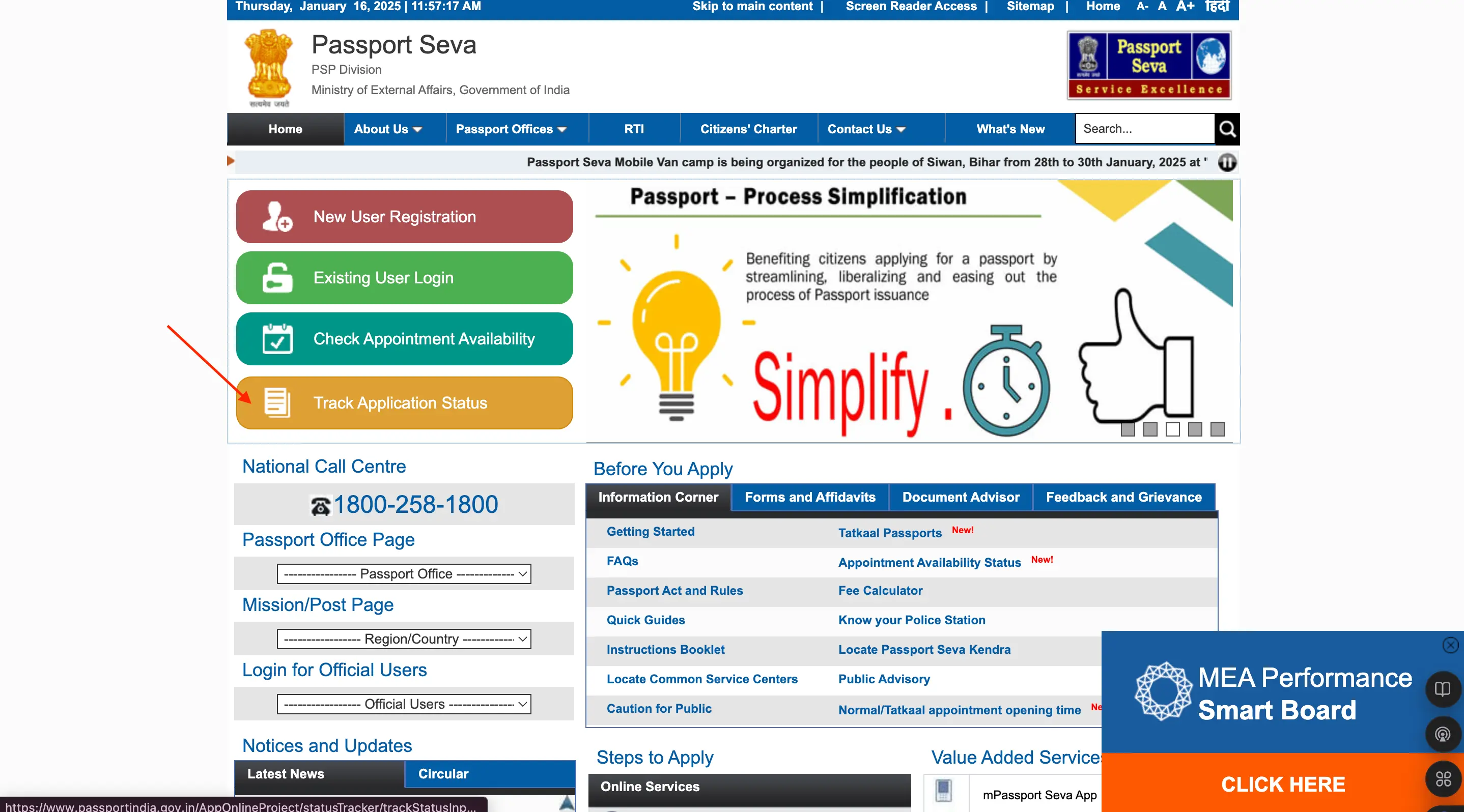
- Visit the Passport Seva Portal.
- Click on “Track Application Status” on the left-hand menu.
-
- Select the application type (e.g., Passport or PCC).
-
- Enter your Passport File Number and Date of Birth.
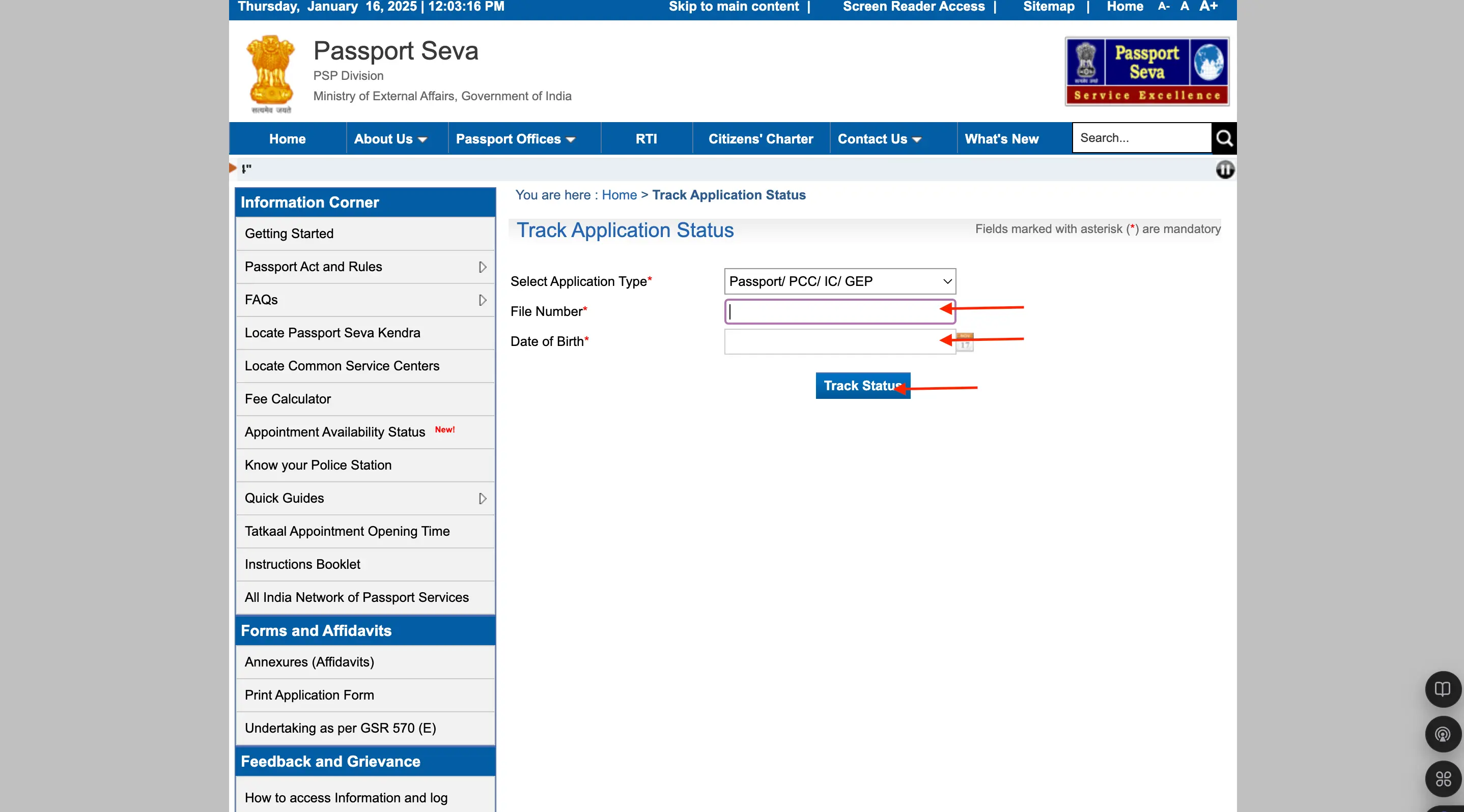
- Click “Track Status” to view your passport’s current progress.
- If dispatched, note the 13-character Speed Post tracking number displayed on the screen.
- Use this tracking number to check delivery updates via the India Post Tracking Portal.
3. Track Passport Status on mPassport Seva App
The mPassport Seva App, developed by the Ministry of External Affairs, offers a seamless way to manage passport-related services, including tracking.
-
- Download and Install the App: Get the app from the Google Play Store or Apple App Store.
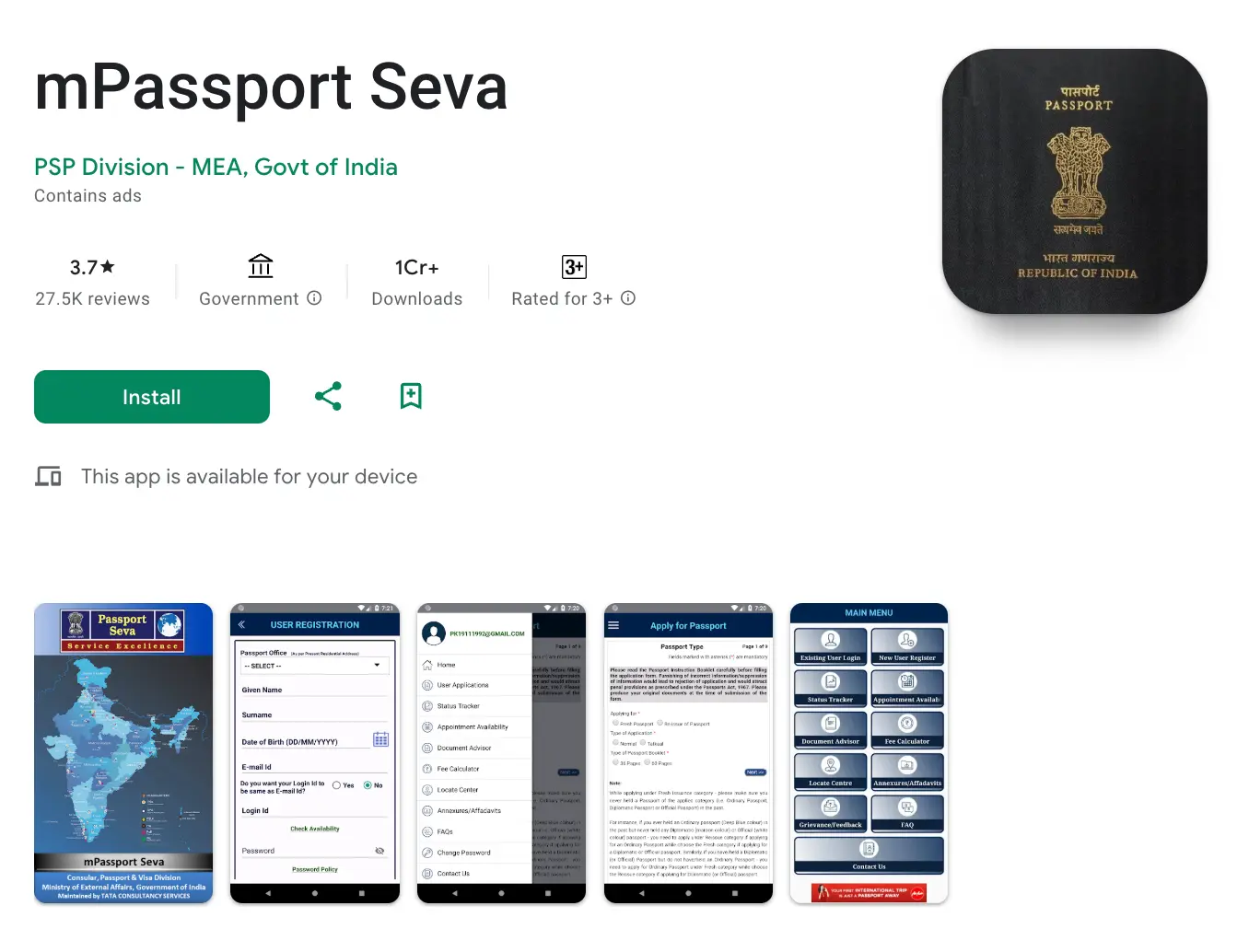
- Log In to Your Account: Use your registered credentials to access the app.
- Access the Tracking Feature: Navigate to the tracking section of the app.
- Enter the Tracking Number: Input your speed post tracking number passport to get real-time updates.
- Link to India Post: The app also provides a direct link to the India Post tracking platform for further details.
4. Track Passport Status by SMS
For individuals who may not have internet access, the speed post tracking SMS service is a convenient alternative. Here’s how to use it:
- Open the SMS application on your mobile phone and type the following: POST TRACK
- Send this SMS to either 166 or 51969.
- Within seconds, you will receive an SMS with the current delivery status of your passport.
This method is highly efficient and provides instant updates on your passport delivery status speed post.
5. Track Passport Delivery Status by Visiting Post Office
For those who prefer in-person assistance, visiting a nearby post office is an option:
- Visit Your Nearest Post Office: Locate the nearest India Post branch.
- Provide Your Tracking Number: Share your passport speed post tracking number with the staff.
- Get the Status Update: The staff will retrieve the current status of your passport using their system.
This method is especially helpful for individuals who encounter issues with online or SMS tracking.

Passport Tracking Status Updates
When tracking your passport on the India Post Portal, you may encounter the following status updates:
- Item Booked: Indicates that your passport has been dispatched by the Regional Passport Office and is registered in the Speed Post system.
- Item Dispatched: This shows that your passport has left the originating post office or dispatch center and is on its way to the next destination.
- Item Received at [Location]: Confirms that your passport has arrived at a specific postal facility or hub for further processing or delivery.
- Out for Delivery: This means that your passport is with the delivery personnel and will be delivered to your registered address shortly.
- Item Delivered: This confirms that your passport has been successfully delivered to the recipient’s address.
Steps to Take If Passport Tracking Status is Not Updated
If the Speed Post tracking information for your passport hasn’t been updated for an extended period, or if the status appears unclear, it’s essential to take proactive steps to resolve the issue. Here’s what you can do:
- Contact India Post: Reach out to the India Post customer service helpline at 1800-266-6868 or visit the India Post Contact Page for assistance. Provide your 13-digit tracking number and inquire about the delay.
- Visit Your Local Post Office: Go to your nearest post office with your tracking number and ID proof. The staff can provide direct insights or escalate the issue if needed.
Importance of Speed Post Passport Tracking
Tracking your passport delivery through Speed Post is crucial for ensuring a seamless and stress-free experience. Here’s why it matters:
- Real-Time Monitoring: Stay updated with the exact status and location of your passport throughout the delivery process.
- Effective Planning: Plan your travel, documentation, or official commitments with confidence by knowing the estimated delivery time.
- Enhanced Security: Rest assured that your sensitive document is being securely handled and transported.
- Prompt Issue Resolution: Detect and address any delays or problems in the delivery process swiftly.
- Complete Transparency: Gain clear visibility into each stage of the passport’s journey, ensuring trust and reliability.
Features of Speed Post Passport Tracking
The Speed Post Passport Tracking service is designed to offer applicants a convenient and reliable experience. Here are its standout features:
- Multi-Platform Accessibility: Track your passport online, via SMS, through an app, or in person.
- Real-Time Updates: Receive up-to-date information on your passport’s journey.
- User-Friendly Interface: Tools like the India Post website and Passport Seva website make tracking simple and intuitive.
- Secure Handling: Passports are delivered with documented proof, ensuring safety.
- Nationwide Coverage: The service covers urban and rural areas across India.
- 24/7 Availability: Online tracking tools and SMS services are accessible around the clock.
- PCC Tracking Integration: The same system supports tracking of Police Clearance Certificates (PCC) dispatched via speed post.

Download the Buddy Loan App Now!
One solution to each of your financial needs at your fingertip.

Scan to download now

