
Aadhaar card status check is an essential service offered by the Unique Identification Authority of India (UIDAI) for you to monitor the progress of your Aadhaar card applications and updates. This online facility enables easy tracking of new enrollments, updates, or corrections.
By entering the Enrollment ID (EID) or Aadhaar Number along with the enrollment date and time on the official UIDAI website, applicants can stay informed about the UIDAI Aadhaar update status.
Checking your Aadhaar card status can be done online or through the mAadhaar app. You’ll need your registered mobile number and, for specific updates, the Unique Request Number (URN). Visit the UIDAI website or app, enter your details, select the update category you want to track, and view the current status Alternatively, contact the UIDAI helpline or email them for assistance if required.

How to Check Aadhaar Card Enrolment Status?
When applying for an Aadhaar card, you can check the status of your application in various ways. Here are steps to check your Enrolment status of the Aadhaar Card;
Step 1. You Can Log In To The Uidai Official Website
Step 2. By Using The Uid Number,
Step 3. Your Name Or Your Mobile Number
Step 4. &To Check The Aadhaar Card Status.
Are you looking for a personal loan?

Check Aadhaar Card Status with EID/UID
To check the status of Aadhaar card using your Enrollment ID (EID) or Aadhaar number (UID), follow these simple steps:
-
- Visit the UIDAI official website. Click on ‘Check Enrolment & Update Status’
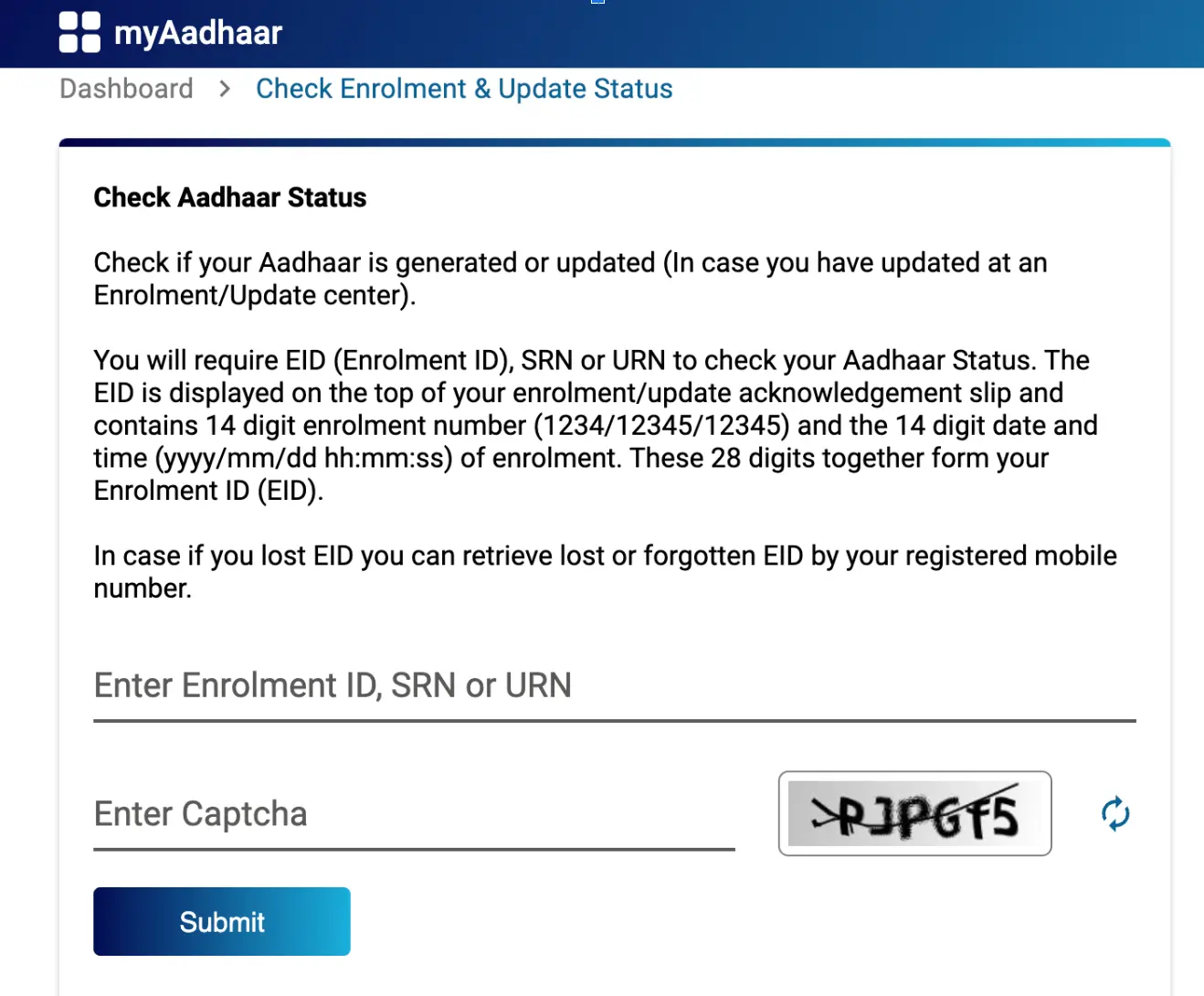
- Enter Enrollment ID or SRN or URN: Choose the appropriate option to enter either your 14-digit Enrollment ID (EID) or your SRN or URN.
- Fill in the Required Details: Enter the captcha code provided on the screen.
- Check Status: Click on the “Submit” button. The website will display the current status of your Aadhaar card, whether it is processed, or in progress.
Check Aadhaar Card Enrolment Status Without Enrolment Number
If you have forgotten your EID, you can check the Aadhaar card enrolment status by first retrieving the EID. Here are the steps to retrieve it:
-
- Visit myAadhaar official website and click on ‘Retreive EID’ for enrollment number retrieval.
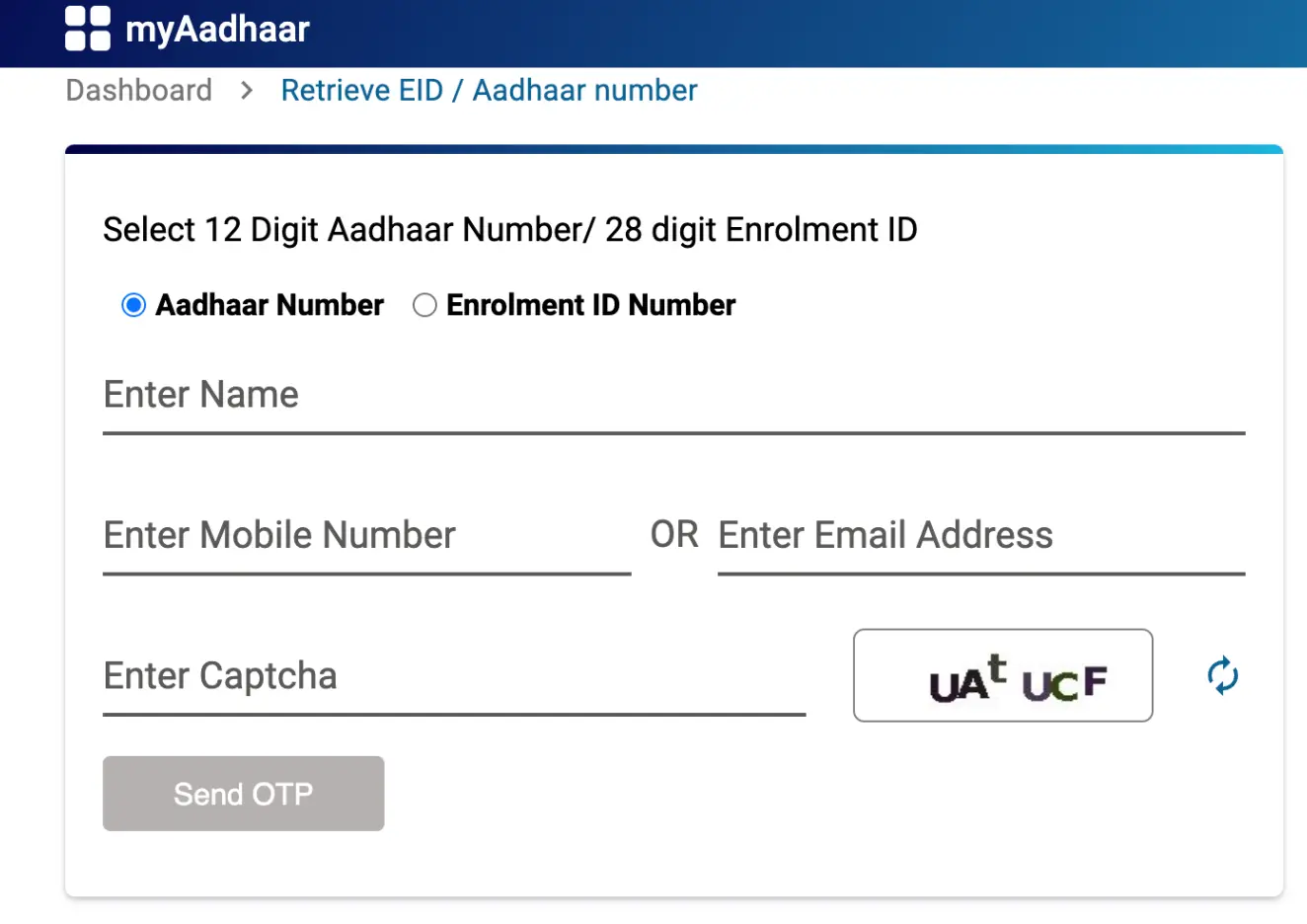
- Choose whether you want to retrieve the Aadhaar number or Enrolment number.
- Enter your details like name, email address, or mobile number and the security code to receive an OTP on your registered mobile number.
- Verify your identity by entering the OTP received.
- After verification, your Enrolment number or Aadhaar will be sent to your registered mobile number or email address.
- Use the retrieved Enrolment number to check the status of the Aadhaar card.
This process allows you to access your Aadhaar status even if you don’t have the enrollment number at hand.
Don’t know your credit score? You can find out for free!

Check Aadhaar Card Update Status
For an Aadhaar card status check, you can easily visit the official website online. Follow these steps below:
To check the Aadhaar card update status, follow these steps:
-
- Visit the official UIDAI website.
- Enter your Aadhaar number and the URN (Update Request Number) generated during the update process.
- Input the security code displayed on the screen.
- Click on the “Check Status” button.
- The page will display the current status of your Aadhaar update. It may show that your update is still in process, completed, or if any further action is required.
Check Aadhaar PVC Card Order Status
You can track the status of your PVC Aadhaar Card online. UIDAI offers you an option to track your Aadhaar PVC card order. Follow the steps below to check your order status:
-
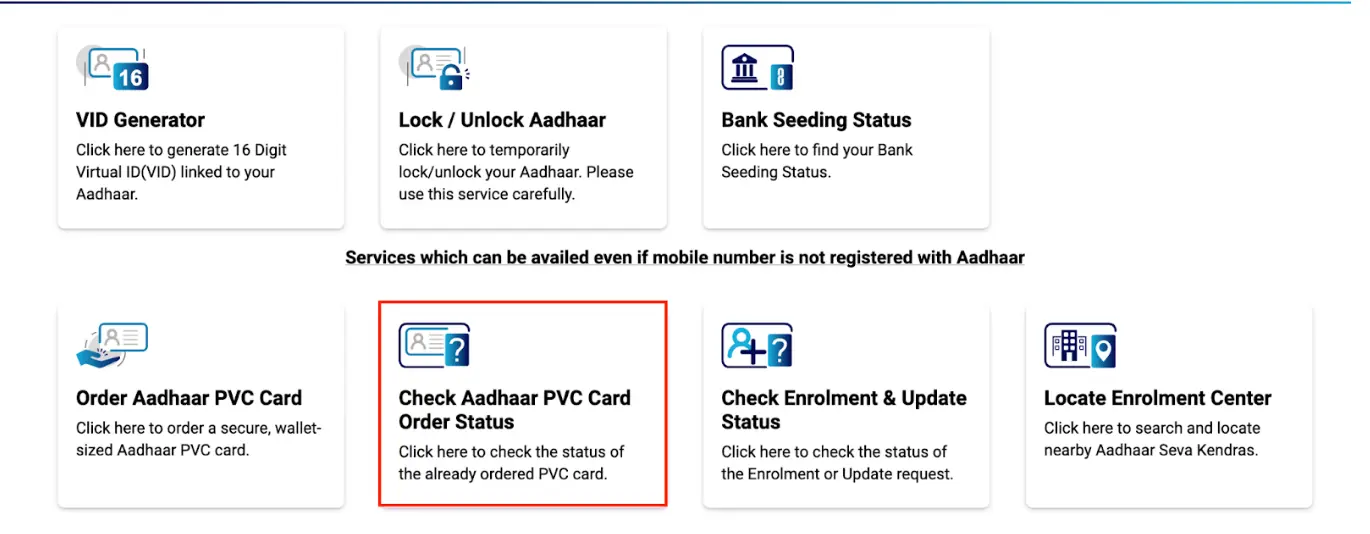
- Visit the myAadhaar official website and click on ‘Check Aadhaar PVC Card Order Status’
-
- Enter your Aadhaar number and the SRN generated during the update process.
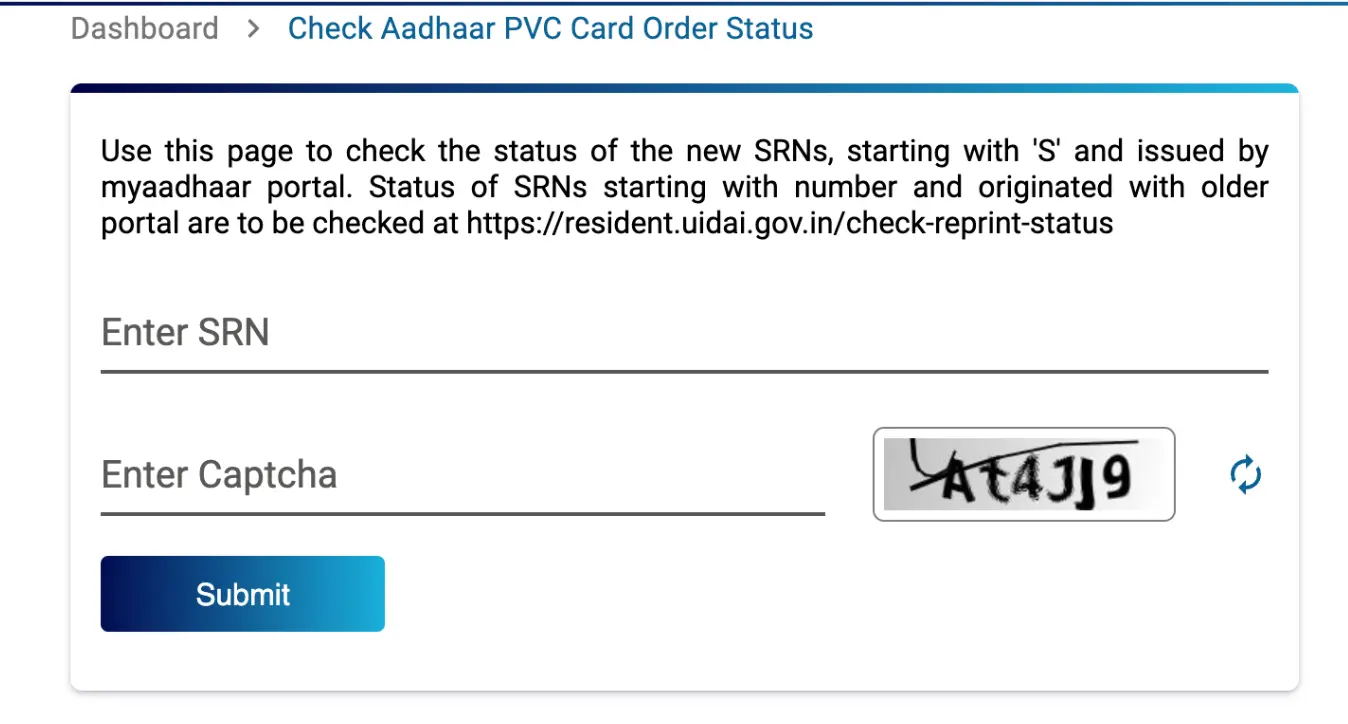
- Input the security code displayed on the screen.
- Click on the “Submit” button.
- The page will display the current status of your Aadhaar update. Showing that your update is still in process, successful, or otherwise.
Apply Personal Loan with Aadhaar Card Online
Check Your Aadhaar Card Complaint Status
If you’ve filed a complaint regarding your Aadhaar card, it’s crucial to track its progress and ensure it’s being addressed effectively. Here’s a guide on how to check the status of Aadhaar card complaint:
- Visit thel myAadhaar official website and click on ‘Check Grievance / Feedback Status’
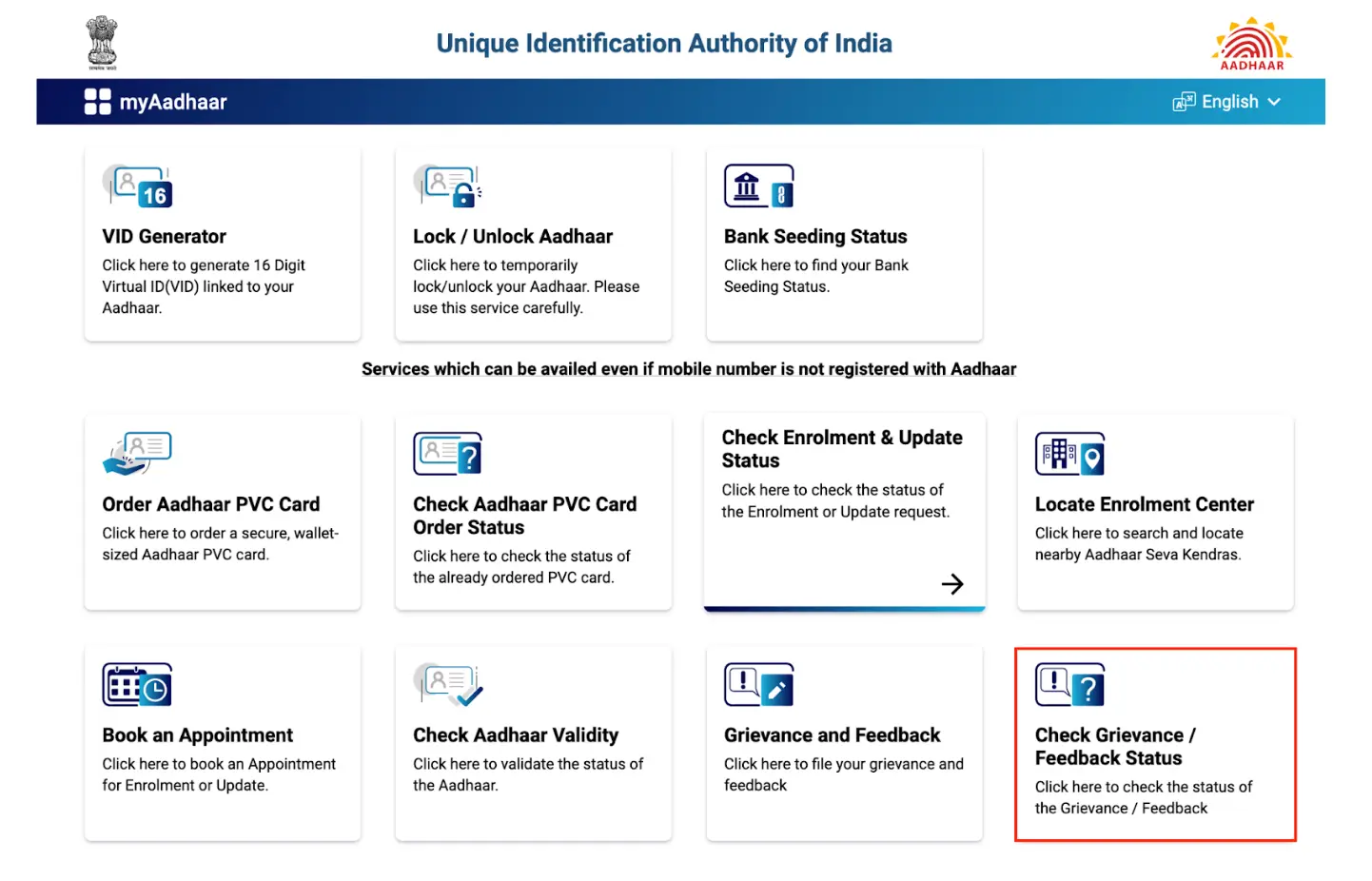
- Click on “Grievance/Feedback Status”.
- Enter your Service Request Number (SRN) received when you filed the complaint.
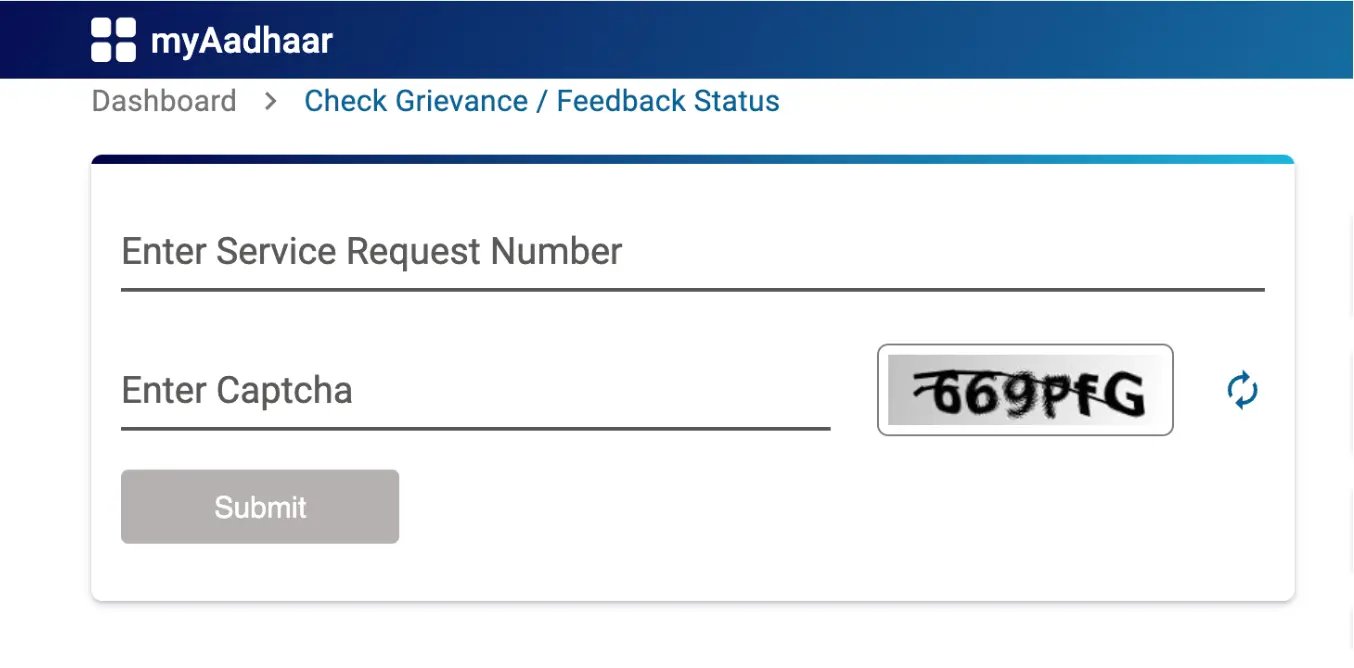
- Enter the security code displayed on the screen.
- Click on “Submit” to view the current status of your complaint.
Steps to Check Your Aadhaar Card Lock Status
Knowing your Aadhaar card lock status helps you understand whether you can use your Aadhaar for authentication purposes like digital signatures or biometric verification. Here’s how to check it:
Step 1: Visit the official UIDAI website and click on ‘Lock / Unlock Aadhaar’
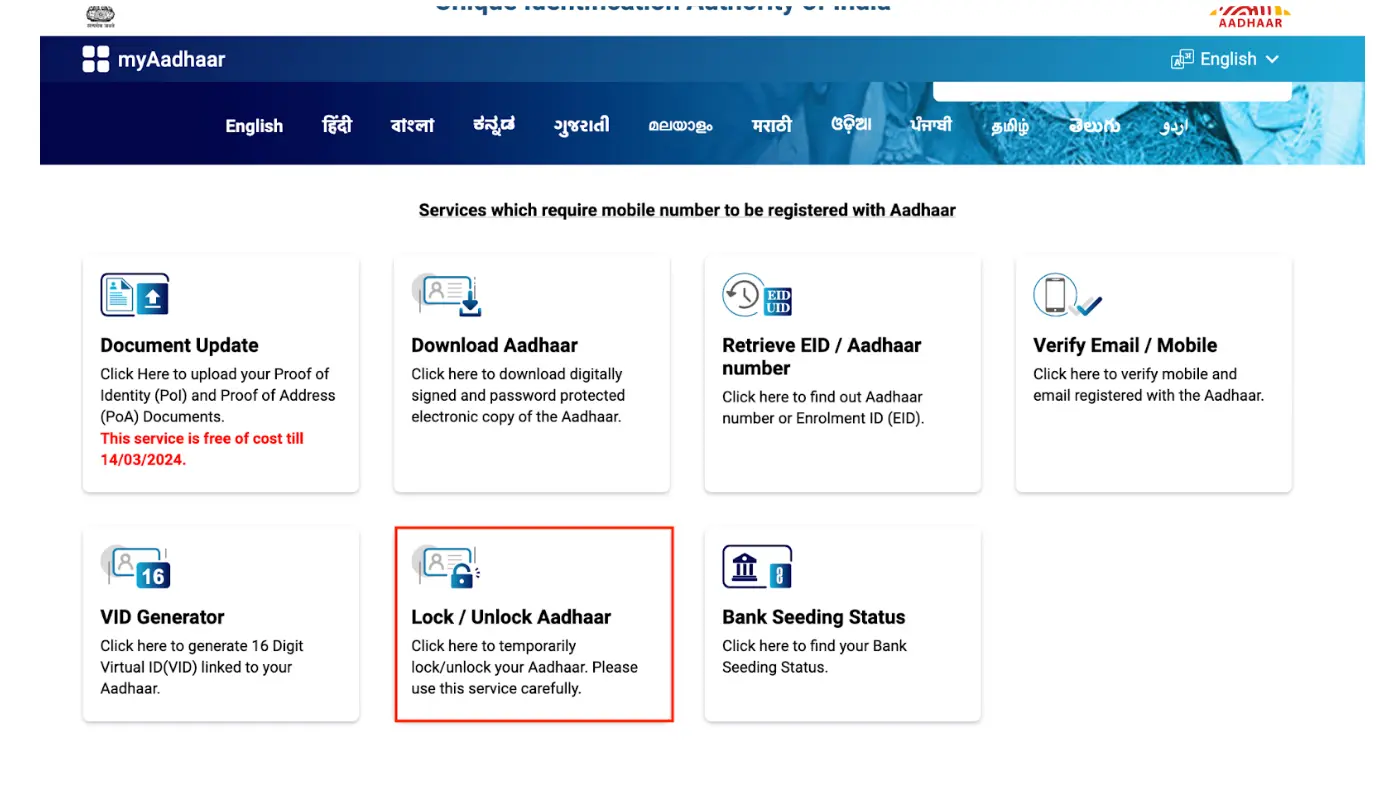
Step 2: Click on “Lock/Unlock Aadhaar”.
Step 3: Read the instructions given on the screen and ensure you have a virtual ID number before clicking ‘Next’.
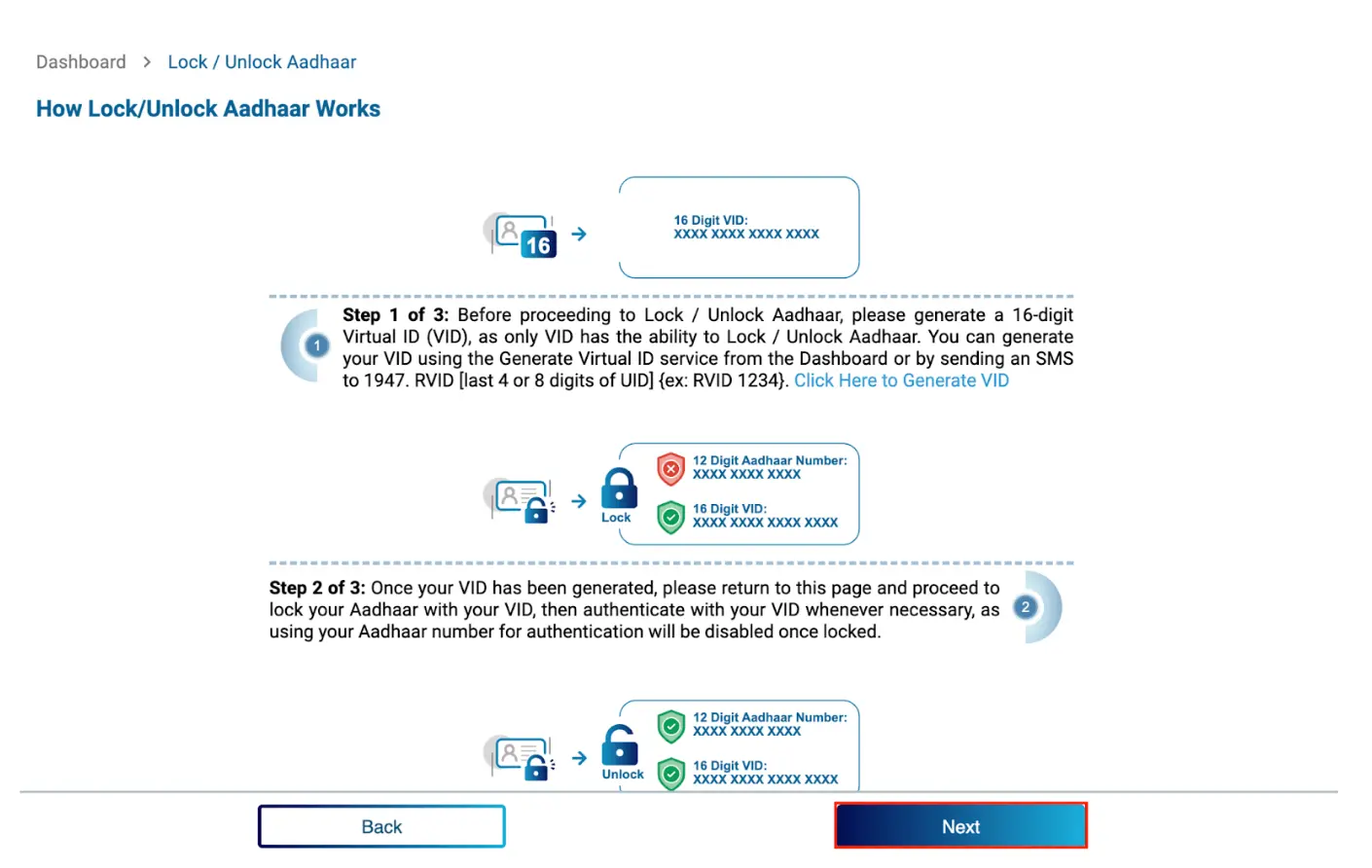
Step 4: Choose whether you want to lock or unlock Aadhaar, then enter your virtual ID number, full name, pin code and captcha.
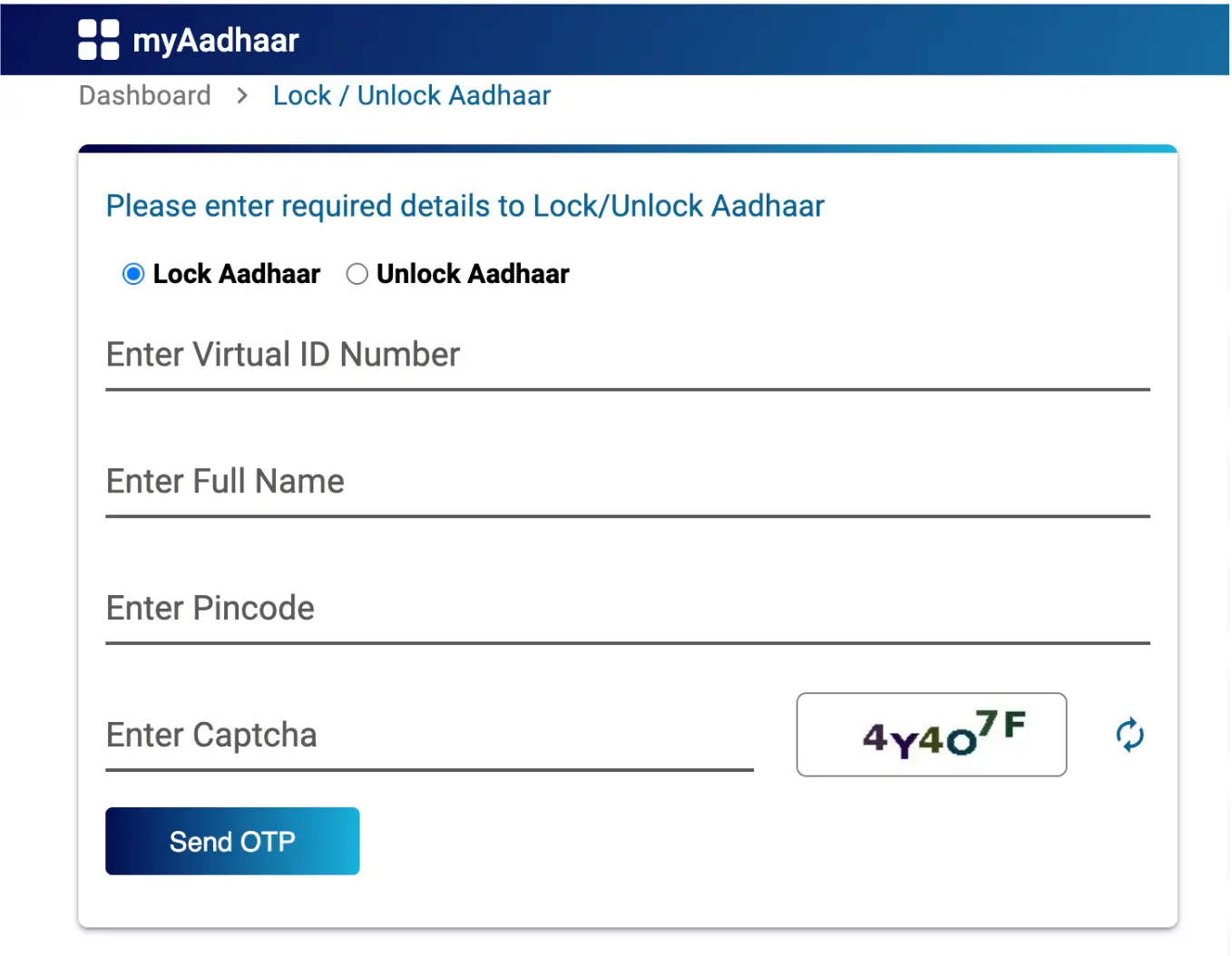
Step 5: Enter the OTP received on your mobile number.
Step 6: Then look for a message indicating “Biometrics Locked” if your biometrics are disabled.
Step 7: If there’s no such message, your biometrics are unlocked and can be used for authentication.
Aadhaar Card and Bank Linking Status Check
To check the Aadhaar card linking status with your bank account, adhere to the following steps:
Step 1: Navigate to the UIDAI website and select “My Aadhaar.”
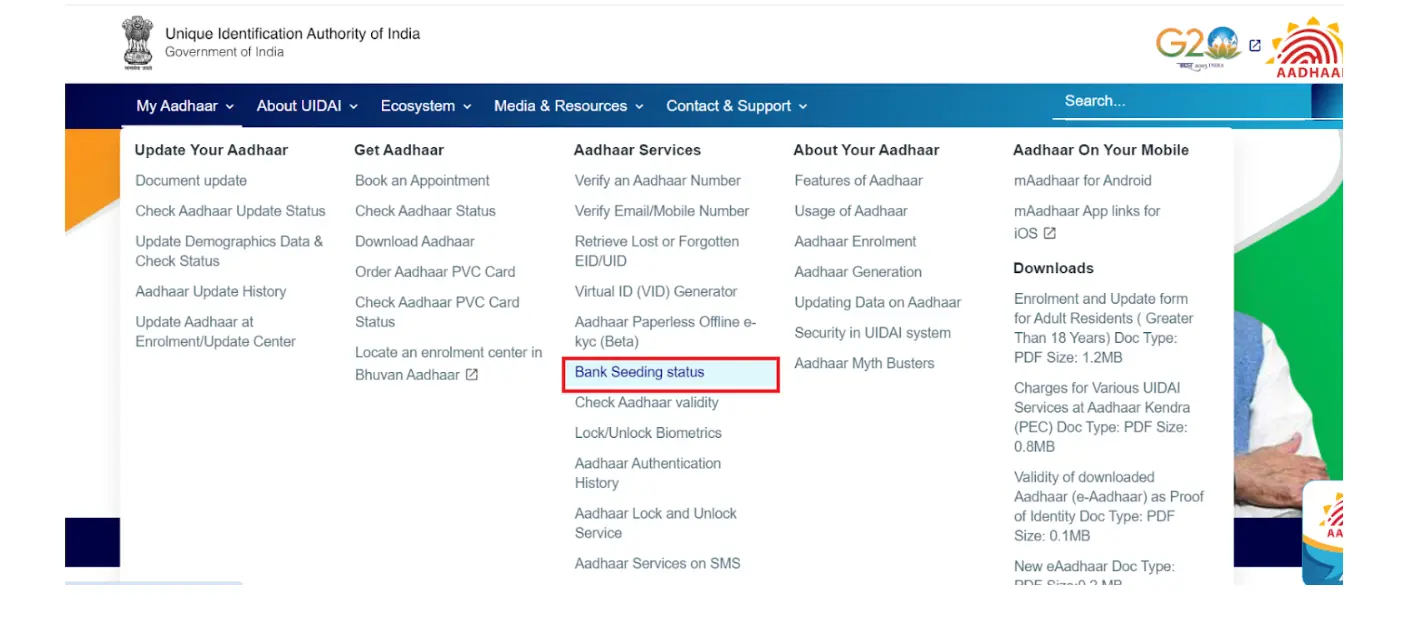
Step 2: In the Aadhaar Services section, choose “Bank Seeding Status.”
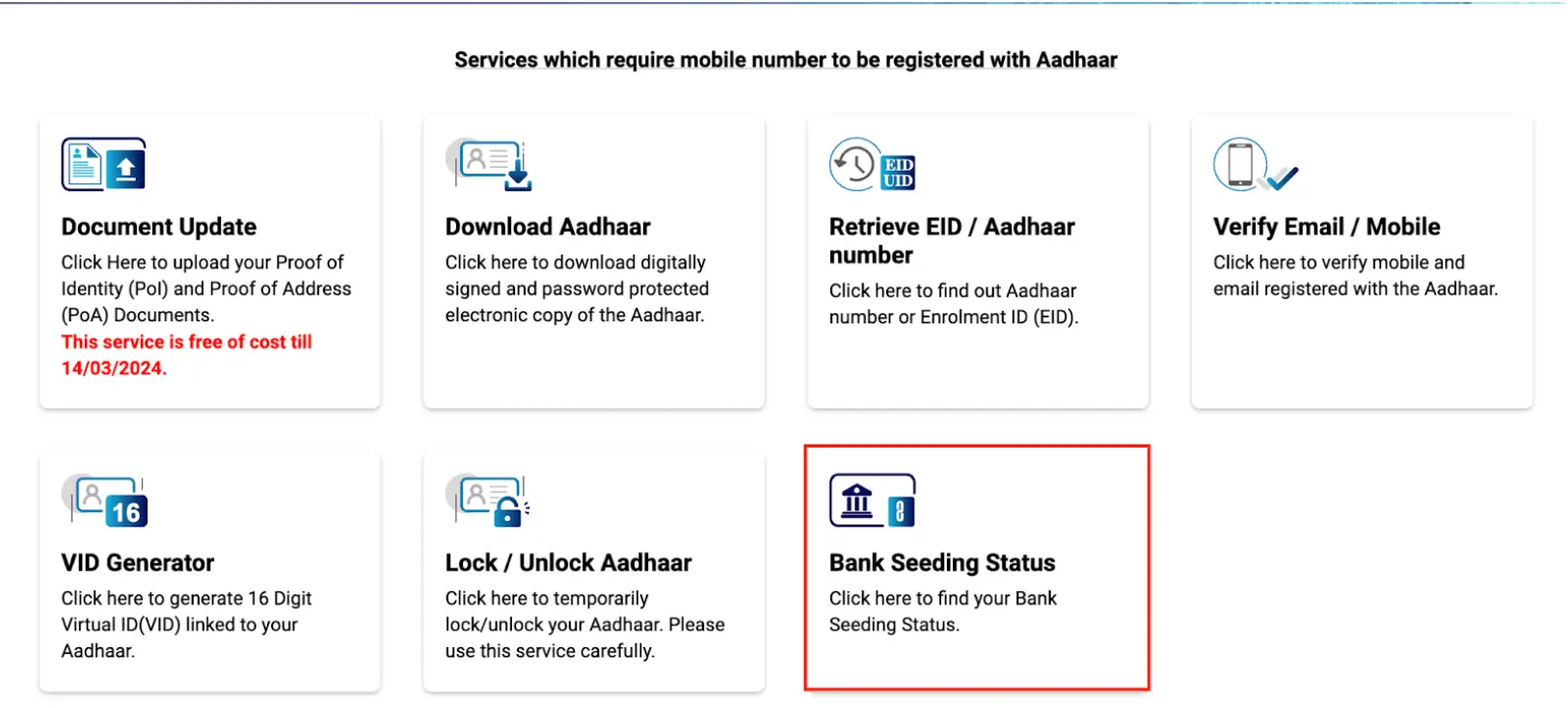
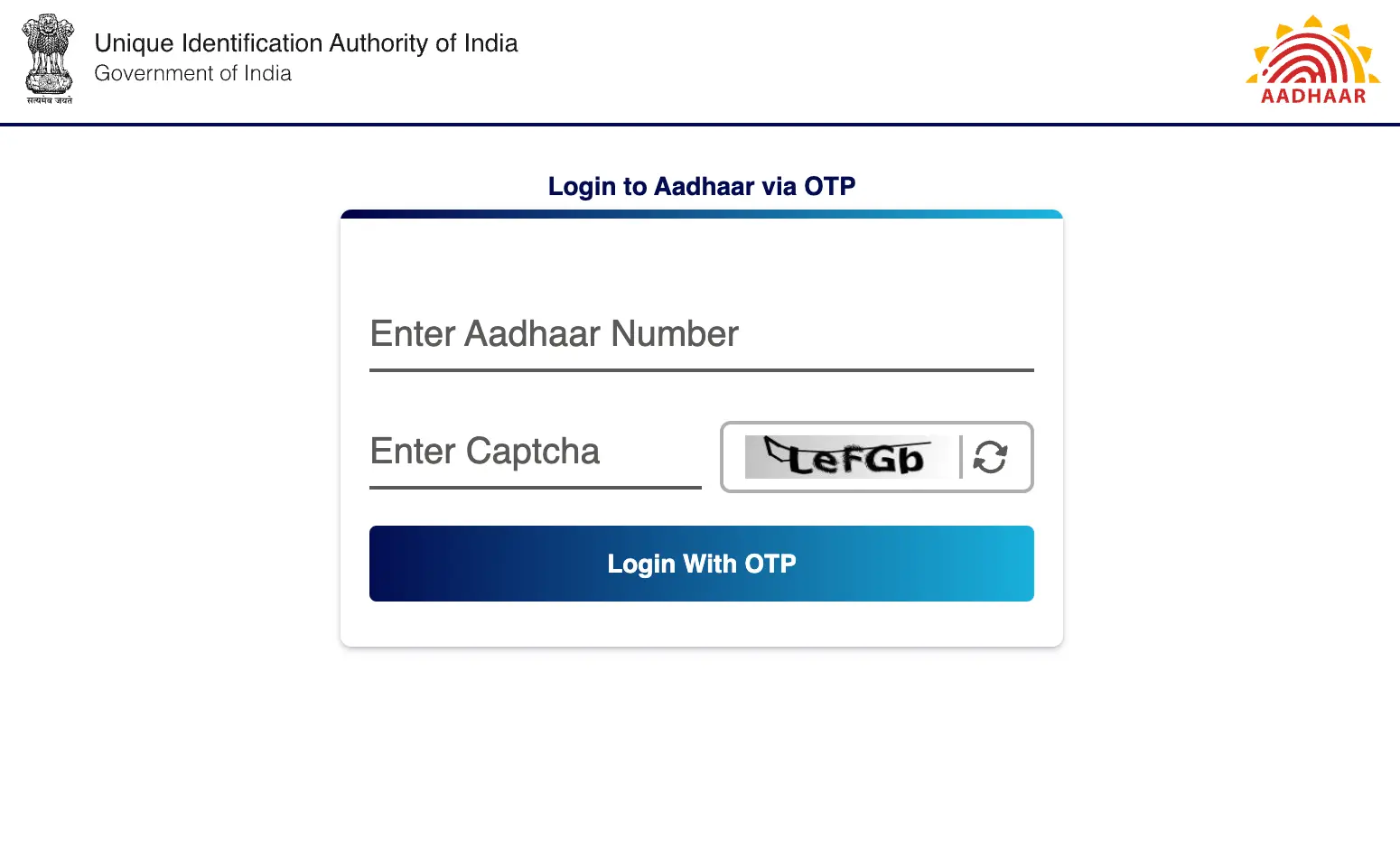
Step 3: Log in to your account using your Aadhaar number, captcha code, and followed by the OTP sent to your registered mobile number.
Step 4: Access “Bank Seeding Status” under the Services section to verify the status of the Aadhaar-bank account linkage.
Do you need an instant loan?