

PF, or EPF (Employees’ Provident Fund), is a government savings scheme for organized sector employees. The EPFO announces the annual interest rate. To check your EPF balance, your employer must activate your Universal Account Number (UAN), which is a unique identifier for each employee. The UAN is assigned by the EPFO, and you should have only one throughout your career, regardless of job changes.
You can check your PF balance through four methods: the EPFO online portal, the UMANG mobile app, a missed call, or SMS. These options are available with or without a UAN, making it easy to stay updated on your balance.


PF Balance Check Using EPFO Portal
To check your EPF balance, ensure that your Universal Account Number (UAN) is activated. The UAN serves as a distinct identification number allocated to all employees participating in the EPF scheme. After activating your UAN, proceed with the following steps:
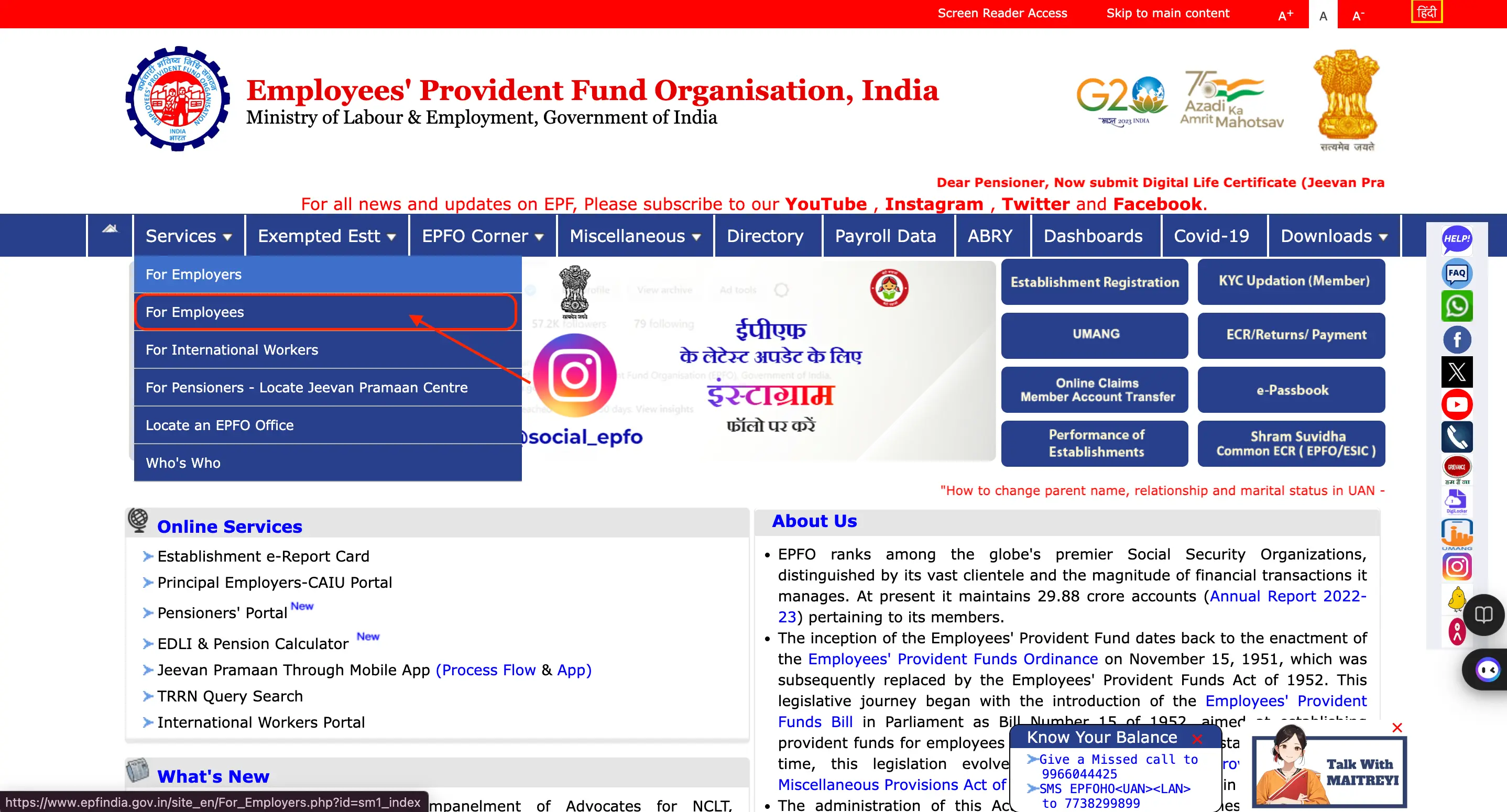
- Step 1. Visit the EPF portal and click on the ‘For Employees’ section under ‘Services’.
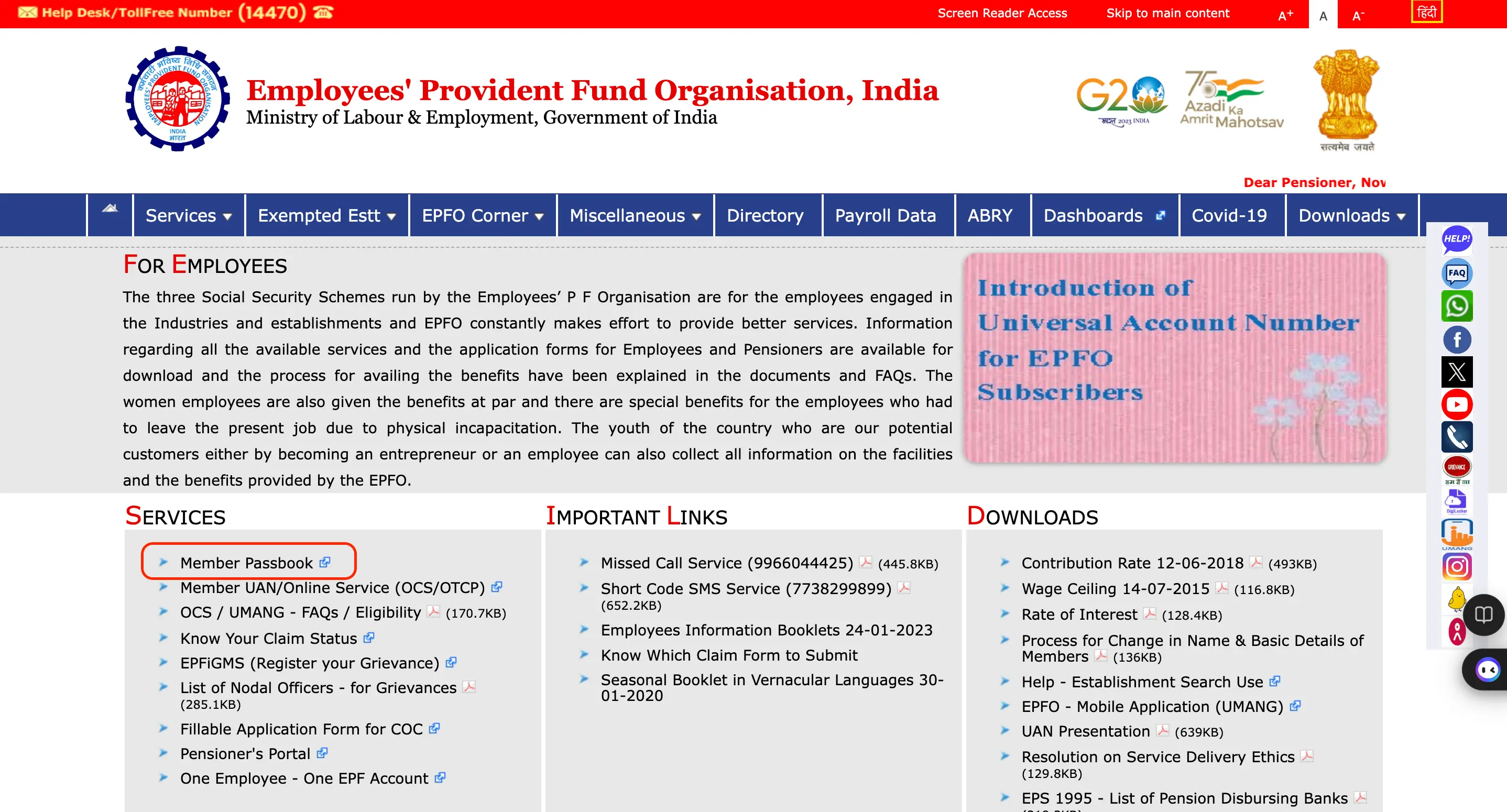
- Step 2. Click on ‘Member Passbook’ under the ‘services’ section.
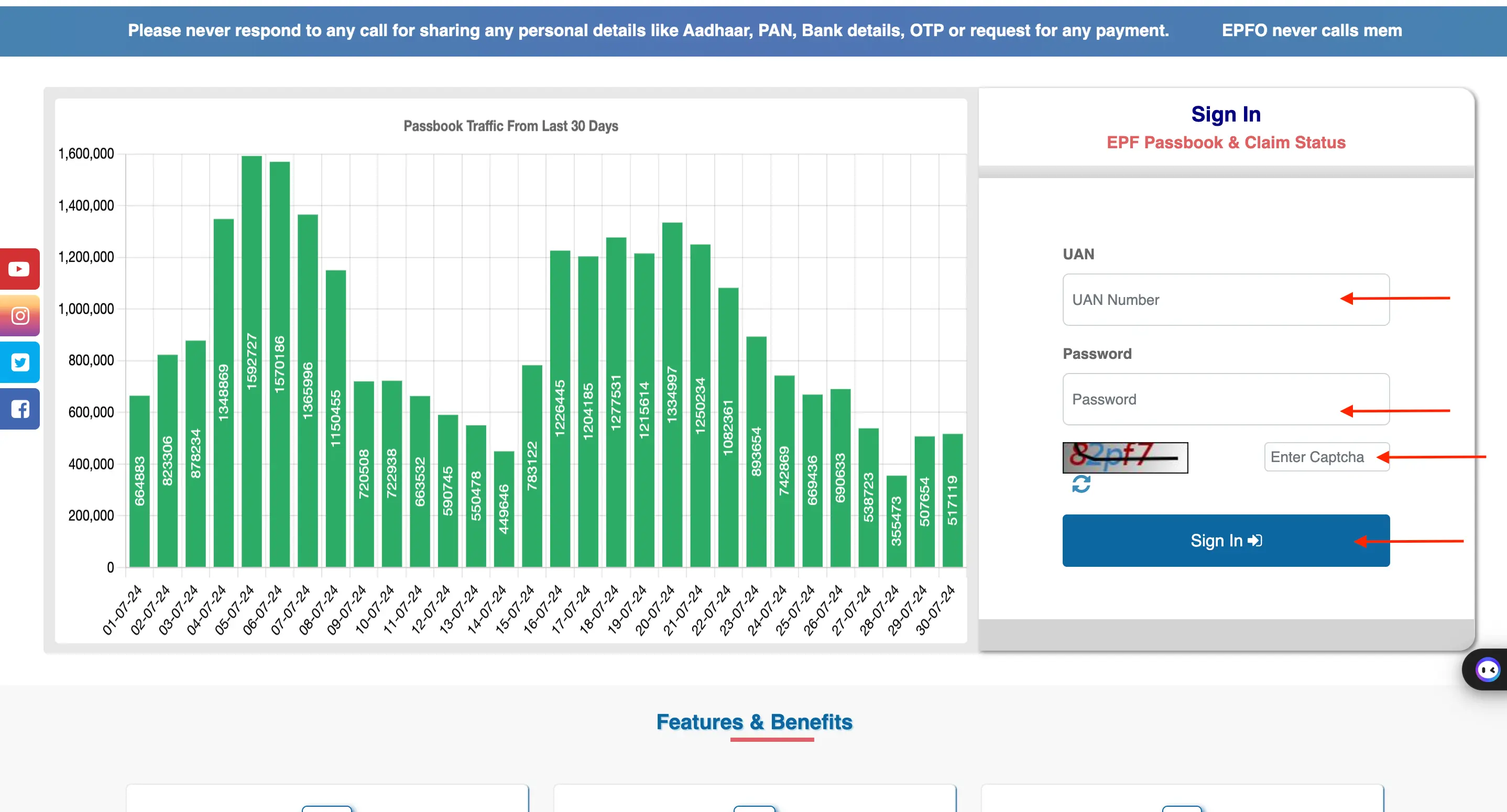
- Step 3. Enter your UAN and password, fill in the Captcha, and Sign In.
- Step 4. Enter the 6-digit OTP sent to your Aadhaar-linked phone number and click ‘Verify’.
- Step 5. Your PF account balance will be displayed on the screen.
Note: To check your EPF balance on the EPFO Portal, your UAN must be activated and registered. The passbook will be available for viewing six hours after registration and will display the latest reconciled entries. Note that exempted establishments and private trusts cannot access their EPF balance on the portal.
Are you looking for a personal loan?

Check PF Balance Using UMANG or EPFO App
Employees can check their EPF balance and track claims using the UMANG app. A one-time registration with their UAN-linked mobile number is required for access.
Here are the steps to check PF balance using the UMANG or EPFO app.
- Step 1. Download the UMANG app from Google Play Store or App Store.
- Step 2. Log in to the UMANG app by clicking on the profile picture, select ‘Services’, and click on the ‘Social Security’ option.
- Step 3. Click on the ‘EPFO’ option from the list of services.
- Step 4. Under ‘Employee Centric Service’, click on ‘View Passbook’.
- Step 5. Enter your UAN number and receive an OTP on your registered mobile number.
- Step 6. Enter the OTP and click on the ‘Submit’ button.
- Step 7. Click on the Company for which you want to view and download the EPF passbook.
- Step 8. The passbook will be displayed on the screen.
- Step 9. Click on the ‘Download’ button to download the EPF passbook.
PF Balance Check by Sending an SMS
Here are the steps to check PF balance through SMS:
- Step 1. Send an SMS to 7738299899 in the format ‘EPFOHO UAN ENG’ to set your preferred language of communication.
- Step 2. You can use the first three characters of your preferred language (e.g., ENG for English, MAR for Marathi) in the SMS
- Step 3. This facility is available in the following languages: English (ENG), Hindi (HIN), Punjabi (PUN), Gujarati (GUJ), Marathi (MAR), Kannada (KAN), Telugu (TEL), Tamil (TAM), Malayalam (MAL), and Bengali (BEN).
- Step 4. You can check your PF balance by sending an SMS only when your UAN is active and seeded with your bank account, Aadhaar number, and PAN.
- Step 5. If you have not linked your UAN with your bank account, Aadhaar, and PAN, you must complete the eKYC with UAN to check your balance via SMS.
Don’t know your credit score? You can find out for free!

Check PF Balance Through a Missed Call
EPF members can check their balance by giving a missed call to 9966044425 or 011-22901406 from their registered mobile number. To avail this service, the employee’s Permanent Account Number (PAN), Aadhaar Card, and bank account number must be linked with their UAN
Check PF Balance Without a Registered Mobile Number
If you do not have your registered mobile number, you can check your PF balance with your UAN and password to log in and view your status.
Follow the simple steps below:
- Step 1: Visit the EPF portal and click on the ‘e-Passbook’ option.
- Step 2: Enter your UAN number, password, and captcha, then click ‘Sign In’.
- Step 3: Click on the ‘Passbook’ option.
- Step 4: Select the ‘Member ID’ to view your PF details.
- Step 5: Download the passbook as a PDF.
Beside checking PF balance, you can also check more about EPF from the table below:
| EPF Loan | EPF Claim Status |
| EPF e-Passbook | EPF Withdrawal Rules |
| EPF Login | UAN Login |
| UAN | UAN Registration |
| Public Provident Fund | Voluntary Provident Fund |
| EPF vs. PPF | VPF Rules |
PF Balance Check for Exempted Establishments
- Employees of exempted establishments or private trusts cannot view their EPF balance on the EPFO portal
- EPF contributions for these employees are transferred to trusts managed by the company, not the EPF
- Only the company-managed trust can provide information about the employee’s PF balance
- Employees can check their PF balance through salary slips, the company’s employee portal, or by requesting information from the HR department
- The Employee Provident Fund (EPF) is an important source of retirement income
- Knowing one’s Universal Account Number (UAN) makes it easier to access the EPF balance and withdraw funds during emergencies
Besides PF balance, you can also check more on different saving schemes from below:
Do you need an Emergency loan?