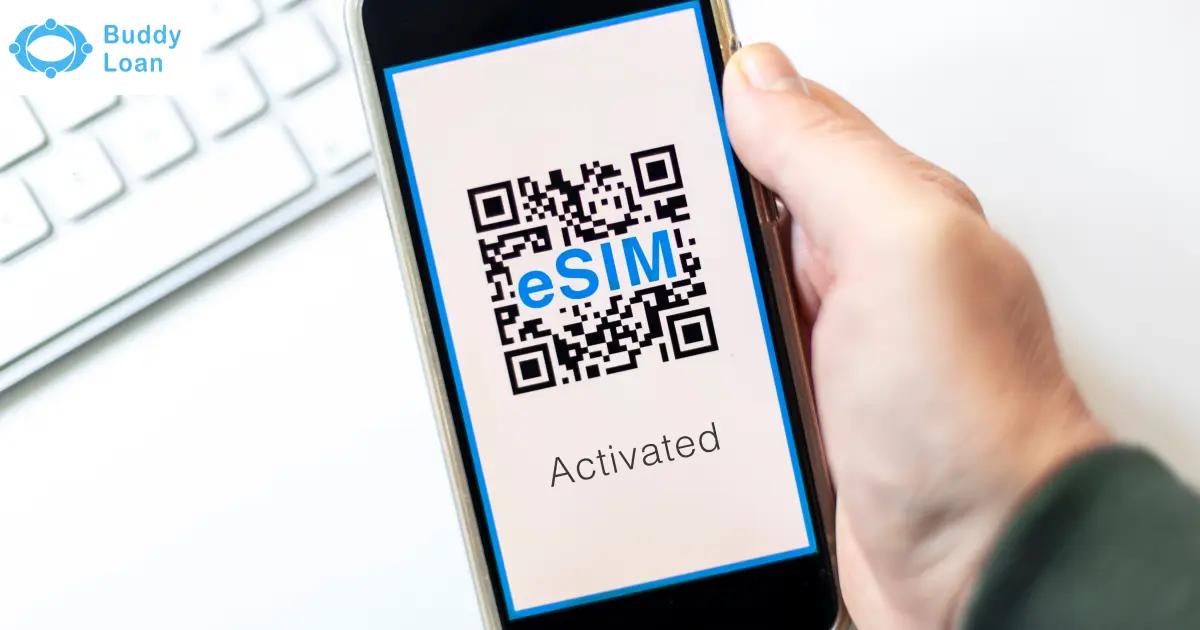
A Jio eSIM (embedded SIM) is a digital SIM built into your smartphone, tablet, or smartwatch. Unlike a physical SIM card, it does not require insertion into a slot.
With Jio eSIM, you can enjoy seamless connectivity, manage multiple numbers on a single device, and benefit from improved security. Reliance Jio supports eSIM activation across major devices such as iPhones, Samsung Galaxy smartphones, Google Pixel devices, iPads, and smartwatches like Apple Watch and Samsung Galaxy Watch.
This comprehensive guide explains how to request, activate, transfer, and check compatible devices for Jio eSIM, along with its key benefits and frequently asked questions.
Steps to Request a New Jio eSIM
If your smartphone is eSIM-ready, you can request a Jio eSIM easily.
1. Update and Verify Your Email ID
- Ensure your registered email ID is updated with Jio.
- A verification code and the activation QR code will be sent to this email.
2. Enter Your EID
- On your device, go to Settings > About > Status Information to find your EID (Embedded Identity Document).
- Enter this number to ensure activation on the correct device.
3. Verify Your Identity
- You will receive an OTP on your registered mobile number.
- Enter the OTP to confirm your request.
4. Confirm via Automated Call
- You will get a call from +91 2235072222.
- Follow the instructions and enter the prompted number to complete the request.
- If you miss the call, SMS RECALL to 199 for a callback.
- Once completed, Jio will email you the QR code required for activation.

Request Jio eSIM via SMS
You can also request a Jio eSIM using a simple SMS process.
- Type GETESIM in your messaging app.
- Send this SMS to 199 from your Jio number.
- You will receive a confirmation SMS. Reply with 1 to proceed.
- You will get an IVR call from +91 2235072222. Enter the prompted number during the call to confirm.
- After successful verification, Jio will send you the eSIM profile and QR code by SMS and email.
If you miss the IVR call, send RECALL to 199 to request a callback.
Also Read: Airtel esim activation
Activate New Jio eSIM
Once you have received the QR code, follow the steps below to activate Jio eSIM on your device.
Activate Jio eSIM on iPhone
- Connect your iPhone to Wi-Fi or a mobile hotspot.
- Go to Settings > Mobile Service > Set Up Mobile Service.
- Tap Continue when prompted.
- Your eSIM profile will be downloaded and installed.
- Restart the device if needed.
Jio eSIM Activation on Samsung Smartphones
- Connect your Samsung phone to Wi-Fi.
- Go to Settings > Connections > SIM Manager > Add Mobile Plan.
- Choose to install using the QR code or activation code.
- Tap Add and wait for the profile to install.
- Once added, turn ON the eSIM under SIM Manager.
Steps to Activate Jio eSIM on Google Pixel (Pixel 3 and above)
- Connect your Pixel device to Wi-Fi.
- Open Settings > Network & Internet > Mobile Network > Add a Network.
- Use the QR code or activation code to install the eSIM profile.
- Wait for the download to complete, then turn ON the Jio eSIM in network settings.
Also Read: Apple’s iPhone 17 Series with eSIM in 2025
Transfer a Jio eSIM from One Device to Another
When you upgrade your phone or tablet, you can transfer your Jio eSIM to the new device.
Transfer from iPhone to iPhone
- Ensure both iPhones have passcodes enabled and are connected via Bluetooth.
- On the new iPhone, go to Settings > Mobile Service > Add eSIM > Transfer from Nearby iPhone.
- Confirm the transfer on the old iPhone.
- Enter the verification code shown on the new iPhone into the old iPhone.
- The eSIM profile will install on the new iPhone.
Note:
- SMS service may be unavailable for up to 24 hours after transfer.
- For iPad, follow the same steps by selecting Other Options > Transfer iPad Plan.
Transfer between Android Devices
- Open the MyJio app and search for eSIM. Select Switch to eSIM.
- Confirm your email address and enter the EID of the new device.
- Authenticate using the OTP sent to your Jio number.
- You will receive either a direct eSIM profile notification or a QR code via email.
- Follow the instructions to install and activate it on the new device.

Check eSIM Compatible Devices
Not all devices support eSIM. Below is a list of Jio eSIM-compatible smartphones, tablets, and smartwatches.
| Device Type | Supported Brands and Models |
| Smartphones | Apple iPhone XS and newer, iPhone SE (2nd Gen), Samsung Galaxy S20 series and newer, Samsung Galaxy Z Flip and Fold series, Google Pixel 3 and newer |
| Tablets | iPad Pro (3rd Gen and newer), iPad Air (3rd Gen and newer), iPad mini (5th Gen and newer), iPad (7th Gen and newer) |
| Smartwatches | Apple Watch Series 3 and newer, Samsung Galaxy Watch LTE variants (Active2, Watch3, Watch4, Watch5) |
Benefits of Jio eSIM
Using Jio eSIM has several advantages:
- No need for a physical SIM card.
- Ability to manage multiple profiles on one device.
- Easy transfer between devices using a QR code.
- Improved security, as eSIM cannot be physically removed.
- Compatible with smartphones, tablets, and smartwatches.
- No risk of damage, bending, or wear-and-tear compared to physical SIMs.
Conclusion
Switching to a Jio eSIM offers convenience, flexibility, and advanced connectivity across smartphones, tablets, and smartwatches. Whether you are requesting a new eSIM, activating it on an iPhone, Samsung, or Google Pixel, or transferring it to a new device, the process is simple and user-friendly. With growing device compatibility and benefits such as multiple profiles and better security, Jio eSIM is an excellent choice for users looking to upgrade from a physical SIM. By following the step-by-step instructions in this guide, you can easily request, activate, and manage your Jio eSIM to enjoy seamless digital connectivity.

Download the Buddy Loan App Now!
One solution to each of your financial needs at your fingertip.

Scan to download now