The SIM card has been the foundation of mobile communication for decades, starting with full-sized SIMs, moving to micro and nano SIMs and now evolving into eSIM technology. Unlike traditional SIM cards, eSIMs are digital, eliminating the need for a physical chip. Airtel, one of India’s leading telecom providers, has been at the forefront of this transition, offering its customers the ability to upgrade to Airtel eSIM for greater convenience, flexibility and security.
This blog explains everything you need to know about Airtel eSIM activation, its benefits, supported devices, smartwatch integration, troubleshooting tips, and FAQs.
What is an Airtel eSIM?
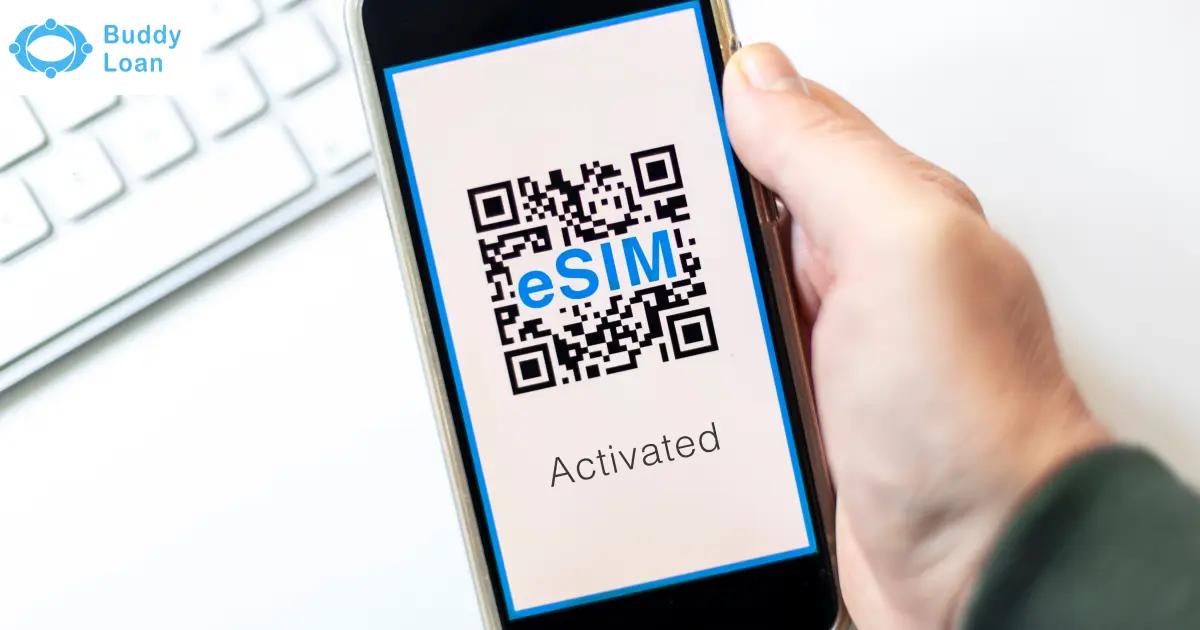
An eSIM (Embedded Subscriber Identity Module) is a digital SIM embedded directly into your smartphone or smartwatch. It cannot be physically removed, as it is built into the device’s motherboard. Functionally, it performs the same tasks as a regular SIM: making calls, sending SMS messages and using mobile data, but the difference lies in its setup. Instead of inserting a card, you activate your SIM profile digitally through Airtel.
This makes Airtel eSIM a smarter, more secure, and environmentally friendly way to stay connected.

Benefits of Airtel eSIM
Switching to Airtel eSIM comes with multiple advantages over traditional SIM cards.
- Convenience at Its Best: No more fumbling with SIM ejector pins or tiny cards. eSIMs can be activated digitally within minutes.
- Flexibility with Multiple Profiles: An eSIM can store several mobile profiles, allowing you to switch between work and personal numbers, or even between operators, directly from your settings.
- Perfect for Travellers: Frequent international travellers can add local carrier profiles to avoid high roaming charges.
- Saves Device Space: Since no SIM slot is needed, manufacturers can design slimmer phones or use the space for other components.
- Enhanced Security: eSIMs cannot be physically removed. If your device is stolen, your number can be easily tracked or blocked.
- Environmentally Friendly: By reducing the need for plastic SIM cards, eSIMs contribute to lowering environmental waste.
- Seamless Plan Management: Easily switch between Airtel recharge plans without needing a new SIM card.
Also Read: Airtel Balance check number
How to Activate Airtel eSIM
Airtel gives customers two main ways to activate their eSIM – via SMS or using the Airtel Thanks App. Both methods are simple and secure.
Method 1: Convert Physical SIM to Airtel eSIM via SMS
This is the most common way to activate eSIM for Airtel customers with compatible smartphones such as iPhone, Samsung Galaxy, Google Pixel, or Motorola Razr.
- Send an SMS with your registered email ID to 121 in this format: eSIM <registered email id>
- You will receive a confirmation SMS from 121.
- Reply with 1 within 60 seconds to proceed.
- If your email ID is invalid, you will receive instructions to update it.
- Airtel will then make a verification call to confirm your consent.
- Once verified, a QR code will be sent to your registered email ID.
- Scan this QR code within 4 hours to activate your Airtel eSIM (activation takes ~2 hours).
Important: If you don’t receive the QR code within 30 minutes, send NOSIM to 121 (postpaid users) or NESIM to 52212/51619 (prepaid users) to avoid deactivation of your physical SIM.

Method 2: Activate Airtel eSIM via Airtel Thanks App
For those who prefer an app-based method, Airtel also allows eSIM activation through its official app.
- Download and open the Airtel Thanks App.
- Log in with the number you want to upgrade to eSIM.
- On the home screen, scroll to Shortcuts and tap Upgrade to eSIM.
- Choose whether you’re activating on this device or another device.
- Enter your 32-digit EID number (find it by dialing *#06# or checking device settings).
- Confirm the request using the OTP sent to your Airtel number.
- Airtel will call you within 10 minutes for final verification.
- After ~2 hours, configure your device by scanning the QR code sent to your email.
Device-Specific Airtel eSIM Setup
Once you receive the QR code, the setup differs slightly depending on your device brand.
- iPhone: Settings > Mobile Data > Add Data Plan > Scan QR Code. Choose default line preferences for calls, iMessage, and data. Newer iPhone models like the upcoming iPhone 17 series will also support eSIM.
- Samsung: Settings > Connections > SIM Manager > Add eSIM > Scan QR Code. Download the profile and tap Done.
- Google Pixel: Settings > Network & Internet > Mobile Network > Download a SIM > Follow prompts.
- Motorola Razr: Settings > Network & Internet > Add Mobile Network > Next > Scan QR Code > Activate.
- Vivo, Oppo, OnePlus: Settings > Mobile Network > eSIM > Add eSIM > Follow on-screen instructions.
Always configure the QR code within 4 hours of receiving it, or the request will expire.
Airtel eSIM for Smartwatches
Airtel eSIM is not limited to smartphones; it also supports smartwatches, letting you stay connected without carrying your phone.
Apple Watch Cellular
- Pair your Apple Watch with your iPhone using the Watch App.
- Tap Setup Mobile Data to share your Airtel Postpaid plan.
- Enter your Airtel number and self-care password.
- Works only on Airtel postpaid.
- Supported on Apple Watch Series 3 and newer.
Samsung Galaxy Watch LTE
- Install the Galaxy Wearable App and pair your watch.
- Tap Setup Mobile Network and follow prompts.
- Requires a Samsung phone with Android 5.0+ and 1.5 GB RAM.
- Works on Airtel postpaid Infinity plans.
Important Considerations for Airtel eSIM
To ensure smooth usage of your eSIM, keep these points in mind:
- Complete all steps once the request is initiated.
- Do not delete the eSIM profile after activation.
- SMS and OTP services are barred for 24 hours after activation.
- Restart your device after removing the physical SIM.
- Keep your device updated to the latest software version.
- eSIMs are tied to devices and cannot be transferred directly.
- Call Airtel +919910099100 if facing activation issues while roaming.
- To switch back to a physical SIM, visit your nearest Airtel Store with ID proof.
Security Tips for Airtel eSIM
While Airtel eSIM activation is secure, here are some safety measures:
- Only activate via Airtel’s official app or SMS channels.
- Do not share your QR code or EID number with anyone.
- Set a strong password or biometric lock for your phone.
- Regularly update device software to patch security gaps.
Also Read: Airtel Data Loan Number
Airtel vs Jio vs Vodafone eSIM: Quick Comparison
India’s top three telecom providers, Airtel, Jio, and Vodafone Idea, all offer eSIM services, but each comes with slight differences in availability, activation, and smartwatch support. The table below highlights these key differences and links to detailed guides for further reading.
| Feature | Airtel eSIM | Jio eSIM | Vodafone eSIM (Vi) |
|---|---|---|---|
| Availability | All major telecom circles in India | Pan-India | Not available in HP, J&K, Odisha, NE, Assam |
| Supported Users | Prepaid & Postpaid | Prepaid & Postpaid | Prepaid & Postpaid |
| Activation | SMS to 121 or Airtel Thanks app | SMS (GETESIM <EID> <IMEI> to 199), MyJio app, Jio Store | Vi App or SMS to 199 with EID & Email |
| Smartwatch Support | Apple Watch & Samsung LTE | Apple Watch & Samsung LTE | Apple Watch (postpaid only) & Samsung LTE |
| Strengths | Easy in-app activation, strong device range | Wide availability, smooth transfer process | Wide smartphone compatibility |
Related Guides:
- Learn more about Jio eSIM
- Read in detail: Vodafone eSIM
Conclusion
The Airtel eSIM is a game-changer in mobile connectivity, offering unparalleled convenience, flexibility, and stronger security than traditional SIM cards. With simple activation via SMS or the Airtel Thanks App, and compatibility across leading smartphones and smartwatches, Airtel ensures a hassle-free transition to digital SIM technology.
If you’re looking to explore alternatives, check our detailed guides on Vodafone eSIM and Jio eSIM to compare services. For iPhone enthusiasts, our Apple iPhone 17 eSIM article explains how Apple is driving the future of digital connectivity.
Upgrade today, switch to Airtel eSIM, and embrace the future of mobile technology.

Download the Buddy Loan App Now!
One solution to each of your financial needs at your fingertip.

Scan to download now