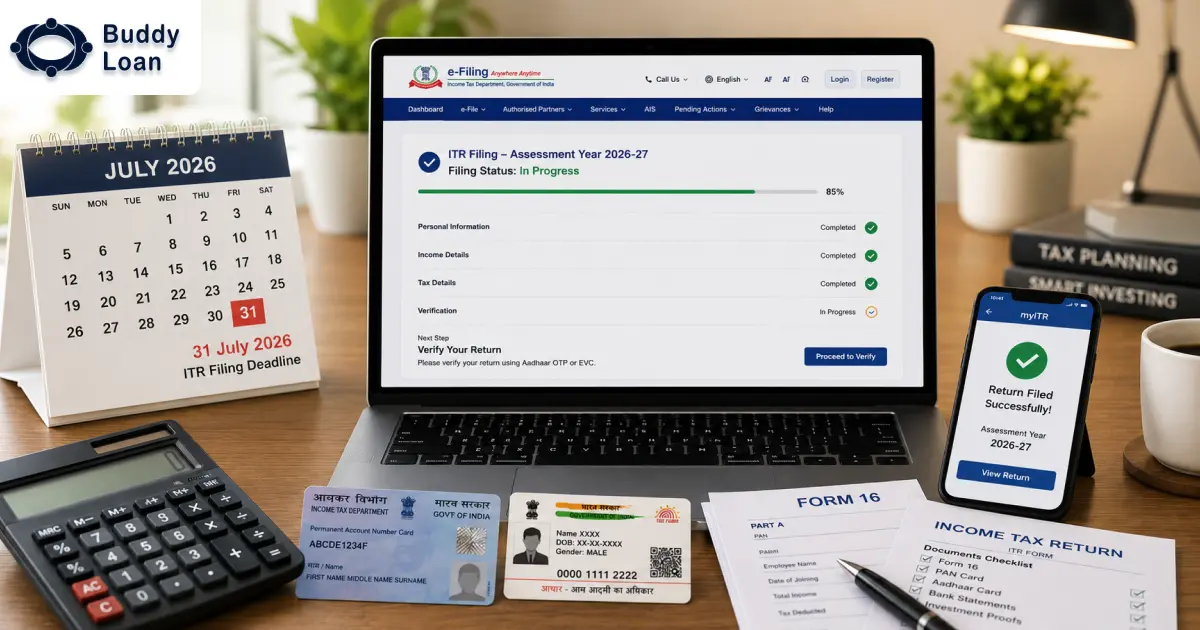
The deadline for filing ITR for the year AY 2025-26 was July 31. However, it has been extended to September 15, 2025, giving a sense of relaxation for those who couldn’t make it in time. Now have an extra chance to get your finances in order.
Anyone with an income over a certain amount is compliant to file and pay tax returns to the government of India. That means if you’re a salaried employee, a small business owner or someone with multiple income sources, filing your taxes annually and timely is important to avoid penalties.
Let us understand ITR filing for AY 2025-26, from the different ITR forms and the necessary documents to the step-by-step process for filing your taxes both online and offline.
The Importance of ITR Filing
Simply put, an Income Tax Return (ITR) is a form that taxpayers submit to the Income Tax Department to report their annual income, tax payments and other relevant details related to income.
Filing an ITR on time is crucial so that you can avoid penalties, ensure that you claim any refunds due and stay compliant with tax regulations. Income tax is non-negotiable and ITR filing is your proof that you did your duty as a taxpayer.
The extended deadline for AY 2025-26 now gives you ample time to file your taxes. But it is wise to not wait until the last minute for filing your ITR.

Key Updates for ITR Filing AY 2025
The ITR filing process for AY 2025-26 has undergone a few important changes.
- The new tax regime is now the default for AY 2025-26, so individuals will need to opt for the old tax regime if they prefer that.
- Many ITR forms have been changed for simplicity and transparency. This makes the filing process more straightforward for taxpayers.
Filing ITR: Online vs Offline
You can file your ITR through either the online or offline method. Both have their own advantages and disadvantages. However, it is dependent on one’s preference and in this case, income type.
Online Filing:
You can file your ITR directly on the Income Tax e-filing portal. This is the preferred method for most individuals, as it’s fast and convenient. However, individuals who are new to ITR filing might find this confusing.
Here are the steps on how to apply for your ITR online. Please note that this is a general filing guide and is not applicable for every type of ITR filing.
Step 1: Register/Log in to the Income Tax Portal
- Go to the official Income Tax e-filing portal.
- If you already have a login, enter your PAN, password and captcha.
- If you’re new, click Register and enter your PAN details to create an account.
*ensure your PAN and Aadhar are linked. It is necessary.
Step 2: Collect All Required Documents
- These can include details such as PAN Card, Aadhaar Card, Form 16, Form 26AS, Bank Statements, Investment Proofs, Interest Certificates etc.
Step 3: Select the Correct ITR Form
- Go to e-File → Income Tax Return → File Income Tax Return.
- Choose the AY 2025-26, your income type and the ITR form (ITR-1 to ITR-7).
Step 4: Fill in the Form
- For ITR-1/2/4: You can use the online form to fill in details like salary, tax paid, deductions and other income.
- Ensure you match your Form 16 and Form 26AS to avoid errors.
Step 5: Verify Your Details
- Check and verify all income, deductions and bank account details and click on ‘Validate’.
Step 6: Submit Your ITR
- After validation, click Submit.
- You’ll get an Acknowledgement Number (ITR-V). (Needed if there are any disputes, etc).
Step 7: E-Verify Your Return
- You can e-verify through Aadhaar OTP, Net banking and Bank account/Demat account.
- E-verification completes the filing process. If you decide to not e-verify, you must send the signed ITR-V to CPC Bangalore within the next 120 days.

Offline Filing:
If you’re more comfortable with offline methods, you can download the ITR utility from the portal, fill it out and upload the file or you can visit any professional consultant for proper guidance. You need to have an account with the Income Tax portal to use this functionality.
Step 1: Download the Relevant ITR Utility
- Visit the Income Tax e-filing portal.
- Go to Downloads, then to ITR Forms (Excel/Java/JSON formats) and download the form corresponding to your income type (e.g., ITR-1, ITR-2, or ITR-4).
Step 2: Fill in the Utility
- Open the downloaded file.
- Fill in personal details (PAN, Aadhaar, address), income details, deductions and tax paid.
- Ensure your details match Form 16, 26AS, and other documents.
Step 3: Validate the Form
- Click the ‘Validate’ button inside the utility and correct any errors if they are highlighted.
Step 4: Generate the XML/JSON File
- After validation, click on the ‘generate the XML/JSON file’ option. This file must be uploaded to the e-filing portal.
Step 5: Upload the File
- Log in to the e-filing portal. From there, navigate to ‘e-File’ → ‘Income Tax Return’ → ‘Upload Return’.
- Select the XML/JSON file and click Submit.
Step 6: E-Verify Your Return
- Just like with online filing, you must e-verify using Aadhaar OTP, net banking, a bank account or a Demat account. Without verification, your return is considered incomplete.
This method requires a bit more effort but can be a good choice for individuals with complex income sources.
| There are no charges for filing your Income Tax Return (ITR) directly on the official Income Tax e-filing portal. |
Once you have made a successful filing of your ITR, you can pay the tax amount from the website itself. The Income Tax Department automatically calculates the tax you owe based on the information you provided in the ITR. If you have TDS deductions or have made advance tax payments, those will be deducted.
You can pay the amount by
Step 1: Log in to the Income Tax e-filing portal.
Step 2: Go to ‘e-Pay Tax’, under the ‘e-File’ menu.
Step 3: Select the assessment year and type of payment (e.g., Self-assessment tax, Advance tax or Tax on regular assessment).
Step 4: Choose the payment mode (e.g., Net Banking, Debit/Credit Card or Challan).
Documents Required for ITR Filing
To file your ITR, you’ll need to gather a few essential documents. Here’s a list of the typical documents required:
- PAN Card (Mandatory for all taxpayers).
- Aadhaar Card (Needed to link with PAN).
- Form 16 (Given by your employer; shows income and tax deducted).
- Form 26AS (Shows all taxes deducted and paid on your behalf).
- Bank Statements (For details on interest income and other banking transactions).
- Investment Proofs (Documents for tax-saving investments, e.g., insurance, PPF, FD).
- Interest Certificates (From banks for interest earned on savings or fixed deposits).
- Capital Gains Documents (If you’ve sold property or stocks, provide sale/purchase details).
- Rental Income Details (If you earn rent, show income and related expenses).
- Form 10E (If claiming relief on salary arrears).
- Other Income Details (For freelance work, side businesses, etc).
- Tax Payment Receipts (Proof of any advance or self-assessment tax paid).
- Home Loan Interest Certificate (For claiming home loan interest deduction).
- House Rent Receipts (For claiming HRA exemption).
- Foreign Income/Asset Details (If applicable, for income or assets outside India).
Having all these documents in place will make the filing process smoother and faster.
Which ITR Form Should You Use?
Depending on your income type, you’ll need to select the correct ITR form to file. Here’s a breakdown of the forms so that you can choose the right one.
- ITR-1 (Sahaj)
For individuals earning up to ₹50 lakh from salary, pension, house property or other sources. This form cannot be used for business income, capital gains or agricultural income above ₹5,000. - ITR-2
This is for individuals and Hindu Undivided Families (HUFs) not carrying out a business or profession but earning from other sources like salary, house property or capital gains. - ITR-3
This is specifically for individuals and HUFs with income from business or profession. - ITR-4 (Sugam)
For individuals, HUFs and firms with total income up to ₹50 lakh, where income is earned through a business or profession under sections 44AD, 44ADA, or 44AE. - ITR-5
This is for firms, LLPs, and other entities. - ITR-6
For companies (excluding those claiming exemption under section 11 for charitable trusts). - ITR-7
Trusts, political parties and similar organisations are required to file under specific provisions under ITR-7.
ITR Filing Deadlines for AY 2025-26
The ITR filing deadline for AY 2025-26 has been extended, providing more time for taxpayers to file their returns. Here are the key deadlines to keep in mind:
|
Category |
Due Date |
| Individuals, HUFs, AOPs, BOIs (Non-Audit Cases) |
September 15, 2025 |
| Businesses Requiring Audit |
October 31, 2025 |
| Businesses Requiring Transfer Pricing Reports |
November 30, 2025 |
| Belated or Revised Returns |
December 31, 2025 |
Final Thoughts: Get Ready for a Smooth Tax Filing Process
The extended deadline for ITR filing AY 2025 gives you more time to file, but don’t procrastinate! This might be the last chance. Another extension is highly unlikely, especially past September.
That means this is the best time to gather your documents, choose the correct ITR form and file your taxes with ease. If you’re not sure about the ITR filing, it might be worth considering professional help.
Remember, filing your ITR on time is not just about staying compliant; it’s about securing potential tax refunds and keeping your financial future on track. This is a highly necessary requirement for almost all of your financial decisions like when applying for a loan, securing a visa for international travel or even when planning for retirement savings.

Download the Buddy Loan App Now!
One solution to each of your financial needs at your fingertip.

Scan to download now