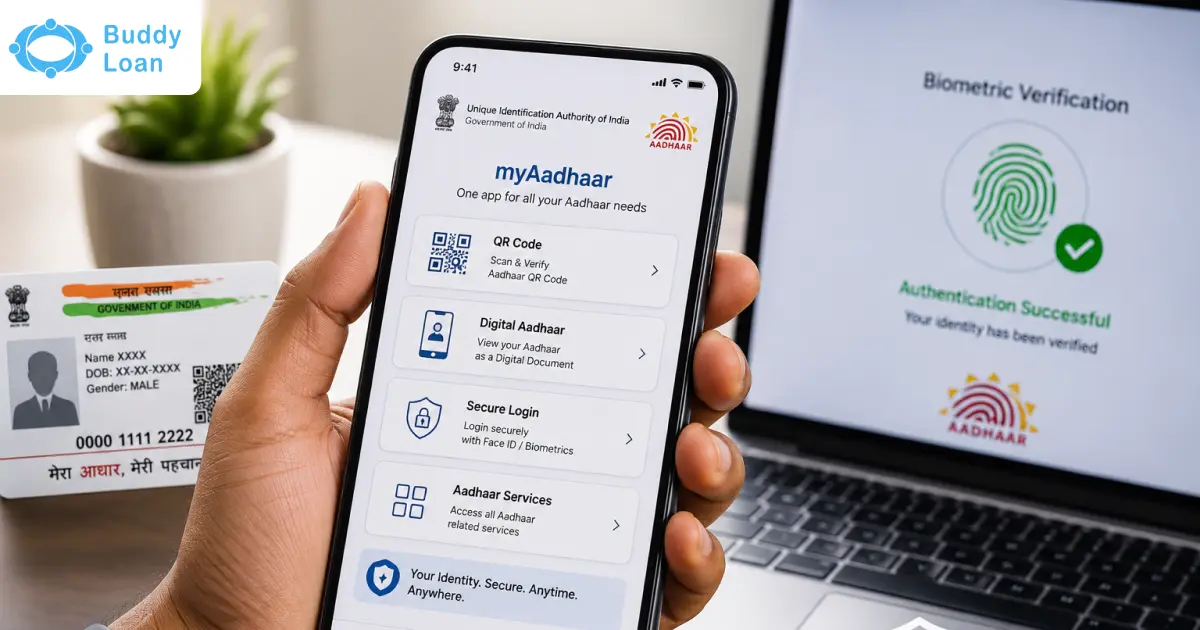
The Unique Identification Authority of India (UIDAI) has launched the New UIDAI Aadhaar App, a big step towards secure, paperless, and convenient digital identity management for citizens. It allows users to share Aadhaar details through secure QR codes, use face authentication, lock or unlock biometrics, and check authentication history from their phone. The app is designed to reduce the need for Aadhaar photocopies and make digital identity sharing more privacy-friendly.
Compared to other Aadhaar-related apps from UIDAI, the new Aadhaar app stands apart in terms of overall security, privacy during sharing and improved QR sharing experience. Read on to learn how this new change can affect you and how you can benefit from it.
What is the New UIDAI Aadhaar App?
The new Aadhar app is UIDAI’s updated digital platform, allowing users to securely store, access, and share their UIDAI Aadhaar information. It supports multiple profiles, offers biometric protection, and enables QR-based verification, significantly reducing the need for physical documents.
While the Aadhar app and mAadhaar app focus on services like downloading e-Aadhaar, the New UIDAI Aadhaar App prioritises secure, paperless verification and identity control. The mAadhaar app will continue to exist for service-related tasks, but this new application is built for modern, secure identity handling.
The app is built around consent-based sharing. This means users can control what information they share and with whom. For example, a service provider may need only your name and age verification, not your full Aadhaar number. The latest Aadhaar App helps reduce unnecessary data sharing.


Why UIDAI Introduced the New Aadhaar App
The New UIDAI Aadhaar App is crucial for several reasons. It strengthens India’s digital public infrastructure, offers enhanced privacy controls, and reduces the need for physical Aadhaar photocopies, curbing potential misuse.
Furthermore, the app’s offline verification makes identity checks more reliable and convenient, promoting digital inclusion.
| Old Aadhaar Sharing Method | New Aadhaar App Method |
|---|---|
| Photocopy or printed Aadhaar card | QR-based digital sharing |
| Full details may be visible | Only required details can be shared |
| Risk of copies being stored | Verifier receives digitally signed information |
| Manual verification may be needed | Digital verification is faster |
Top Features of the New Aadhaar App
The New UIDAI Aadhaar App is packed with user-centric features:
- Multi-Profile Support: Manage Aadhaar details for up to five family members on a single device (requires a shared registered mobile number).
- Biometric Lock & Face Authentication: Lock your Aadhaar data with a fingerprint or face scan to prevent unauthorised access.
- Selective Data Sharing & QR/Offline Verification: Choose which details to share during verification using secure QR codes, eliminating physical copies.
- Address/Mobile Updates & Faster Check-ins: The app simplifies updating your contact details and streamlines processes like hotel check-ins and event access.
- Paperless Identity Sharing: The app facilitates completely paperless identity sharing, giving you full control over what information you disclose.
- Authentication history: Users can view recent Aadhaar authentication activity.

How to Download & Register in the New Aadhaar App
Users should download the New Aadhaar App only from official app stores. Avoid APK files, unknown links, forwarded messages, or third-party download pages. This is important because Aadhaar is a sensitive identity document.
Steps to Download the New Aadhaar App
- Open Google Play Store or Apple App Store.
- Search for the official Aadhaar app by UIDAI (not mAadhaar, AadhaarFaceRD or Aadhaar QR Scanner).
- Check the developer name carefully before installing.
- Download and open the app.
Steps to Register in the New Aadhaar App
Here are the accurate steps needed to register yourself in the new aadhaar app.
- Open the app.
- Enter your Aadhaar number.
- Agree to the terms and conditions.
- Select the Aadhaar-linked SIM for SMS verification.
- Complete the SMS verification (often automatic).
- Authenticate with Face scan (remember to blink your eyes once or twice, as the face is in line with the frame).
- Complete OTP or face authentication, if required.
- Set up app security such as PIN, lock, or biometric access.
Latest Aadhaar App vs mAadhaar
The New Aadhaar App is being positioned as a smarter and more secure upgrade over mAadhaar. While mAadhaar helped users carry Aadhaar digitally, the new app focuses more on privacy, selective sharing, face authentication, and QR-based verification.
| Feature | New Aadhaar App | mAadhaar |
|---|---|---|
| Primary Focus | Secure digital identity sharing | Digital Aadhaar access along with other features |
| QR Sharing | Advanced QR-based credential sharing | Basic QR and eKYC sharing |
| Face Authentication | Supported | Limited or not central to the experience |
| Selective Data Sharing | Key feature | Less advanced |
| Biometric Lock | Available | Available |
| User Control | Higher focus on consent and privacy | More basic digital Aadhaar management |
| UI | More polished with streamlined transitions and UI elements | Less modern |
Also Read: m-Aadhaar App
Where The New UIDAI Aadhar App Can Help You
The New UIDAI Aadhaar App offers practical solutions for daily scenarios:
- Hotel/Residential Check-ins Without Photocopies
- Event Access via QR Code
- Simplified KYC in Banking/Finance
- Offline Verification in Remote Areas
- Family Management for Shared Mobile Scenarios
Benefits of the Latest Aadhaar AppThe New Aadhaar App is useful because it gives Aadhaar holders more control over identity sharing. It also reduces dependence on photocopies and physical documents.
|
What’s Changing & What Remains the Same
While this UIDAI Aadhaar Application brings advancements, core functionalities remain.
What Continues: The 12-digit Aadhaar number and the e-Aadhaar format are unchanged.
What’s New:
Enhanced features like multi-profile management, biometric locking, selective data sharing, and stronger offline capabilities.
- Privacy and Security Considerations
- The New UIDAI Aadhaar App prioritises security with biometric locks and selective sharing. Users should always set a strong PIN and keep their device secure to protect their information.
- Challenges & Things to Keep in Mind
- Device/OS Compatibility: Older devices may not support all features.
- Shared Mobile Number Constraint: The multi-profile feature requires all family members to be linked to the same mobile number.
- Phased Rollout: The app is in early access, so adoption by all entities will take time.
Also Read: Aadhaar Authentication
New Aadhaar App and e-Aadhaar Download
The New Aadhaar App and e-Aadhaar are related, but they are not exactly the same. e-Aadhaar is the downloadable digital version of your Aadhaar card, usually available as a password-protected PDF through UIDAI services. The New Aadhaar App is a mobile application for Aadhaar access, QR-based sharing, face authentication, and privacy-focused identity verification.
| Feature | New Aadhaar App | e-Aadhaar |
|---|---|---|
| Format | Mobile app | PDF document |
| Use | Digital verification and Aadhaar management | Downloadable Aadhaar copy |
| Access | Through smartphone app | Through UIDAI download service |
| Sharing | QR and selective credential sharing | PDF sharing or printing |
Don’t Mix Up With Other Aadhaar Apps
UIDAI has more than one Aadhaar-related app, and each serves a different purpose. So, while downloading the New Aadhaar App, users should check the app name, developer name, and purpose carefully. This is important because Aadhaar apps may sound similar, but they are not meant for the same use case.
Here is a close comparison of all four apps:
| UIDAI App | Main Purpose | Who Should Use It |
|---|---|---|
| Aadhaar | The latest Aadhaar app is for secure digital identity sharing, QR-based verification, face authentication, biometric lock or unlock, and Aadhaar profile access. | Regular Aadhaar holders who want to manage and share Aadhaar details digitally. |
| mAadhaar | The older mobile Aadhaar app used to carry the Aadhaar profile, share the QR code or eKYC, and access basic Aadhaar services. | Users are already using mAadhaar, though the new Aadhaar app is expected to become the updated experience. |
| AadhaarFaceRD | A face authentication RD service app. It works in the background with authorised AUA or KUA apps and may not open like a regular app. | Users who are asked to install it for Aadhaar face authentication through an authorised service. |
| Aadhaar QR Scanner | An official QR scanner app is used to read and validate the secure QR code printed on Aadhaar or e-Aadhaar. | Verifiers or users who need to scan and validate Aadhaar QR code details. |
For normal users, the New Aadhaar App is the main app to look for. AadhaarFaceRD and Aadhaar QR Scanner are more specific tools. AadhaarFaceRD is mainly for face authentication support, while Aadhaar QR Scanner is mainly for verifying Aadhaar QR codes. Always download UIDAI apps only from official app stores and avoid APK files or unknown links.
Conclusion
The New UIDAI Aadhaar App is a significant leap towards paperless, secure, and convenient digital ID usage, giving users greater control over their data.
We encourage you to complete the UIDAI Aadhaar App download, explore its features, and keep your details updated for a streamlined digital experience.

Download the Buddy Loan App Now!
One solution to each of your financial needs at your fingertip.

Scan to download now