
Checking your bank balance regularly is an essential practice for responsible financial management. With their advanced online banking system and user-friendly mobile app, balance inquiries with Federal Bank are easy and convenient. Whether you’re on the go or in the comfort of your home, you can effortlessly check your account balance, track transactions, and manage your finances with just a few taps or clicks.
Stay connected to your finances and experience the convenience of a balance enquiry with the Federal Bank.

Multiple Ways To Check Federal Bank Balance
For customers of Federal Bank, there are several convenient ways to check your current account balances 24/7. Whether you prefer managing your money on your computer, smartphone app, phone call, or in person at a branch, Federal Bank offers options.
Federal Bank offers a variety of convenient ways to check your account balance:
- Missed Call
- SMS Banking
- FedMobile App
- Net Banking
- Passbook
- Feddy (Chatbot)
By utilizing these various methods, you can effortlessly stay updated on your Federal bank account balance whenever you need to.
Federal Bank Balance Check Via Missed Call
To check your Federal Bank account balance via missed call, you need to follow these simple steps:
- Step 1: Dial the number: Call 8431900900 from your registered mobile number with Federal Bank. This ensures the bank can identify you and send the information securely.
- Step 2: Let the call disconnect: Don’t answer the call. The purpose is to give a missed call, not to have a conversation.
- Step 3: Receive an SMS with balance details: Within a few seconds, you will receive an SMS from Federal Bank containing your account balance information.
Additional notes:
- This service is currently free of charge for Federal Bank customers.
- Ensure you have a good network connection to receive the SMS response.
Federal bank customers can easily check their most up-to-date account balances by giving a free missed call to the bank’s automated system. The bank will respond with an SMS containing the current balance information.

Federal Bank Balance Check Via SMS Banking

SMS banking is a convenient way to access your bank account information and perform basic transactions using text messages on your mobile phone.
Here’s how to check your Federal Bank balance using SMS banking:
- Step 1: Register: Ensure you’re registered for SMS banking (branch, netbanking, FedMobile app).
- Step 2: Frame SMS: Type “BAL <space> last 4 digits of your account number.”
- Step 3: Send to: 9895088888 or 5676762.
- Step 4: Receive SMS: Get your account balance information within seconds.
Upon sending the SMS, you will receive an instant response with your current Federal Bank account balance.
Please Remember:
- Using SMS banking might incur charges, depending on your mobile service provider.
- Federal Bank advises against sharing your account details or PIN through SMS.
Federal Bank SMS banking is a secure and user-friendly method to check your account balance and perform various transactions. By following these steps, you can easily access your Federal Bank account information and manage your finances on the go.
Federal Bank Balance Check Via FedMobile App
FedMobile is a mobile application that provides users with easy access to their account information, allowing them to stay updated on their finances.
To check your Federal Bank account balance using the FedMobile app, follow these steps:
- Step 1: Download & Install: Get the FedMobile app (App Store/Google Play Store).
- Step 2: Login: Use your registered mobile number and MPIN.
- Step 3: View Balance: Your balance is displayed on the home screen.
- Step 4: Mini statement: Access “Transactions” tab for recent transactions.
Please Note:
- You can also view a mini statement of your recent transactions by tapping the “Transactions” tab at the bottom of the screen.
- Tap on your account details for further information like account number and available credit (if applicable).
The FedMobile application provides a handy and safe method to keep up with your Federal Bank account balance. With just a few quick taps, you can view your most up-to-date account information and take care of your banking necessities from anywhere.
Federal Bank Balance Check Via Net Banking

Net banking, also known as internet banking, online banking, or web banking, allows you to manage your finances remotely through a secure website or mobile app provided by your bank.
Steps to Check Federal Bank Balance Via Net Banking:
- Step 1: Access Net Banking: Visit the Federal Bank net banking portal.
- Step 2: Login: Enter your User ID and Password.
- Step 3: Go to Accounts Section: Look for the section displaying your account details, usually called “Accounts” or “Account Summary.”
- Step 4: View Balance: Your current balance will be displayed for each linked account.
Please Note:
- To use Net Banking, you need to be registered for the service.
- If you haven’t already, you can register online or visit your nearest branch.
Federal Bank customers can readily check their account balance through online banking by signing into their internet banking profile. By signing into online banking, they can access up-to-date account information and balances anytime.
Federal Bank Balance Check Via Passbook
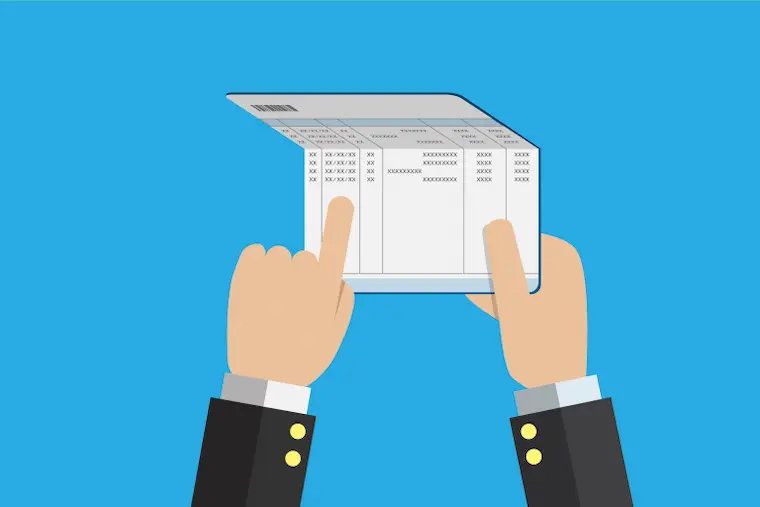
Federal Bank customers can easily check their account balance by using a passbook. A passbook is a physical record of all the transactions made on an account, including deposits, withdrawals, and interest earned.
To check your account balance using a passbook at Federal Bank, follow these steps:
- Step 1: Visit your branch or Passbook machine: You can visit your nearest Federal Bank branch or a Passbook machine to update your passbook.
- Step 2: Present your passbook and account number: Provide the passbook and your account number to the bank teller or insert them into the Passbook machine.
- Step 3: Receive updated passbook: Once the update is complete, the passbook will display your current balance and recent transactions.
Quick Reminder:
- This method is not real-time and might not reflect the most recent transactions.
- Consider alternative methods for a quicker and more up-to-date balance.
Using a passbook for checking account balance is a traditional yet reliable method that many customers prefer due to its simplicity and accuracy. But, the information is not provided in real-time and may not reflect your most recent transactions. You can consider alternative methods that offer quicker updates.
Federal Bank Balance Check Via Feddy (Chatbot)
Federal Bank customers now have the option to access their account balance and statement via the bank’s virtual assistant, FEDDY, on WhatsApp using the following process:
Here are the steps to check your Federal Bank account balance and statement via WhatsApp and FEDDY:
- Send “Hi” to FEDDY’s WhatsApp number (+91-9633700800) to start a conversation.
- Refer to Federal Bank website’s “FEDDY on WhatsApp” section for directions on enabling this service
- Ask FEDDY plainly, “What is my account balance?”, or request “I need my account statement.”
- FEDDY will initiate any required authorization and verification protocols
- Shortly after, your account balance details or most recent statement will be presented within WhatsApp
- This allows discreet, on-demand account information retrieval around the clock.
Just remember to always keep your account number and other personal information secure when using the chatbot or any other online banking service.
Also Read: CUB Balance Check Number
To Conclude
Checking your Federal Bank account balance is a straightforward and hassle-free process that can be accomplished through several methods. You can access your balance information conveniently via online banking, mobile banking app, widespread ATM networks, or by physically visiting your nearest branch office.
Regularly monitoring your balance helps you make prudent spending as well as savings and investment decisions aligned to your budget and goals. If you encounter any discrepancies or require further assistance, reaching out to the bank’s customer service team would be advisable.
Download Personal Loan App
Get a loan instantly! Best Personal Loan App for your needs!!
Looking for an instant loan? Buddy Loan helps you get an instant loan from the best verified lenders. Download the Buddy Loan App from the Play Store or App Store and apply for a loan now!

Download the Buddy Loan App Now!
One solution to each of your financial needs at your fingertip.

Scan to download now


Frequently Asked Questions
Q. Is the balance check number available 24/7 for Federal Bank customers?
A. Yes, Federal Bank customers can check their balance 24/7 via missed call (8431900900), mobile app (FedMobile), or FEDDY (website/WhatsApp).
Q. How frequently can I use the balance check number for Federal Bank accounts?
A. There are no restrictions on how frequently you can use the balance check number for Federal Bank accounts. You can use it as many times as needed, 24/7.
Q. How can I check my Federal Bank account balance using the balance check number?
A. Federal Bank doesn’t offer a toll-free number specifically for checking balance. Instead, you can give a missed call to 8431900900 from your registered mobile number. You’ll receive an SMS with your account balance details.
Q. Is there a specific number to dial for Federal Bank balance enquiry?
A. Yes, Federal Bank customers can check their balance by giving a missed call to 8431900900. They will receive an SMS with their account balance details.
Q. Can I check my account balance using any mobile number?
A. No, you cannot check your account balance using any mobile number. For security reasons, banks only allow balance checks using the mobile number registered with your account for services like missed call banking or mobile apps.
Q. What should I do if I forget my registered mobile number for balance checks?
A. If you forget your registered mobile number, contact your Federal Bank branch or customer care. They can help you verify your identity and update your registered number for balance checks.