

Register on the Voter ID NVSP portal for easy and seamless registration. NVSP portal is now Voter’s Service Portal. If you are looking forward to tracking and availing all the services available, here is the breakdown of how to avail the services without any delays.
National Voter Service Portal (NVSP) was created by the Electoral Commission of India to make voting easier for everyone. The NVSP is a user-friendly website that helps you register to vote, update your details, and get your voter ID quickly and easily. It’s a convenient website for checking voting IDs, updates, and registrations and checking the status of your voter ID application in the comfort of your home.
NVSP Portal Update!
The NVSP portal has moved to a new address: https://voters.eci.gov.in/. The new portal is named Voter’s Service Portal.
Your existing login credentials will still work on the new website.


Services Provided by NVSP Portal
The NVSP provides many services to help Indian citizens and NRIs get involved in the country’s voting process. Here’s what you can do on the portal:
- Look up your name on the voter list.
- Rectify entries in the voter list.
- Remove names or raise objections on the voter list.
- Sign up as a new voter online.
- Make changes to your voter information online, like updates, removals, or address changes.
- Register as an overseas voter online.
- Print out a voter information sheet.
- Check the status of your application.
- Find links to the websites of state or territory election offices.
- Learn about your polling station, the officers in charge, your Assembly and Parliamentary constituencies, and other election-related officers.
- Get information on how voting works, about Electronic Voting Machines (EVMs), and more.
Are you in need of a loan?

How to Register In NVSP Portal
To use the services of the NVSP portal, you first need to register and get access to all the services. Check out the step-by-step process, on how to register to vote on NVSP Portal:
- Step 1: Go to the official website of NVSP and click on the ‘Sign-Up’ button in the top right corner.
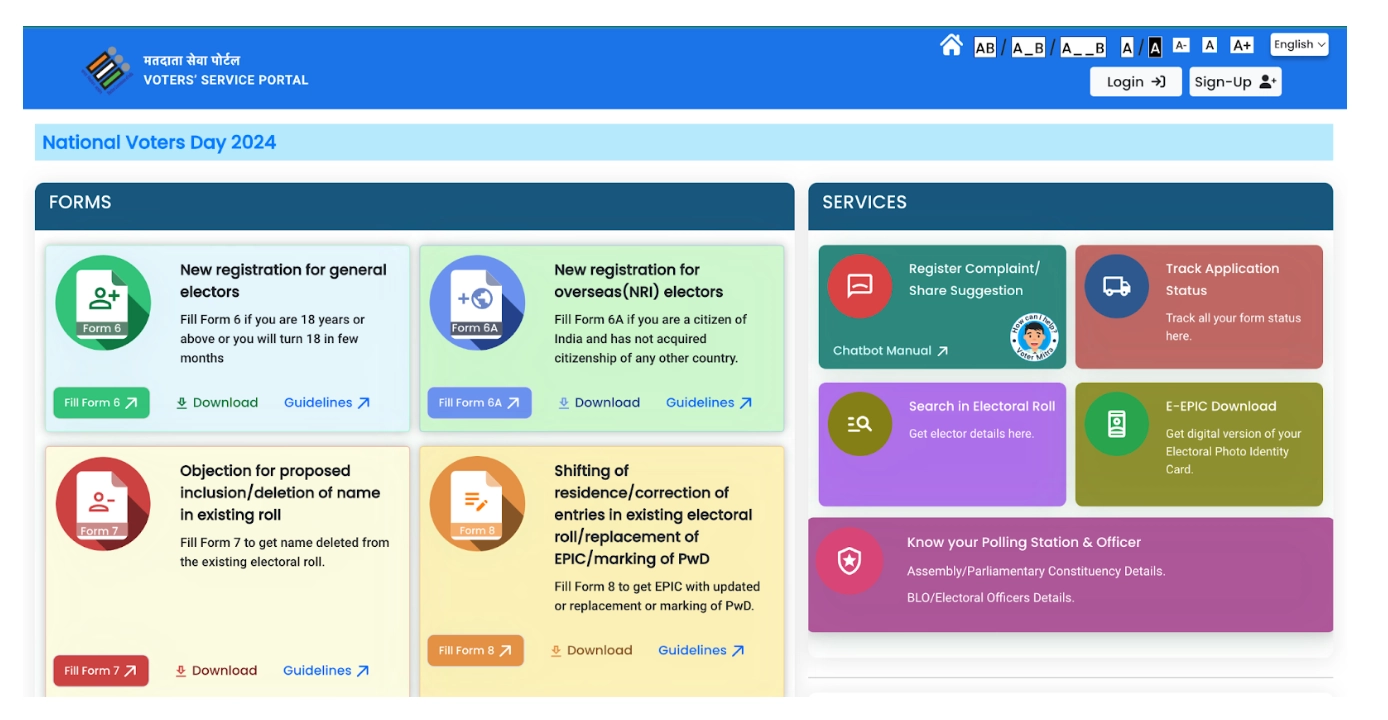
- Step 2: Provide your mobile number and email address. Now, click to ‘Continue’.
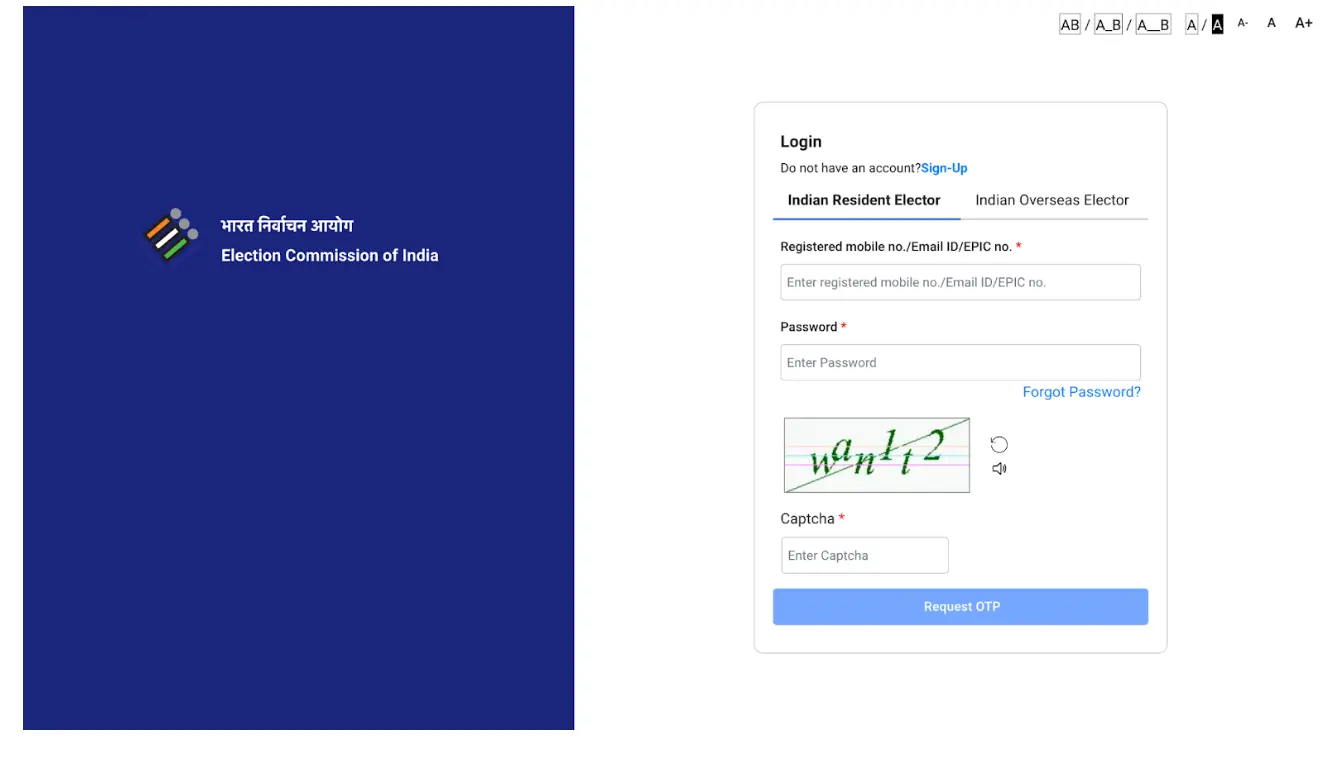
- Step 3: Provide your first name, last name, and password. Fill in ‘confirm password’, and request the OTP button.
- Step 4: Enter OTP and verify.
How to Apply for Voter ID
After you are done with the registration, you can easily apply for Voter ID Card from the NVSP Portal. Here are the steps that you need to follow:
- Step 1: Log in to the NVSP Portal.
- Step 2: Find the “New registration for general electors” and click on the “Fill Form 6” button below it. For NRIs, choose “Fill Form 6A” below “New registration for overseas(NRI) electors’ if you are an NRI.
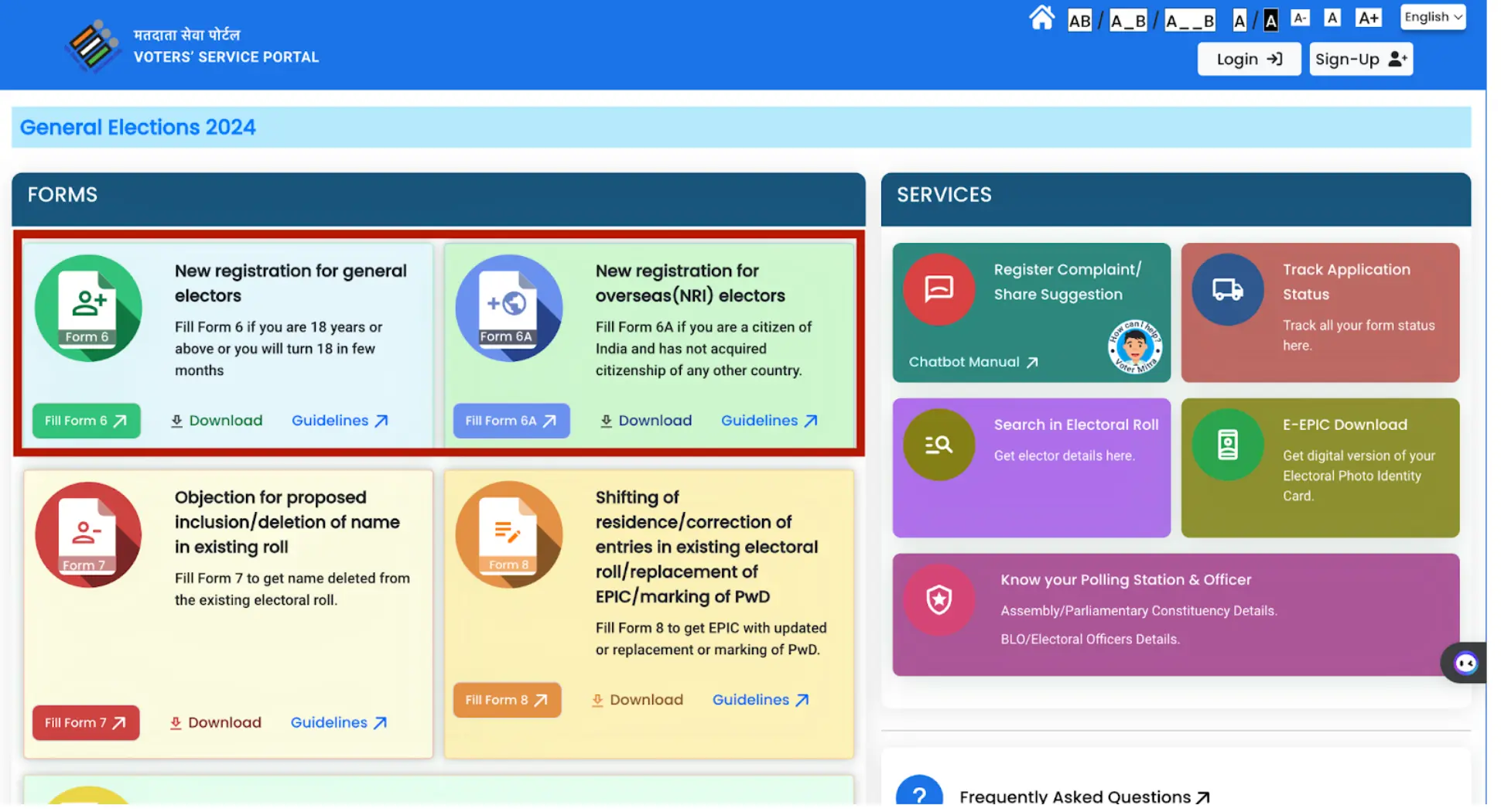
- Step 3: Fill in the required fields on the form including personal information, Aadhaar details, address, etc.
- Step 4: Now, scan and upload the necessary documents in the designated sections. Then, click on “preview and submit.”
- Step 5: Check the details thoroughly and click “Submit”.
Not sure of your credit score? Check it out for free now!

How to Check NVSP Voter ID Status
To track the progress of your application for a new Voter ID card or information update, you can conveniently check the status on the NVSP portal. Simply follow the steps below to stay informed about your voter ID status.
- Step 1: Again, go to the NVSP website and click on “Login”.
- Step 2: Enter mobile number, password, captcha, code, and OTP.
- Step 3: Now, click on the ‘Track Application Status’ tab.
- Step 4: Provide your reference number. You can find it in the receipt of the application.
- Step 5: Click on “submit”. Your Voter ID status will be displayed.
How to Download Voter ID
Quite conveniently, you can also download your voter ID card from the NVSP portal. Here are the steps that you need to follow:
- Step 1: Go to National Voters’ Services Portal (NVSP)
- Step 2: Login by entering your phone number, password, captcha, and OTP.
- Step 3: Now, click “E-EPIC Download” option.
- Step 4: Choose between EPIC No. and Reference no.
- Step 5: Enter the details of the chosen option. Select state and search.
- Step 6: You will see your voter ID on the screen. Click “Send OTP” button.
- Step 7: Enter OTP to verify the process.
- Step 8: Now, Click on the “Download e-EPIC” option and your voter ID card will be downloaded.
Do you need a loan urgently?