Managing your finances effectively in the digital age requires you to monitor your bank account balance. Union Bank of India and United Bank of India offer various methods to check your bank account balance, including phone, internet, and mobile banking. Knowing your balance helps avoid overdraft fees, monitor spending, detect fraud, and make informed financial decisions. Regular checking helps stay within your budget, detect unauthorized transactions, and take action if necessary. In this blog, we’ll look at the Union Bank balance check number and explore numerous techniques for easily retrieving your account balance.
Account Balance Check in Union Bank of India
For Union Bank of India customers, checking your account balance is effortless. Besides the previously mentioned USSD-based service, you have the option to utilise the bank’s official mobile banking app or internet banking portal for real-time balance inquiries.
Repetition , then navigate to the account balance section to instantly view your current balance, recent transactions, and other account particulars
Union Bank Balance Check Number
- Union Bank has a dedicated helpline for facilitating any concerns for Bank balance check number. 09223008586.
- This (Unstructured Supplementary Service Data) USSD-based service is available *24/7, offering a quick way to stay updated on your finances.
- At no additional cost from the bank, customers can easily access their account information while ensuring security through their registered mobile numbers and following the provided prompts.
“Note: The standard charges may apply, so be sure to check with your mobile service provider for details on applicable fees.”

Account Balance Check In Union Bank of India Through Missed Call
This approach stands out as one of the most convenient methods for checking your Union Bank of India account balance.
Step 1: Just dial 09223008586 from your registered mobile number and initiate a missed call.
Step 2: You will receive a prompt SMS revealing your primary account balance within minutes.
Account balance check via SMS

Union Bank of India provides SMS banking services, offering a convenient way to check your balance via text messages. To enrol in SMS banking, you can visit your nearest branch or activate it through online banking services.
- To check your primary account balance, send an SMS with the keyword “UBAL” to 09223008486.
- For checking the balance of another account linked to your mobile number, send an SMS with “UBAL” followed by the specific account number to the same number 09223008486.
To receive a mini statement of your primary account:
- Send an SMS with the keyword “UMNS” to 09223008486.
- For another account associated with your mobile number, send an SMS with “UMNS” followed by the specific account number to the same number 09223008486.
“Note: Customers without access to a smartphone or those who haven’t enrolled in mobile or internet banking services can check their account balance by dialling *99# from their registered mobile number. They will then receive instructions to proceed via USSD service.”
Account Balance Check In Union Bank Of India Via WhatsApp Banking
Customers have the option to check their balances through Union Bank of India’s WhatsApp Banking Services. Below are the steps to proceed:
1: Save Union Bank of India’s official WhatsApp banking number, 9666606060, to your phone’s contacts.
2: Initiate a WhatsApp conversation by sending a message containing “Hello“.
3: Upon receiving a response, select from the options provided by the bank.
4: Choose the relevant option to inquire about your balance.
5: The bank will reply with your account’s available balance via WhatsApp chat.
6: Register for UBI WhatsApp banking services through the provided link.
Account Balance Check In Union Bank Of India Via Internet Banking

For online balance checking via the Union Bank of India portal, adhere to the following instructions:
Format the steps for accurate explanations.
1: Navigate to the Union Bank of India website and select the “Internet Banking” tab.
2: Click on the “Retail Login” option provided.
3: Input your user ID and password, then proceed by clicking “Log In.”
4: Upon successful login, your account balance and transaction history should be visible.
“Note: Keep in mind that registration for online banking is necessary to gain access to your account via the portal.”

Account Balance Check In Union Bank Of India Via ATM
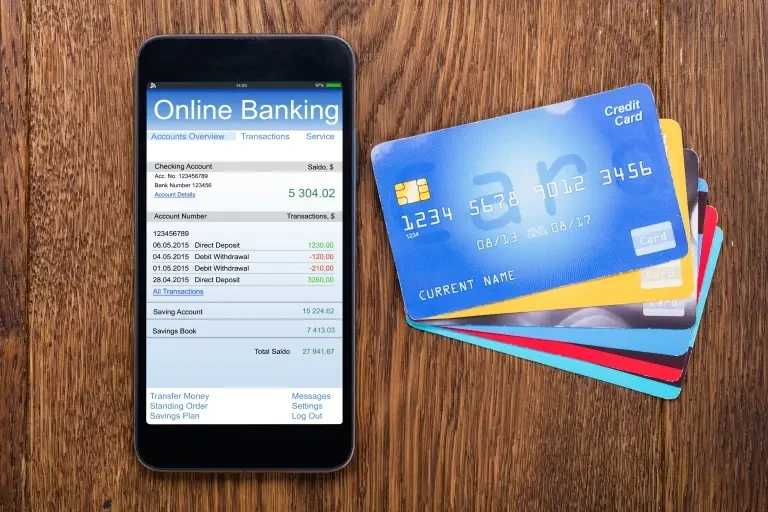
Account holders have an alternative method for conducting a Union Bank balance enquiry which is by visiting a Union Bank of India ATM and utilising the “Balance Enquiry” option. By swiping the ATM card, customers can input their 4-digit ATM PIN and proceed to select the “Balance Enquiry” option from the menu.
“Note: customers need not exclusively visit a Union Bank of India ATM, as this service is also available at other banks affiliated with Union Bank of India.”
Balance Check with Union Bank Mobile App
You can also check the status of your bank balance through Union Bank Mobile App. Here are the steps to check the bank balance through app:
1: Download the Union Bank of India mobile application.
2: Enter your registered mobile number. Enter the OTP that is generated.
3: Log in with the UBI mobile banking Id and password.
4: The current account balance will be displayed on the home page.
Also Read: Bank of India Balance Check Number
Conclusion
Staying informed about your Union Bank account balance is essential for effective financial management. With the bank’s dedicated balance check number and user-friendly banking platforms, accessing your account balance has never been more convenient. Whether you’re a customer of Union Bank of India or United Bank of India, rest assured that multiple options are available to suit your needs.
Download the Buddy Loan App Now!
One solution to each of your financial needs at your fingertip.

Scan to download now