Indian Overseas Bank is a major public sector bank that offers various banking services to its customers. IOB provides its customers with multiple methods to check their account balance, including through mobile banking, internet banking, ATMs, and SMS services. The IOB balance check number feature allows customers to monitor their account balance, track transactions, and manage their finances effectively.
Various Methods to Keep Track of Your IOB Account Balance
Keeping track of your IOB account balance is essential to ensure that you are aware of your financial situation and can make informed decisions regarding your money. Here are some methods to help you keep track of your IOB account balance:
- Internet Banking
- Mobile Banking App
- ATM
- USSD Code
- SMS Banking
- IOB Check Toll-Free Numbers
These are just a few methods you can use to keep track of your IOB account balance. The best method for you will depend on your personal preferences and how often you need to check your balance.

IOB Balance Check Via Internet Banking

IOB provides its customers with the convenience of checking their account balance through internet banking. This service allows account holders to access their account information anytime and anywhere with just a few clicks.
To check your IOB account balance through internet banking, follow these steps:
- Visit the IOB Net Banking portal.
- Select your preferred language.
- Log in using your User ID and Password.
- Once logged in, navigate to the “Account” section or look for an option like “View Account Details” or “Check Account Balance.”
- Select the specific account you want to check the balance for (if you have multiple accounts) and select “Check Account Balance”.
Your current IOB account balance will be displayed on the screen.
Also, Please Note:
- You must be an IOB registered user for internet banking.
- Have your login credentials (user ID and password) ready.
By following simple steps, you can access real-time information about your accounts and manage your funds efficiently.

IOB Balance Check Via Mobile Banking App
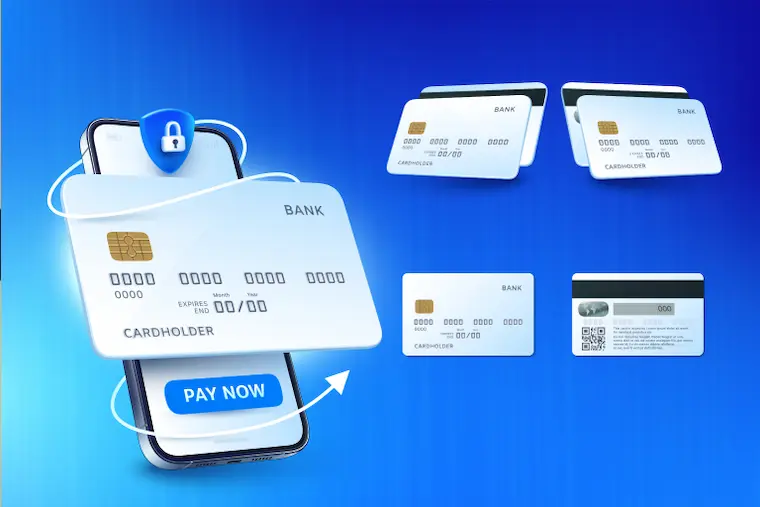
IOB offers its customers the convenience of checking their account balance through its mobile banking app.
Before You Begin
- Ensure you have downloaded the IOB Mobile Banking app from the Google Play Store or App Store.
- Make sure your mobile number is registered with the bank for mobile banking services.
Here’s how to check your IOB account balance through the mobile banking app
- Launch the IOB mobile banking app and log in using your registered mobile number or MPIN.
- Once you have logged in, proceed to the “My Accounts” section (the exact wording might differ slightly depending on the app version).
- Find the exact account for which you intend to inquire about the balance.
- Look for an option like “View Account Balance” or “Balance Enquiry”.
- Selecting this option will display your current IOB account balance on the screen.
Utilizing Indian Overseas Bank’s mobile banking app for checking your account balance offers a convenient, secure, and efficient way to manage your finances on the go.
IOB Balance Check Via ATM

You can check your Indian Overseas Bank (IOB) account balance using an ATM by following these steps:
- Visit any ATM: You can use either an IOB ATM or an ATM from another bank.
- To proceed, slide your IOB Bank ATM card and enter the 4-digit PIN provided.
- On the ATM screen, pick the “Balance Enquiry” option from the list of choices provided.
- You will be able to view your IOB account balance on the screen.
Additionally, You Can Also Choose To
- Print a mini statement showing your last 10 transactions.
- Cancel the transaction and go back to the main menu.
Here Are Some Important Things To Remember:
- Make sure you are using a secure ATM and avoid using ATMs in isolated locations.
- Never share your ATM PIN with anyone.
- Keep your ATM card safe and avoid carrying it with you everywhere you go.
Checking your IOB account balance via ATM is a simple and efficient way to stay informed about your finances.
IOB Balance Check Via USSD Code

You can check your IOB account balance using the USSD code *99*52#. Here’s a step-by-step guide:
- Dial 9952# from your registered mobile number with IOB.
- Choose your preferred language from the options displayed on the screen.
- Enter the two-digit bank code for your IOB branch or the IFSC code of your branch.
- Select “Send” from the menu.
- Follow the on-screen instructions to complete the process and receive your account balance details.
Additional Points To Remember:
- Ensure you are using your registered mobile number with IOB for the USSD service to work.
- The USSD service might incur minimal charges as per your mobile service provider’s plan.
For further information on IOB USSD services, you can visit their official website or contact their customer care.
IOB Balance Check Via SMS Banking
You can check your Indian Overseas Bank (IOB) account balance using SMS banking by following these steps:
- Ensure your mobile number is registered: You need to have your mobile number registered with IOB for SMS banking services. If not already registered, visit your nearest IOB branch and fill out a mobile number registration form.
- Send the SMS: Compose a new SMS on your registered mobile number and send it to 8424022122.
- Format the message correctly: In the message body, type “BAL” followed by the last four digits of your IOB account number.
- Receive the response: You will receive an SMS from IOB displaying your current account balance.
Important Points To Remember:
- This service is free of charge for IOB customers.
- The charges for text messages may vary based on your mobile service provider.
- Ensure you are sending the SMS from your registered mobile number.
For more information on IOB SMS banking services, you can visit the IOB website or contact your nearest branch.
IOB Balance Check Via Toll-Free Numbers
Indian Overseas Bank (IOB) offers a toll-free number for checking your account balance through a missed call service. Here’s what you need to do:
- Dial 9210622122 from your registered mobile number with IOB.
- The call will automatically disconnect (a “missed call”).
- You will shortly receive an SMS with your account balance details on your registered mobile number.
Please Note:
- Ensure your mobile number is registered with IOB for this service to work.
- This service is free for IOB customers.
While IOB doesn’t offer other toll-free numbers specifically for balance checks, they do have a toll-free number for customer care:
- 1800 425 3402
This number can be used for various inquiries, including account balance, but may not be as quick and convenient as the missed call service.
IOB Balance Check Methods
This table provides a quick overview of the different methods you can use to check your account balance with Indian Overseas Bank (IOB).
| Method | Description |
| Toll-Free Number (Missed Call) | Dial 9210622122 from your registered mobile number. You will receive an SMS with your balance. |
| Mobile Banking App | Download and use the IOB mobile banking app for convenient balance checks. |
| Net Banking | Access your IOB net banking account through their website for various banking services, including balance checks. |
| ATM | Use any IOB ATM to check your balance and perform other transactions. |
| USSD Code | Dial 9952# from your registered mobile number and follow the on-screen instructions to check your balance. |
Whether you prefer the ease of online or mobile banking, the simplicity of SMS banking, the personal touch of branch visits, or the accessibility of ATM enquiries, IOB ensures that you have various options to check your account balances seamlessly.
In Conclusion
Regularly checking your account balances through the diverse channels provided by IOB empowers you to manage your accounts effectively, make informed financial decisions, and stay in control of your money.
Download the Buddy Loan App Now! One solution to each of your financial needs at your fingertip. Scan to download now