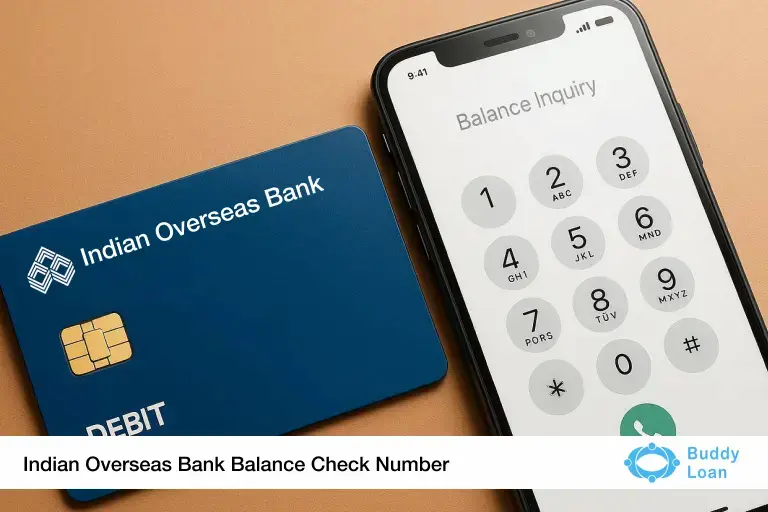
Need to quickly check your Indian Overseas Bank (IOB) account balance but don’t want to log into an app or visit the branch? Whether you’re traveling, in a hurry, or just looking for a fast update, IOB offers convenient ways to stay informed about your bank balance — even without internet access.
This blog will walk you through how to use the Indian Overseas Bank balance check number, along with other easy options like mobile banking, SMS, ATM and more. Whether you prefer a missed call or checking via the IOB app, we’ve got all methods covered.
| You can view your last 5 transactions with Indian Overseas Bank by using the official IOB net banking portal or visiting any IOB ATM. These platforms allow you to generate a mini statement, helping you monitor recent activity on your account quickly and securely. |
The Easiest Way To Check the Indian Overseas Bank Balance Number
The simplest and most convenient method to check your IOB account balance is through a missed call service or SMS. These methods don’t require internet access, making them ideal for quick updates anytime, anywhere.
- IOB Missed Call Balance Enquiry Number: +91-9210622122
How it works:
- Dial the number from your registered mobile number.
- The call will disconnect automatically after a few rings.
- You’ll receive an SMS from IOB with your current account balance.
This service is free and works 24×7 — no charges apply for the missed call (standard SMS rates may apply depending on your mobile plan).
- IOB SMS Balance Check
For customers who prefer SMS:
- Open your messaging app.
- Type the following in a specific order:
BAL<last 4-digits of your account number>
- Send the SMS to +91-8424022122.
- You’ll receive your balance details by SMS shortly.

Other Convenient Ways to Check Your IOB Account Balance
While the missed call service and SMS service are quick and offline, Indian Overseas Bank also offers several other ways to check your account balance, especially if you have internet access or prefer more detailed account information.
- IOB Mobile Banking App
You can use the official IOB Mobile Banking app to check your balance and access various banking features.
Steps to check the balance using the app:
Step 1: Download the IOB Mobile Banking app from the Play Store or App Store.
Step 2: Log in using your credentials or register using your registered mobile number.
Step 3: Navigate to the “Account Summary” or “Balance Enquiry” section to view your current balance.
- IOB Net Banking Portal
If you’re already registered for internet banking:
Step 1: Visit their official website
Step 2: Log in with your user ID and password.
Step 3: Click on “Account Details” or “Balance Enquiry” under the Account Summary section to view your balance.
- Visiting an IOB ATM
You can also check your balance using any IOB ATM (or partner bank ATM).
Steps :
Step 1: Insert your IOB debit card into the ATM.
Step 2: Enter your PIN.
Step 3: Select “Balance Enquiry” from the menu.
Step 4: Your account balance will be displayed on-screen.
4. IOB mPassbook App
The IOB Passbook is a digital version of your physical passbook. It automatically updates your debit and credit transactions:
Step 1: Download the IOB mPassbook app.
Step 2: Log in using your registered mobile number and MPIN .
Step 3: View your current account balance and transaction history anytime.
5. USSD Code for Balance Enquiry (No Internet Required)
This option is ideal for users without a smartphone or data connection:
Step 1: Dial *99*52# from your registered mobile number .
Step 2: Select your preferred language .
Step 3: Enter your IOB branch’s IFSC code .
Step 4: Choose the ‘Balance Enquiry’ option.
Step 5: Your account balance will be displayed or sent via SMS.
6. UPI Apps
You can use any UPI app (PhonePe, Google Pay, Paytm, etc.) to check your IOB account balance:
Step 1: Open your preferred UPI app.
Step 2: Enter your app PIN or security code.
Step 3: Choose your IOB account from the linked bank list.
Step 4: Tap ‘Check Balance.’
Step 5: Enter your UPI PIN , and the balance will be shown instantly.

Important Points to Remember
Before using the Indian Overseas Bank balance check number, here are a few essential things to keep in mind to ensure a smooth and secure experience:
- Mobile Number Must Be Registered
Only the mobile number linked to your IOB bank account will work with the missed call or SMS balance check service.
- Service Availability
The missed call and SMS services are generally available 24×7. However, SMS responses might be slightly delayed during peak hours or network congestion.
- Charges May Apply
While missed calls are usually free, SMS-based balance checks may be chargeable as per your mobile operator’s standard SMS rates. It’s a good idea to check your plan before using the service frequently.
- Beware of Fraudulent Numbers
Only use the official IOB numbers provided by the bank. Do not respond to unknown numbers or links claiming to offer balanced information. Always verify details on the official IOB website or by calling their customer care.
Conclusion
Checking your Indian Overseas Bank account balance is now quicker and more convenient than ever. Whether you’re using the missed call number, SMS service, mobile app or net banking; these methods allow you to stay on top of your finances without visiting a branch.
Just ensure your mobile number is registered with the bank to use these services smoothly. And whenever in doubt, always refer to official sources or contact IOB’s customer care for clarification. With multiple balance inquiry options available, you can confidently manage your money anytime, from anywhere.

Download the Buddy Loan App Now!
One solution to each of your financial needs at your fingertip.

Scan to download now