

The Atal Pension Yojana (APY) is an important scheme that provides financial security for all individuals who work in the unorganized sector. Ensuring that everyone gets a steady pension after they retire. Understanding that retirement planning is important, the government offers APY subscribers an easy way to keep track of their contributions.
As a subscriber, you can make use of the APY balance check to keep track of your pension account at any time from the comfort of your own home. So that you are always aware of your contributions.
The government offers you a co-contribution of 50% of your APY contribution up to ₹1000 in a year whichever is lower. This is applicable to those outside Statutory Social Security Schemes and not paying income tax.


Understanding Atal Pension Yojana
Atal Pension Yojana is a pension scheme that is backed by the Government to provide financial security to individuals in the unorganized sector. The scheme was launched in 2015, to encourage workers to save for their retirement by also offering a guaranteed minimum pension of ₹1000 to ₹5000 per month as per the contributions. Through the scheme, the Government also offers to co-contribute 50% of the subscriber’s contribution or ₹1000 per year whichever is lower. However, co-contribution is only applicable to those who are not covered under Statutory Social Security Schemes and who are not income taxpayers.
The Atal Pension Yojana was named after former Prime Minister Atal Bihari Vajpayee and is administered by the Pension Fund Regulatory and Development Authority (PFRDA). Any Indian between the ages of 18 to 40 years is eligible for the scheme, with the pension benefits starting from 60 years of age.
APY Statement
The APY statement is a document that provides you with important information about your Atal Pension Yojana account. The statement usually includes the account balance, contributions you have made as well as the interest accrued over the years. Using the APY balance check service is important as it helps you keep track of your contributions as well as understand the growth of your savings over time.
The Atal Pension Yojana was named after former Prime Minister Atal Bihari Vajpayee and is administered by the Pension Fund Regulatory and Development Authority (PFRDA). Any Indian between the ages of 18 to 40 years is eligible for the scheme, with the pension benefits starting from 60 years of age.
Are you looking for a personal loan?

Ways to Check APY Account Balance
There are several ways to check your APY balance, making it convenient for you to stay updated about your retirement savings. You can easily check your APY account balance by:
- Protean website
- Branch Visit
- APY and NPS Lite by Protean App
Steps For APY Balance Check Through Protean Website
The APY balance check online can be done through the Protean website (formerly known as NSDL e-Gov). Given below are the steps you can follow for an APY account balance check through the website:
Step 1: Visit the Protean website: https://www.npscra.nsdl.co.in/scheme-details.php
Step 2: Click on ‘APY e-PRAN/ Transaction Statement View’
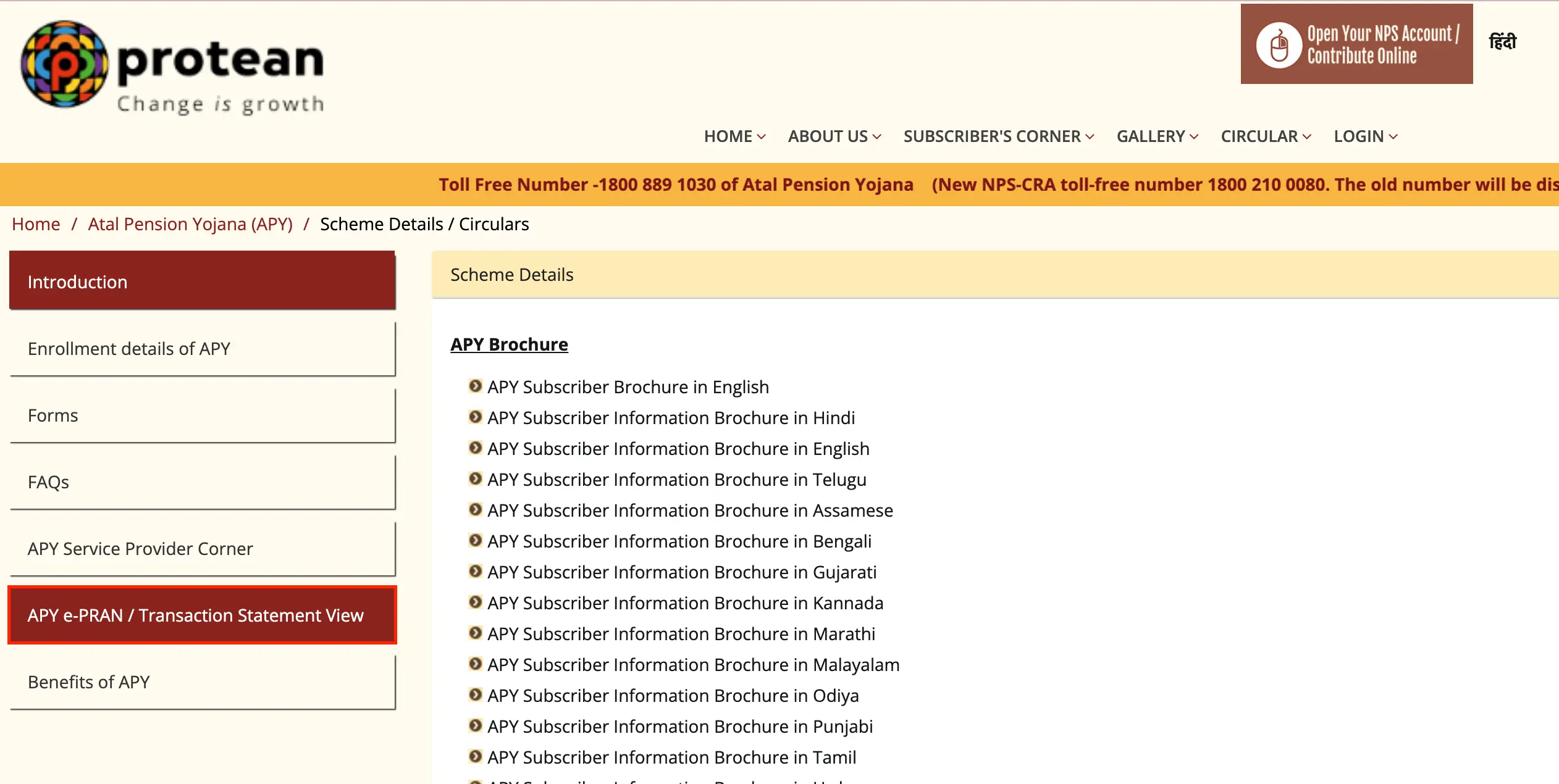
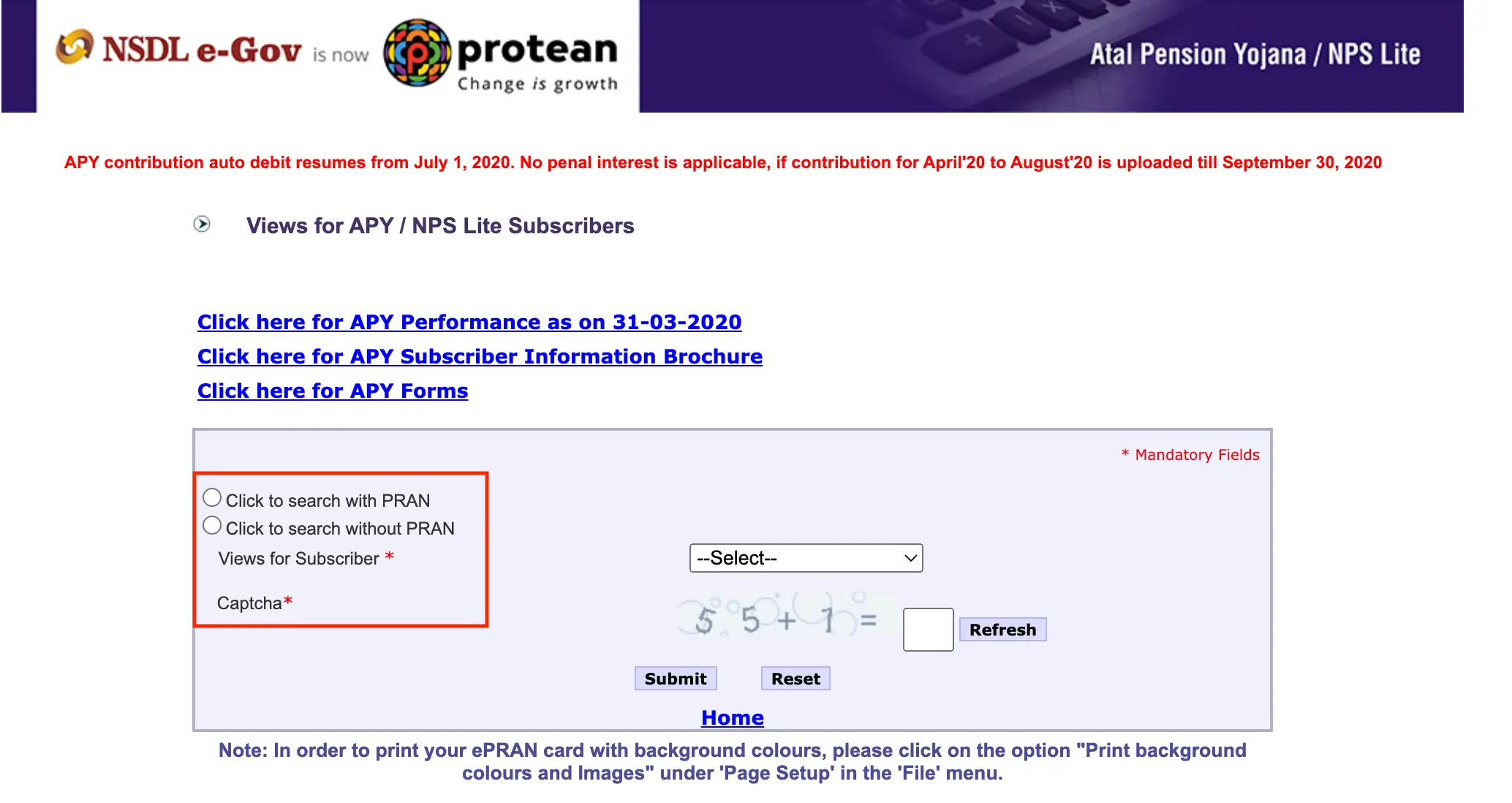
Step 3: You can opt to check with PRAN (Permanent Retirement Account Number) or without PRAN.
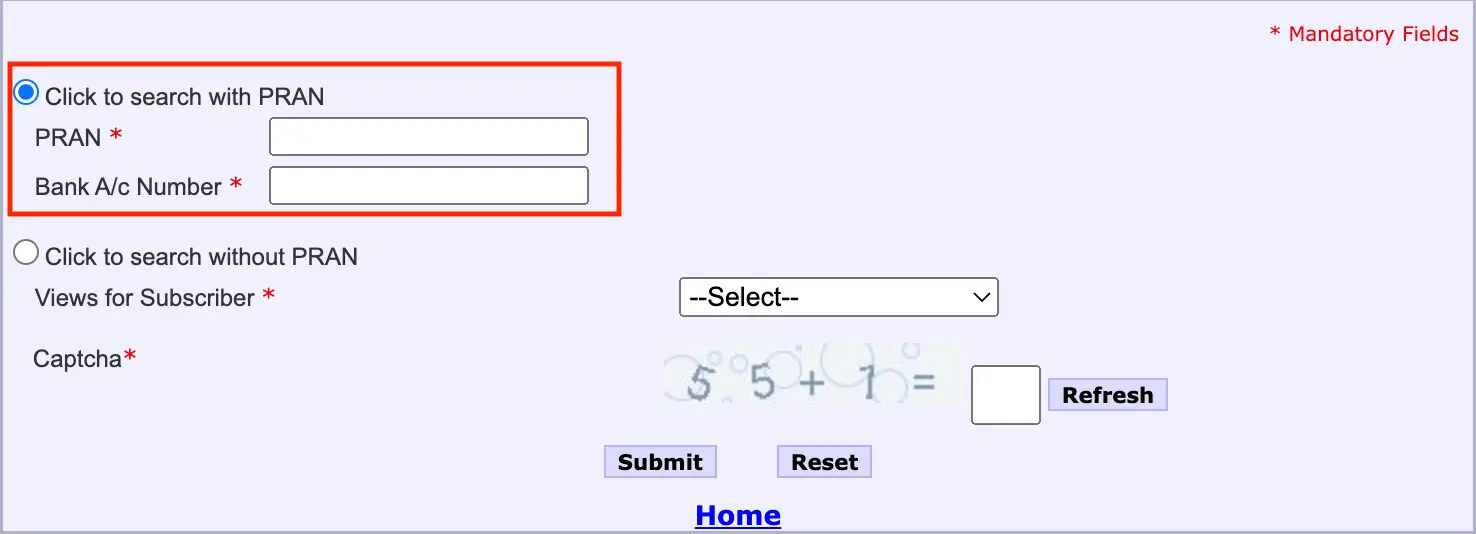
Step 4: If you choose to view your balance with PRAN, you should then enter your 12-digit PRAN number and Bank A/c number.
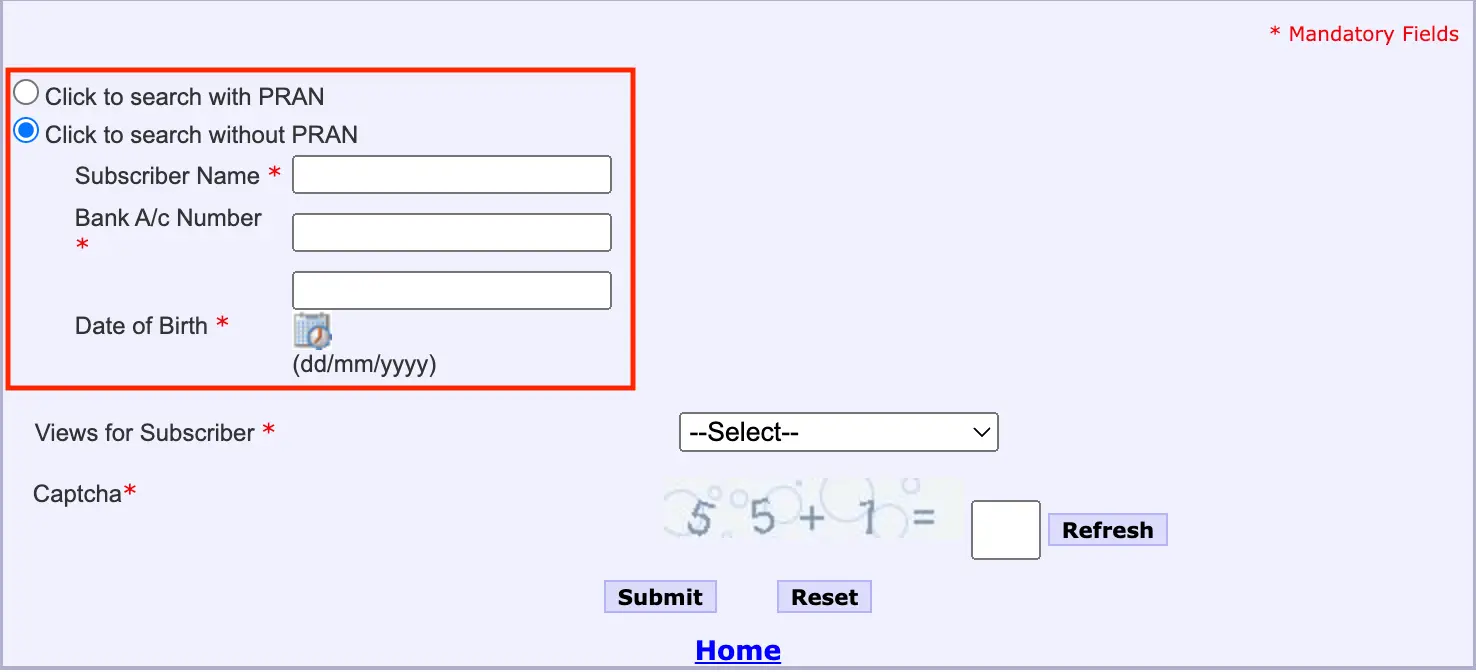
Step 5: If you choose to check your balance without PRAN, then you will have to enter your name, bank A/c number, and date of birth.
Step 6: Now check the ‘Select’ drop box, and choose APY/Swavalamban Statement View.
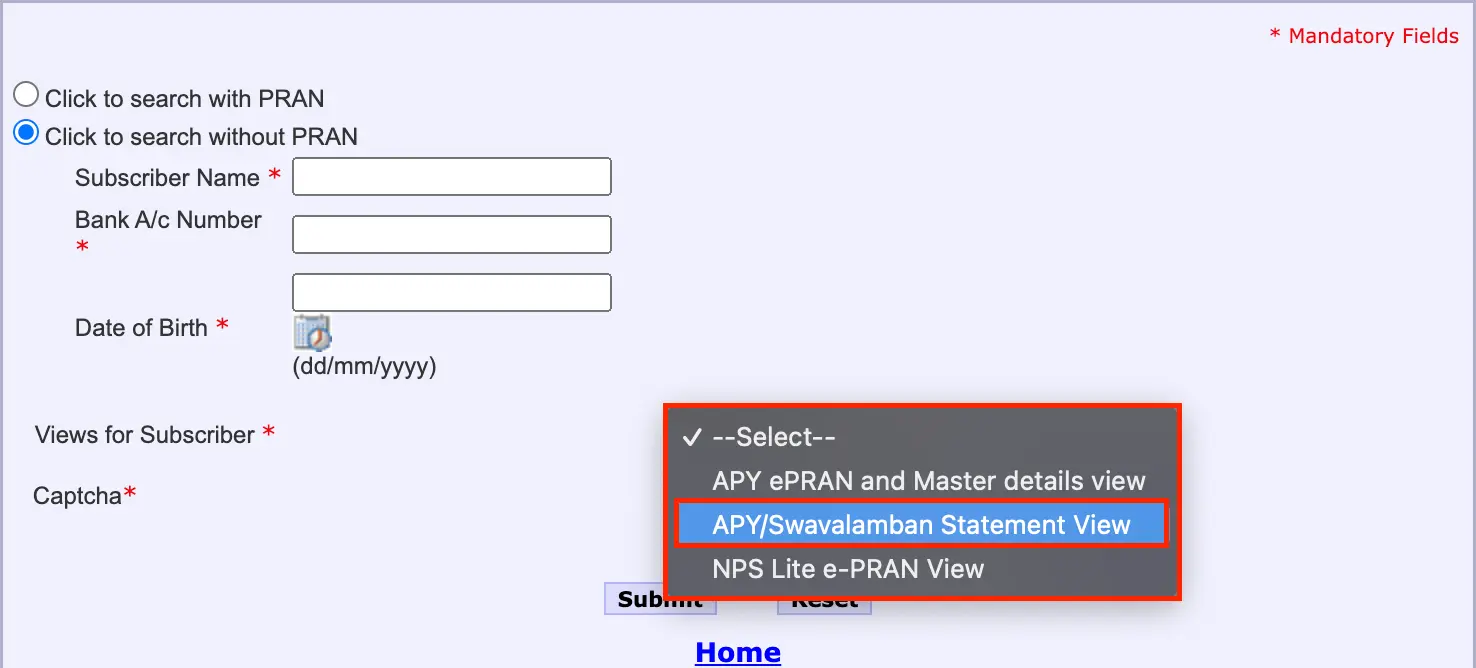
Step 7: Then enter the Captcha Code and click ‘Submit’.
Step 8: You will then be able to see your APY Balance Statement along with the summary of contributions made.
Don’t know your credit score? You can find out for free!

Steps For Atal Pension Yojana Balance Check Offline
To check your APY account balance the traditional way, you can check offline by visiting the bank branch where your account is. Here are the steps you can follow for the Atal Pension Yojana balance check:
- Step 1: Visit the bank branch where you have linked your APY account.
- Step 2: Meet the bank representative and tell them you want an APY balance check and passbook update.
- Step 3: Provide your PRAN or Account details.
- Step 4: You will then get the details of your APY balance and contributions.
Steps to APY Balance Check on App
The APY balance check is also possible through the APY and NPS Lite Application, making it even more convenient for you. Here are the steps you can follow to check your APY balance:
- Step 1: Download and install the APY and NPS Lite application through Play Store or Apple Store.
- Step 2: Enter your PRAN, and login to the App.
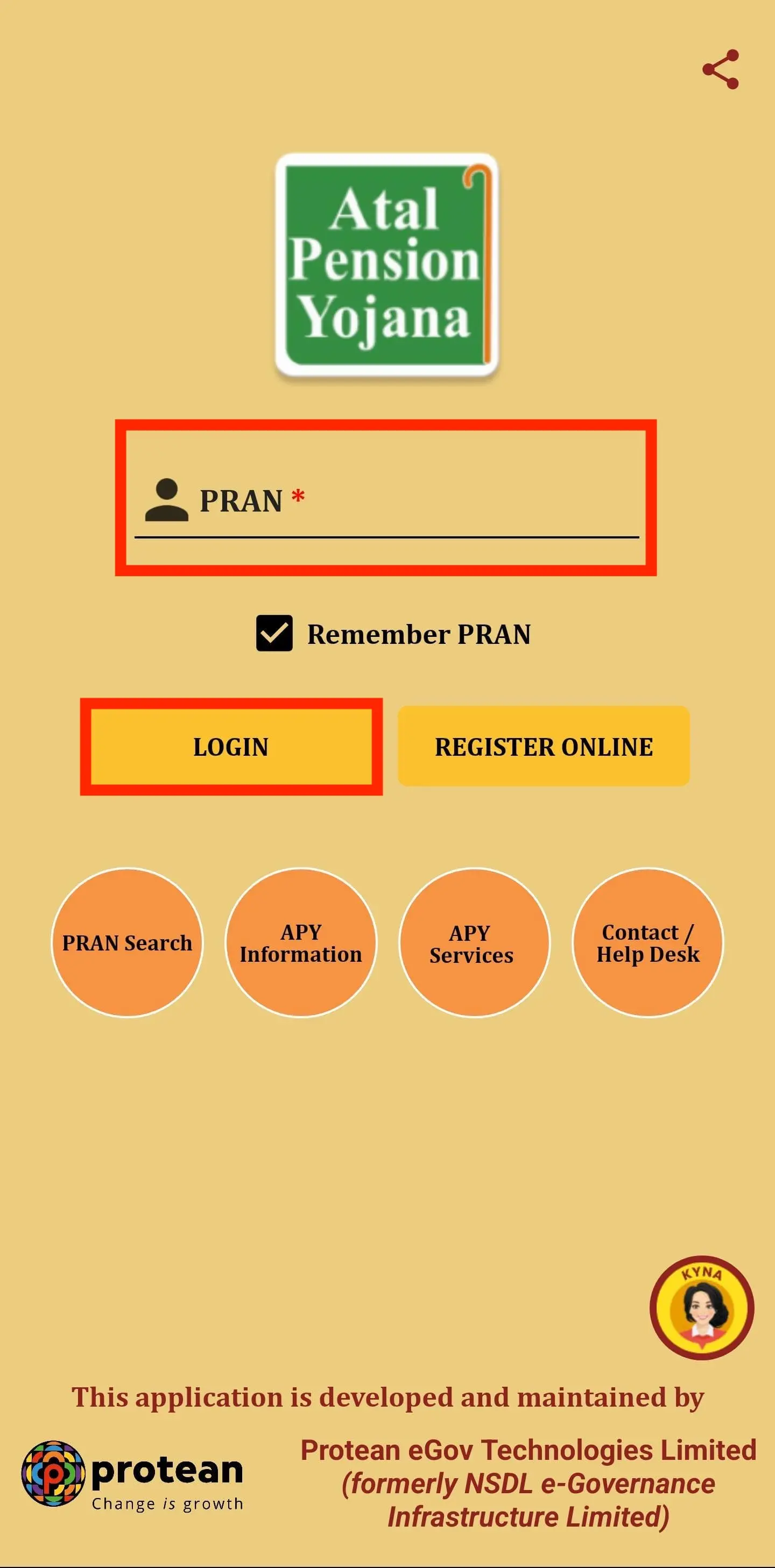
- Step 3: Check for the ‘Account Details’ section and you will find your APY balance as well as the contributions made to the account.
Importance of Checking Your APY Balance
Checking your APY balance is important for several reasons, including that you can effectively plan your retirement funds and secure your future. Here are the reasons why you need to check your APY balance:
- Keep track of savings: Regularly checking your APY balance can help you keep track of your retirement savings, ensuring that you will reach your retirement goals.
- To check contributions: APY balance check helps you know if the contributions you make are received and credited into your account.
- Verify account transactions: By checking your balance you will also be able to check the transactions associated with your account. Check for unauthorised transactions in the accounts activity.
- Quickly resolving issues: By actively checking your account, you can detect any errors and also resolve them quickly.
Besides APY Balance Check You can also check other related Topics
Do you need an instant loan?