

Until March 14, 2024, you have the opportunity to submit your Proof of Identity (PoI) and Proof of Address (PoA) documents at no cost through the UIDAI website.
Having an accurate and updated Aadhaar card is essential in India, as it serves as a vital document for identification and verification purposes. However, sometimes your name on the Aadhaar card needs to be changed.
Here is an easy guide for you to learn how to update your name on your Aadhaar card, whether you’re doing it online or offline.
Fee & Charges of Aadhaar Card Name Change
The fees and charges for any demographic update on Aadhaar Card is ₹50/- (Inclusive of GST) 😃


Reasons For Aadhaar Card Name Change
There could be various reasons for changing the name on an Aadhaar card, such as:
- Errors in the name: If there are spelling mistakes or errors in the name on the Aadhaar card, a correction may be needed.
- Change of name/ Surname: In case of a legal name change due to marriage, divorce, or any other reason, updating the name (First Name, Last Name & Middle Name) on the Aadhaar card is necessary.
- Updating initials or full name: If the name on the Aadhaar card is incomplete or only has initials, one may want to update it to include the full name.

Documents Required for Aadhaar Card Name Change
The UIDAI portal has simplified minor name changes for Aadhaar card holders. Here are the documents required to change the name on the Aadhaar Card:
- Passport
- PAN card
- Voter ID
- Ration Card/PDS Card
- Driving License
- Government-issued marriage certificate with a photograph
- Pensioner Card
- Disability Card
- CGHS/ECHS/ESIC/Medi-Claim Card with Photo issued by State/Central Govt./PSUs
Important Points To Note For Aadhaar Card Name Change
When thinking about changing your NAME on your Aadhaar card, there are a few important points to keep in mind for a smooth process. Here are some key points to note for Aadhaar card name change:
- Processing time for online and offline updates can vary. The time it takes to update your name can be different depending on whether you do it online or offline.
- You can track the status of your update request using the URN on the SSUP or Aadhaar website.
- It is recommended to keep copies of all submitted documents for your records.
- If you have any doubts or require further assistance, you can contact the Aadhaar helpline at 1947.
Steps to Update Aadhaar Card Name Online
As per the latest update, there is no online application process for an Aadhaar Card Name Change. However, you can initiate the process online by booking an appointment at an Aadhaar enrollment centre.
-
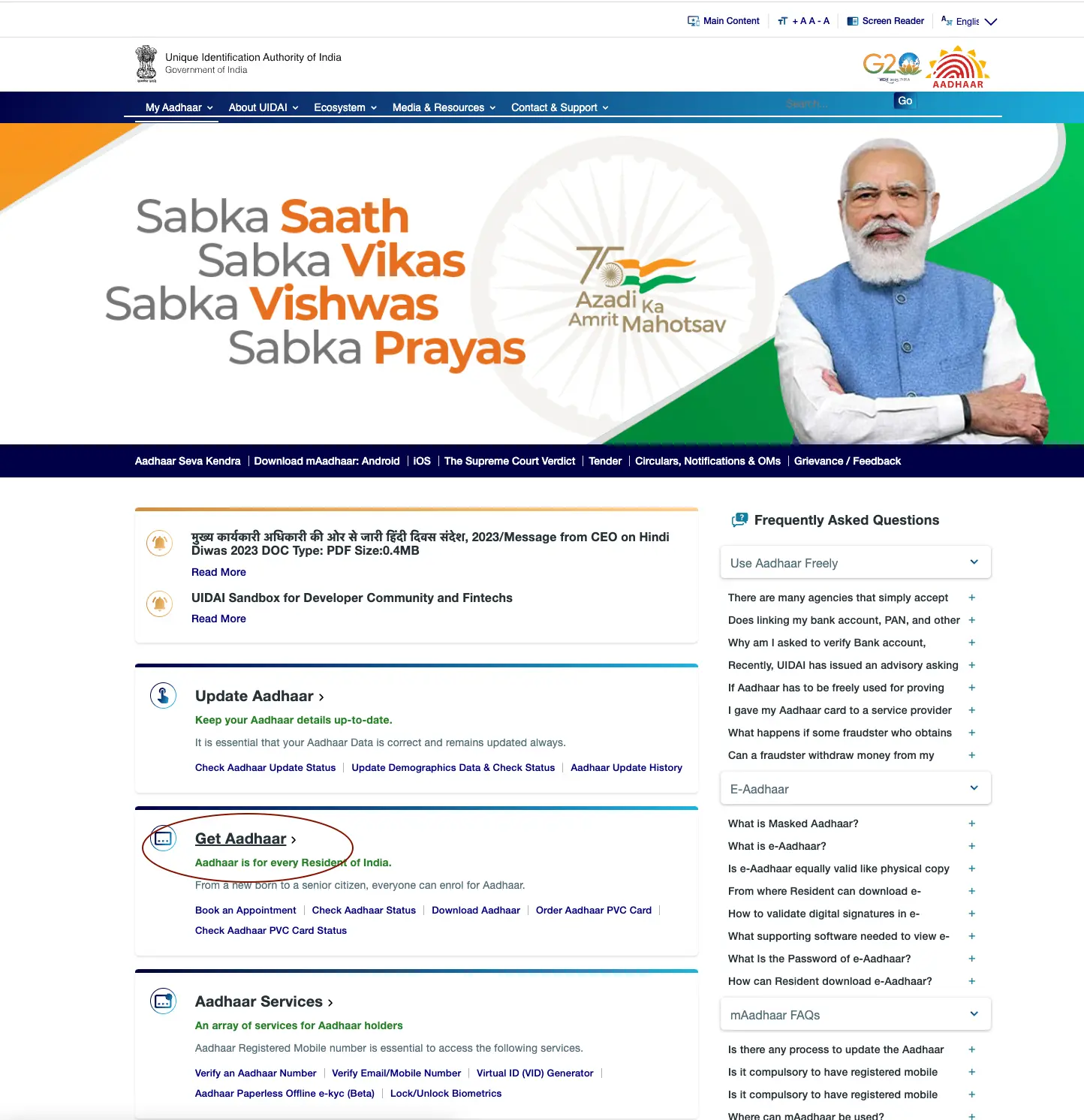
- Visit the official UIDAI website and go to the ‘Get Aadhaar’ section. Click on ‘Book an Appointment’.
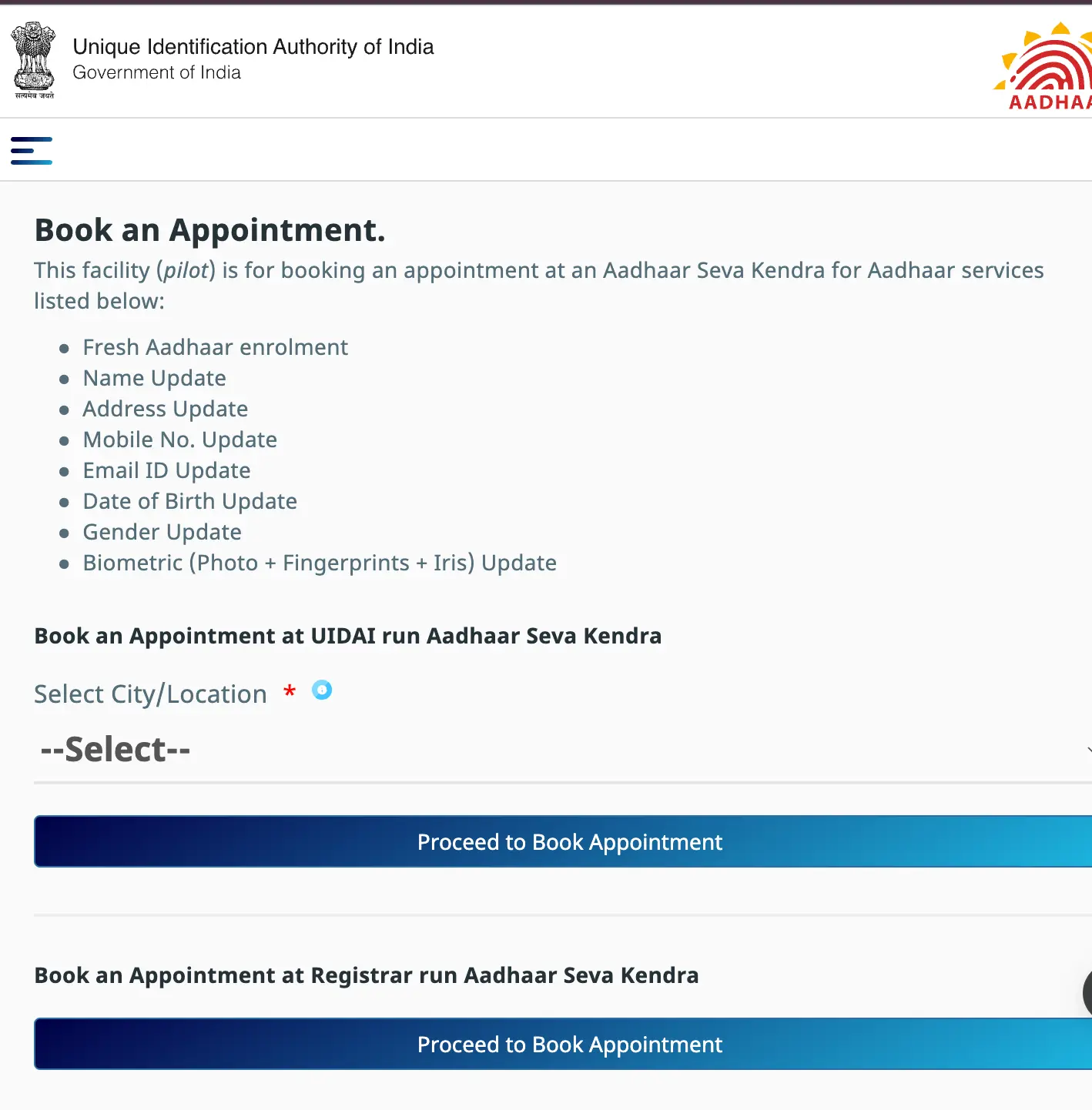
2.Choose your ‘City/location’ from the dropdown list provided under ‘Book an Appointment at UIDAI run Aadhaar Seva Kendra’.
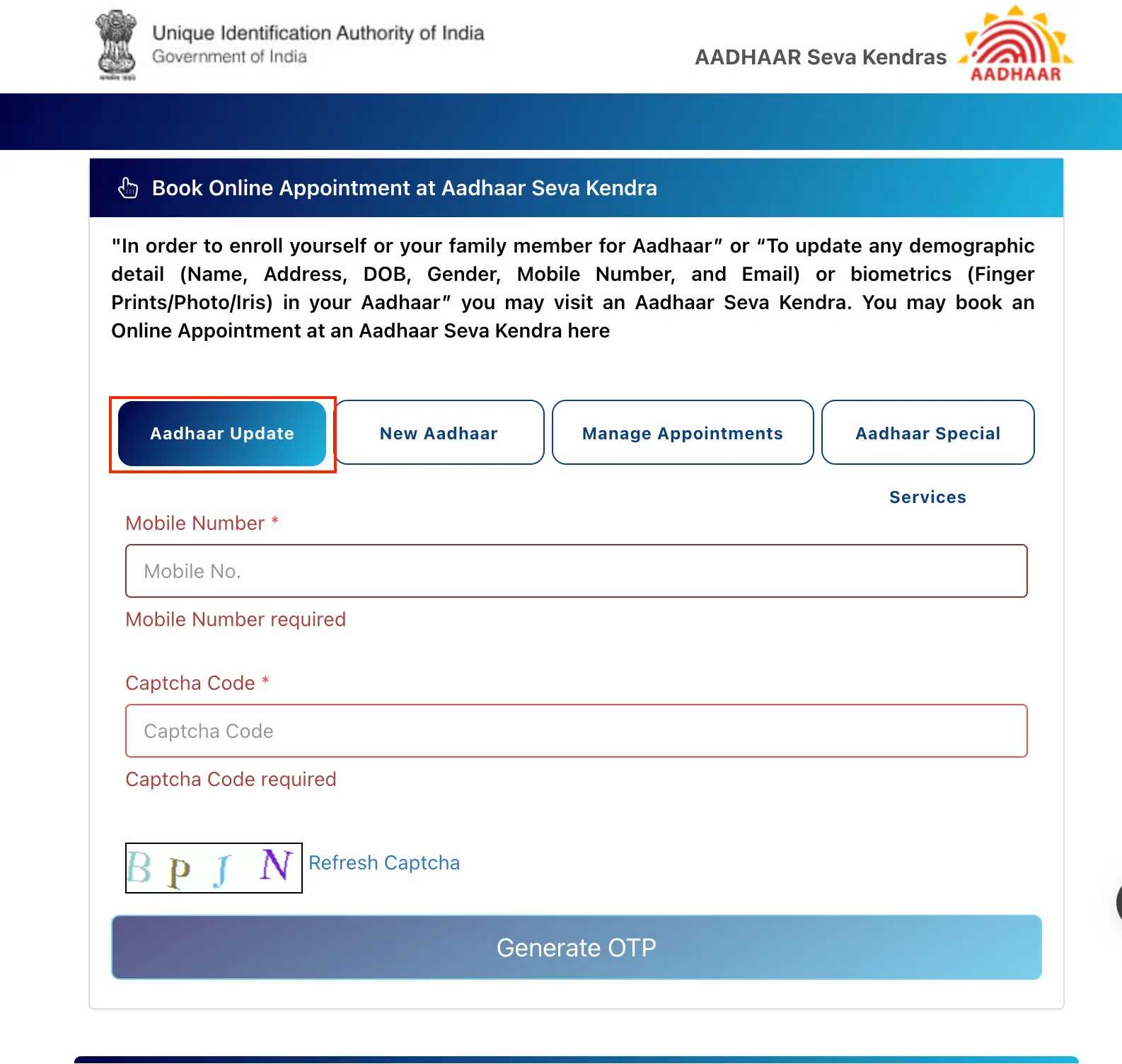
3.Select ‘Aadhaar Update’, and enter your mobile number and the CAPTCHA code. Then, click on ‘Generate OTP’.
4.Fill in the Appointment details and click “Next”. And then fill out the “Personal Details”.
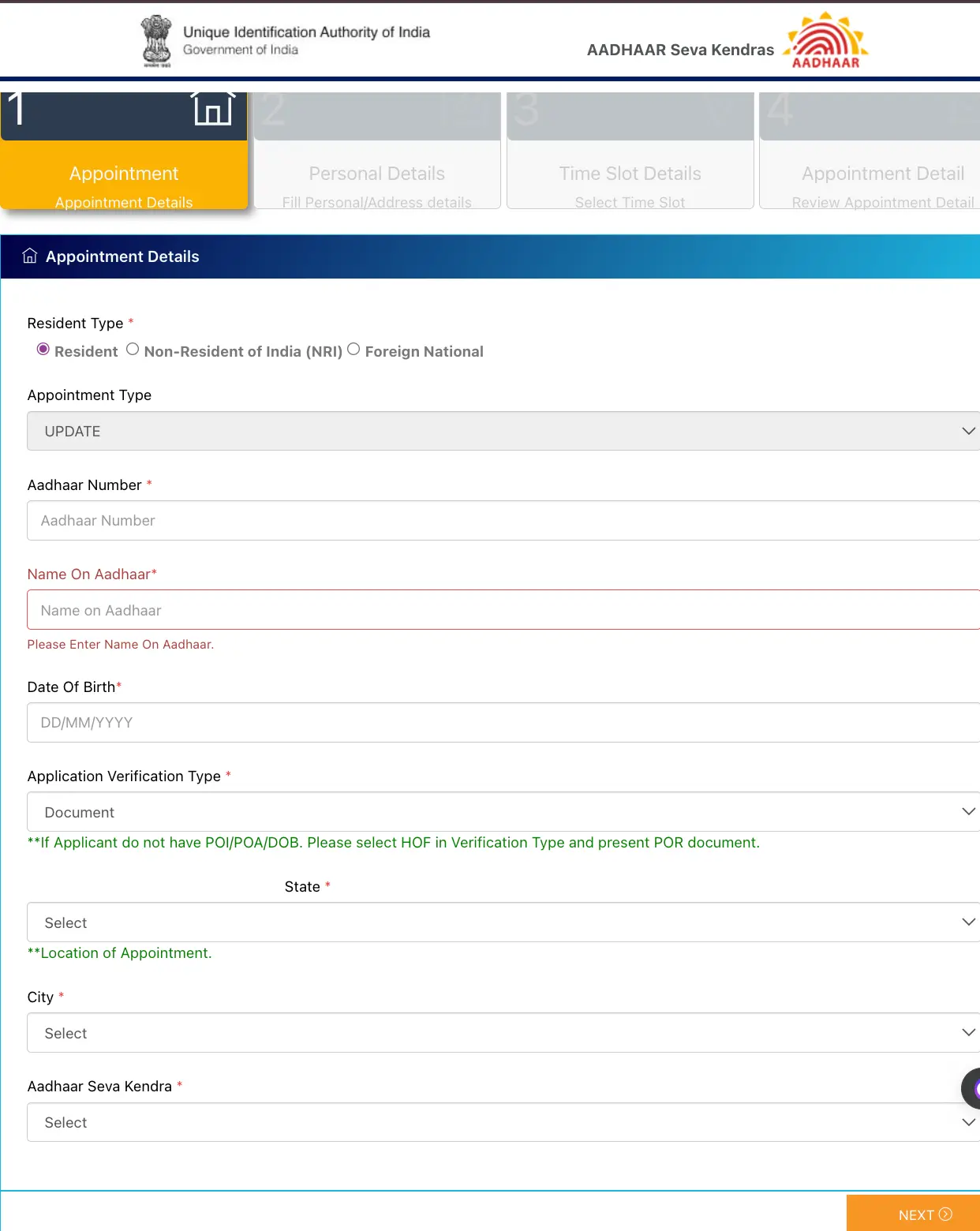
5.Next, select the “Time Slots” and “Review Appointment Detail” for the Aadhaar registration appointment.
6.Visit the Aadhaar Enrolment Centre with the necessary documents.
7.Complete the application form at the enrolment centre.
8.After completing the process, you will receive an SMS confirmation with a registration number for tracking purposes.
Not sure of your credit score? Check now for free!

Checking Aadhaar Card Name Change Status
Follow the steps mentioned below to check the status of your Name Change Request in your Aadhaar Card online:
-
- Visit the official UIDAI website.
- Enter your Enrolment ID (EID)/ SRN or URN and enter the Captcha code.
- View the step-wise status of your Aadhaar generation: Draft Stage, Payment Stage, Verification Stage, Validation Stage, Completed.