

A digital Aadhaar, or e-Aadhaar, obtained via the UIDAI website is recognised by the government as legitimate identification documentation. If someone forgets their EID or Aadhaar number, they can download an Aadhaar card using their name and date of birth in such situations.


Steps to Download Aadhaar by Name and Date of Birth
The steps below will guide you through the process of downloading your Aadhaar card
Step 1: Head to the official website of the Unique Identification Authority of India: www.uidai.gov.in
Step 2: Navigate to “My Aadhaar” section on the top menu and click it.
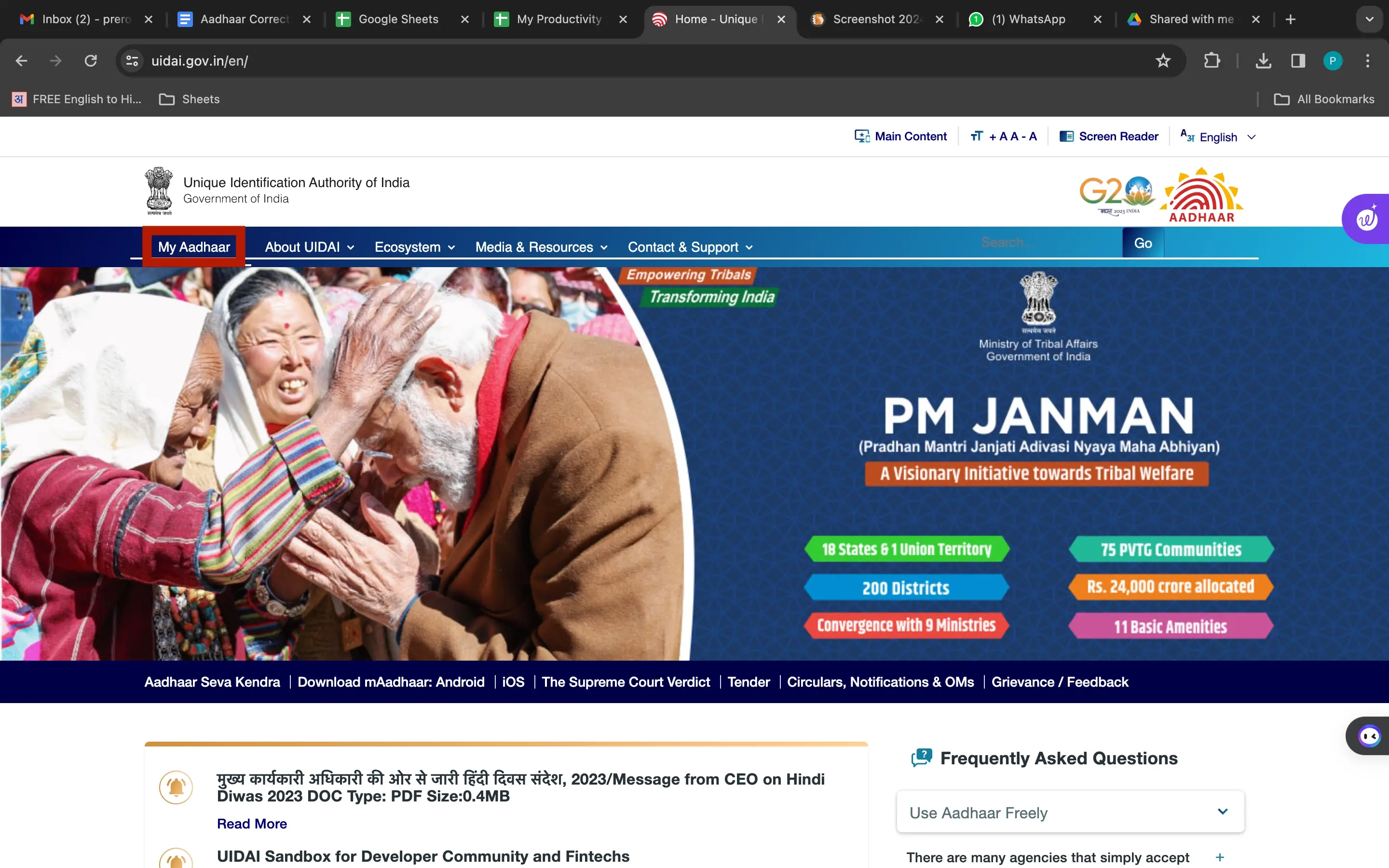
Step 3: Within “My Aadhaar,” locate and select the “Aadhaar Services” sub-menu.
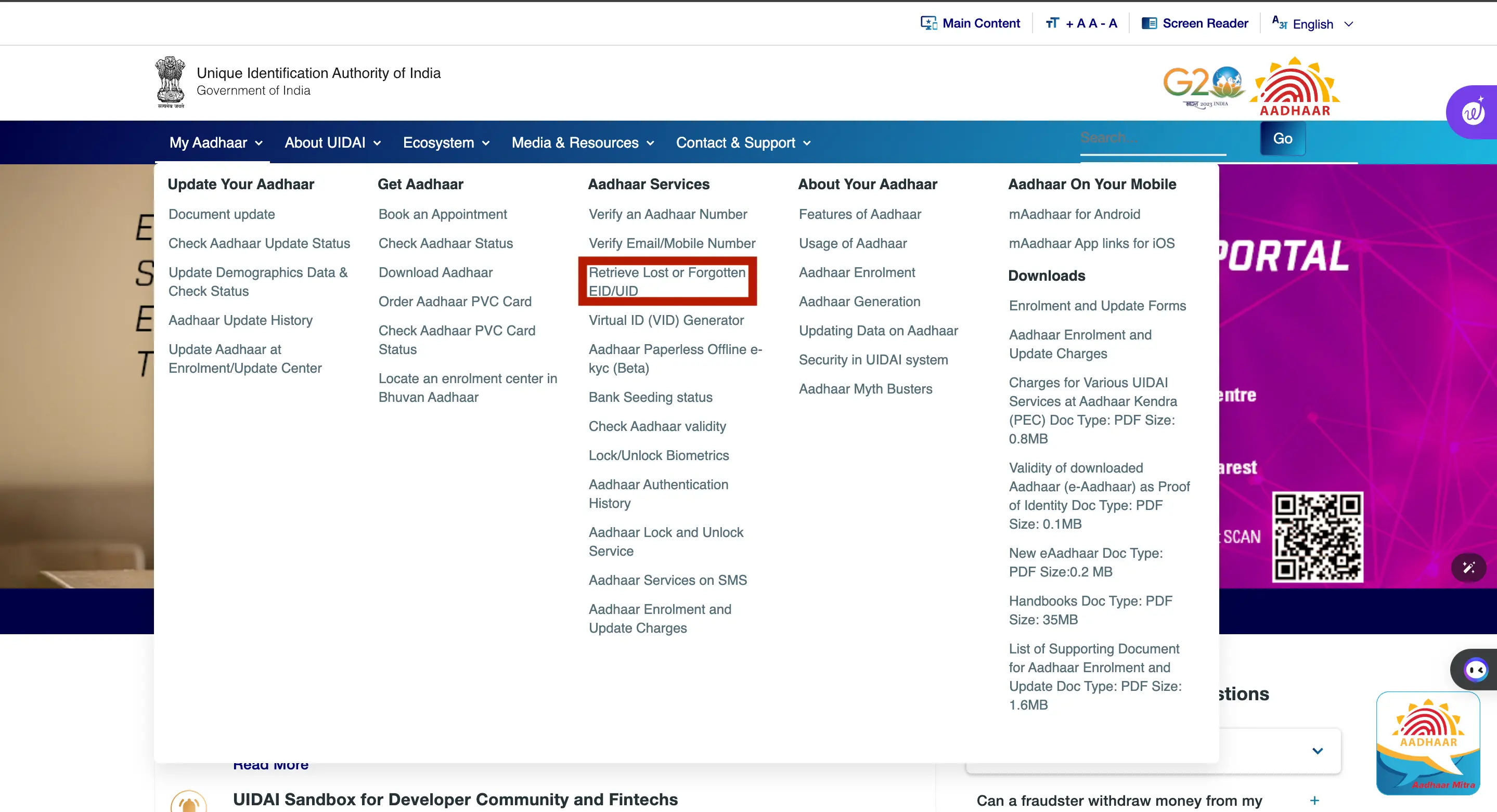
Step 4: Click on the option labelled “Retrieve Lost or Forgotten EID/UID.”
Step 5: Choose either “Aadhaar No. (UID)” or “Enrolment ID (EID)” based on your need and enter your Name
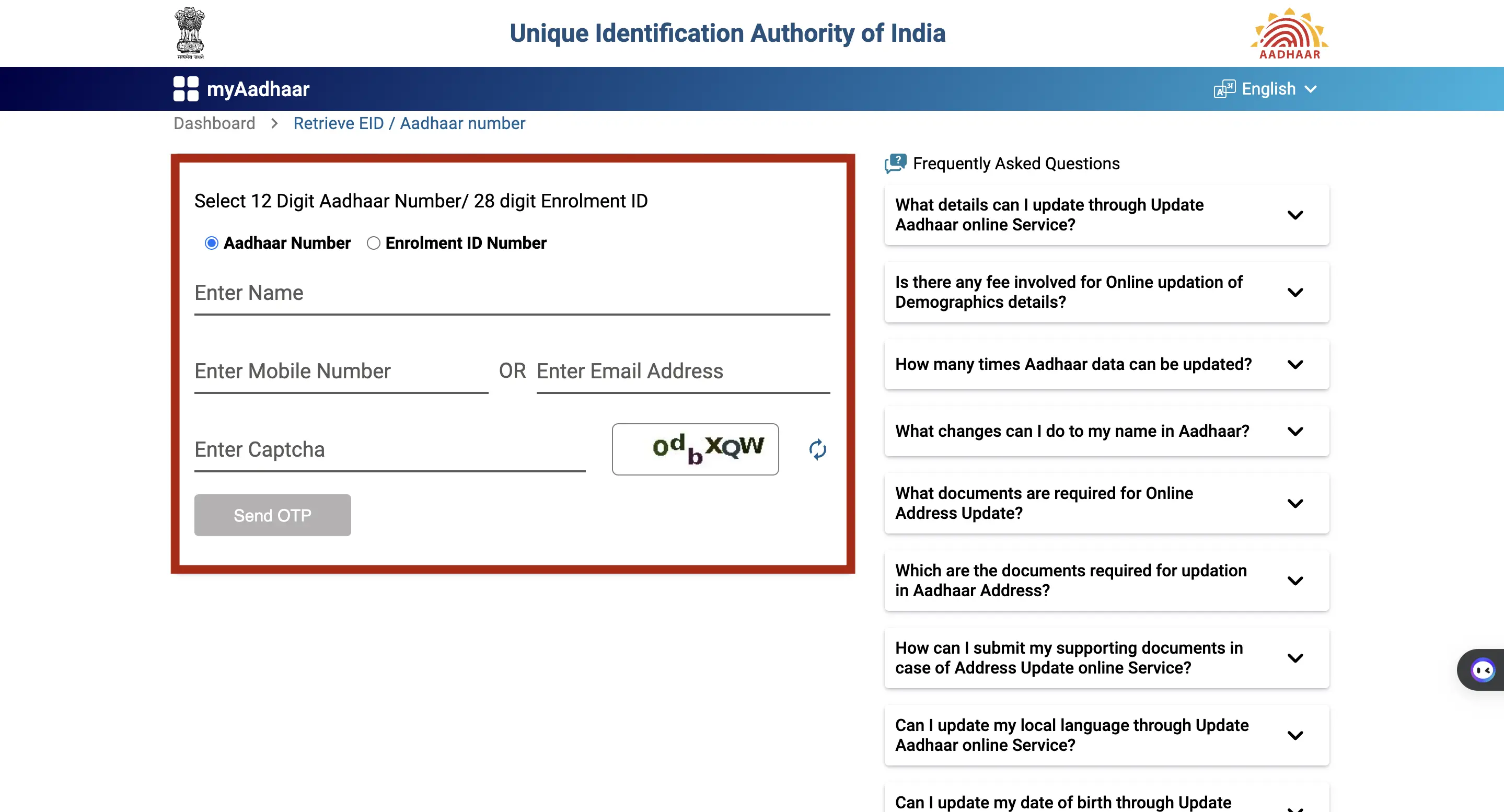
Step 6: Enter your registered mobile number or email address along with the displayed Captcha code. Click on ‘Send OTP’.
Step 7: A one-time password (OTP) will be sent to your registered mobile number. Enter the received OTP in the designated field.
Step 8: Once the OTP is verified, your e-Aadhaar will be available for download
Looking for a Personal Loan
