

Aadhaar Card contains various demographic and biometric details of the cardholder, including their name, address, date of birth, gender, and photograph. In case of any change in the cardholder’s address, it is mandatory to update the address in the Aadhaar card records to ensure that the cardholder continues to receive important communications and benefits linked to their Aadhaar number. The details below help you overcome all the technical issues and update your address change easily.
As per the Unique Identification Authority of India (UIDAI) individuals who have not updated their Aadhaar for the past 10 years need to update their Aadhaar card. The last date to update your Aadhaar Card details for free is June 14, 2024. Individuals can update their Aadhaar details online or offline modes.


Documents Required For Changing Address in Aadhaar Card Online
For changing the address on your Aadhaar card, you will need to provide supporting documents such as:
- Passport (yours, your spouse’s, or for minors, their parents).
- Bank statement/passbook from a recognized bank or post office.
- Ration card.
- Voter ID.
- Driving license.
- Pensioner card or disability card.
- CGHS/ECHS/ESIC/Medi-Claim card with a photo issued by State/Central Govt or PSUs.
- Utility bills like electricity, water, and telephone (landline) bills from the last three months.
- Insurance policy (life and medical types only).
- Property tax receipt not older than one year.
Note: Ensure that the documents you provide are clear and readable when uploading them for the Aadhaar card address update process.
Aadhaar Card Address Change Without Proof
Residents can update their address in their Aadhaar using the Address Validation Letter from UIDAI, even if they do not have a valid address proof.
Apply for a Personal loan now!

Steps to Apply for Aadhaar Card Address Change Online
To apply for Aadhaar Card Address Change Online, you have to initiate by booking an appointment at an Aadhaar enrollment center.
1.Visit the official website myaadhaar.uidai.gov.in scroll down and click on ‘Book an Appointment’.
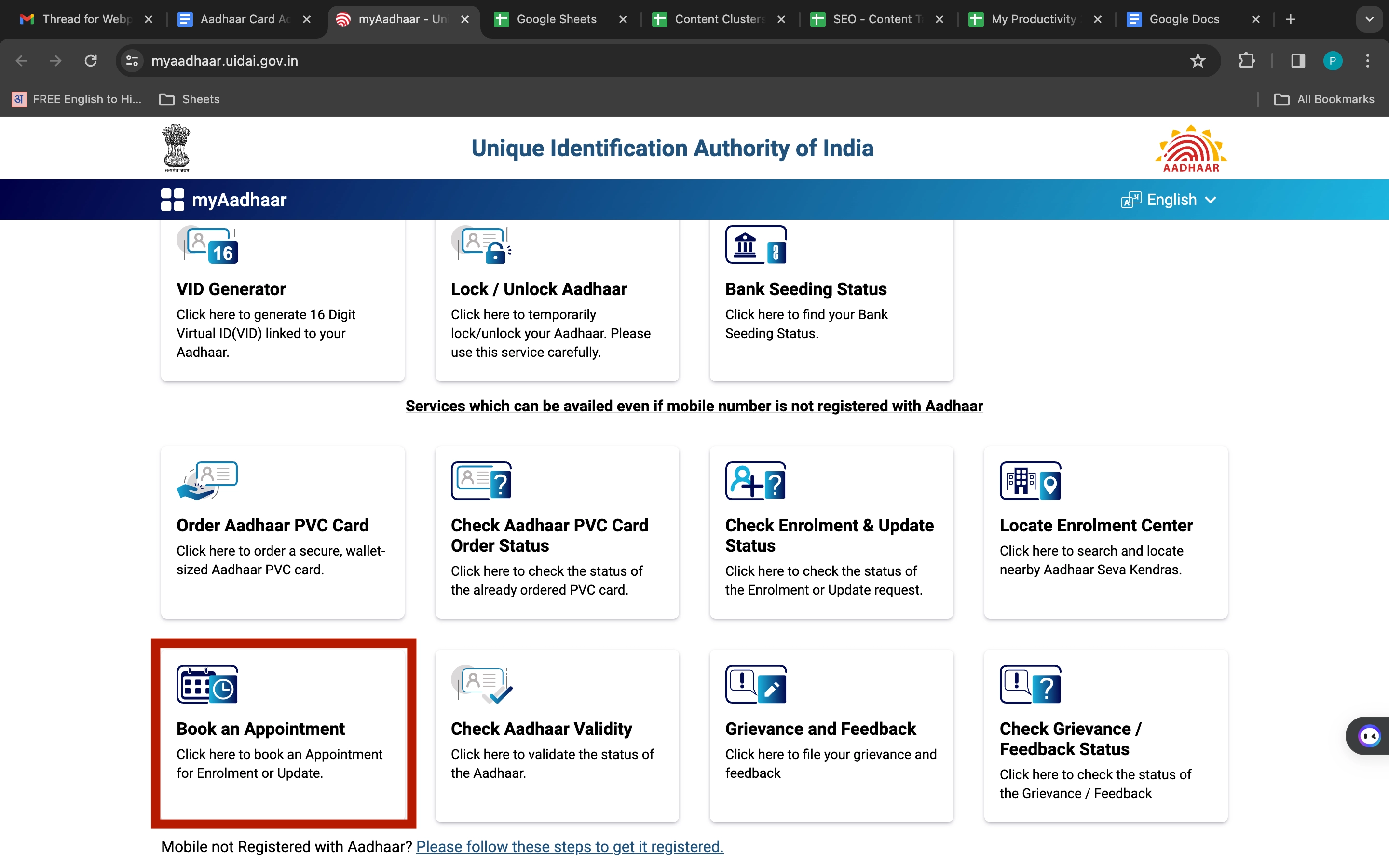
2.Choose your ‘City/location’ from the dropdown list provided under ‘Book an Appointment at UIDAI run Aadhaar Seva Kendra’.
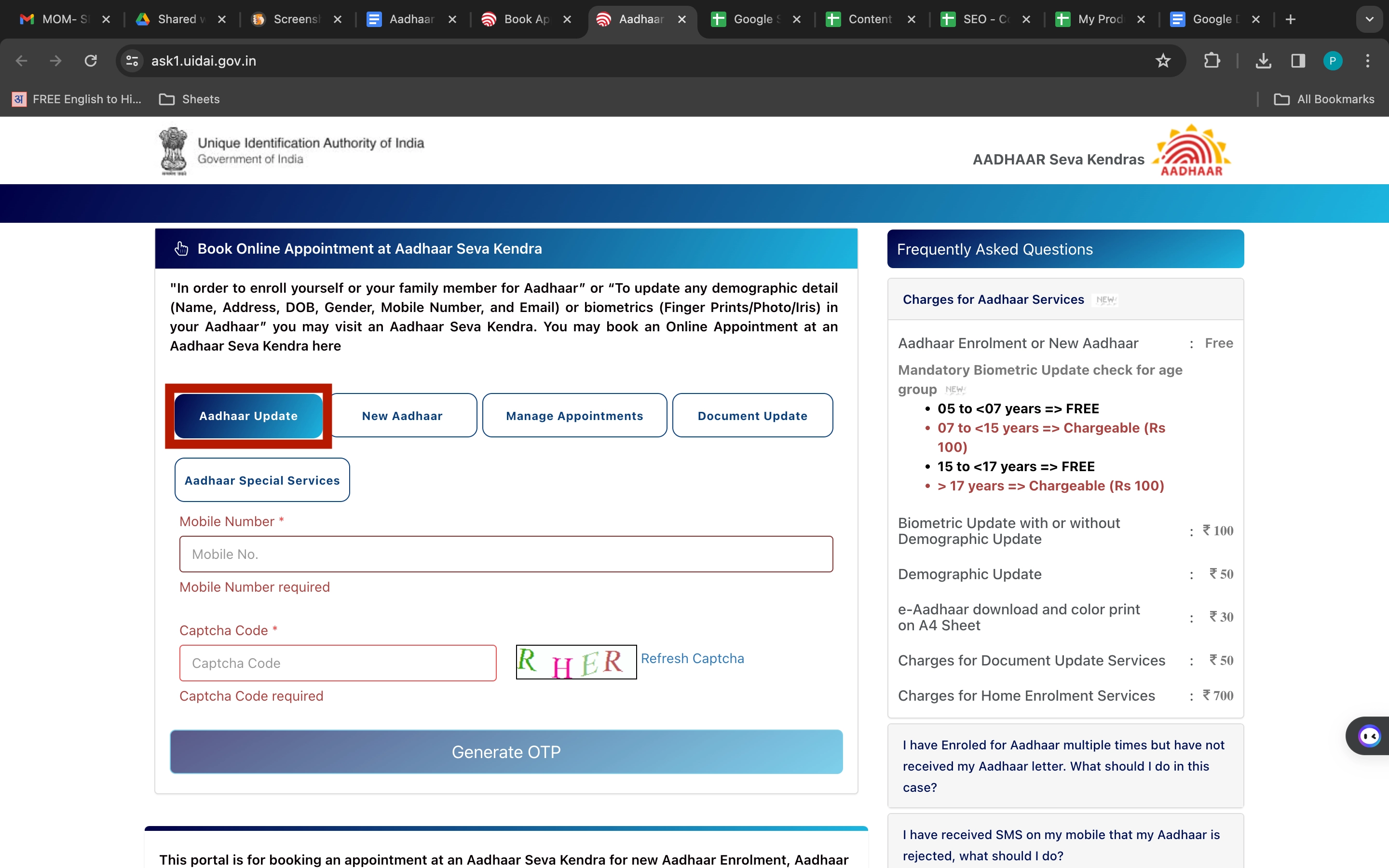
3.Select ‘Aadhaar Update’, and enter your mobile number and the CAPTCHA code. Then, click on ‘Generate OTP’.
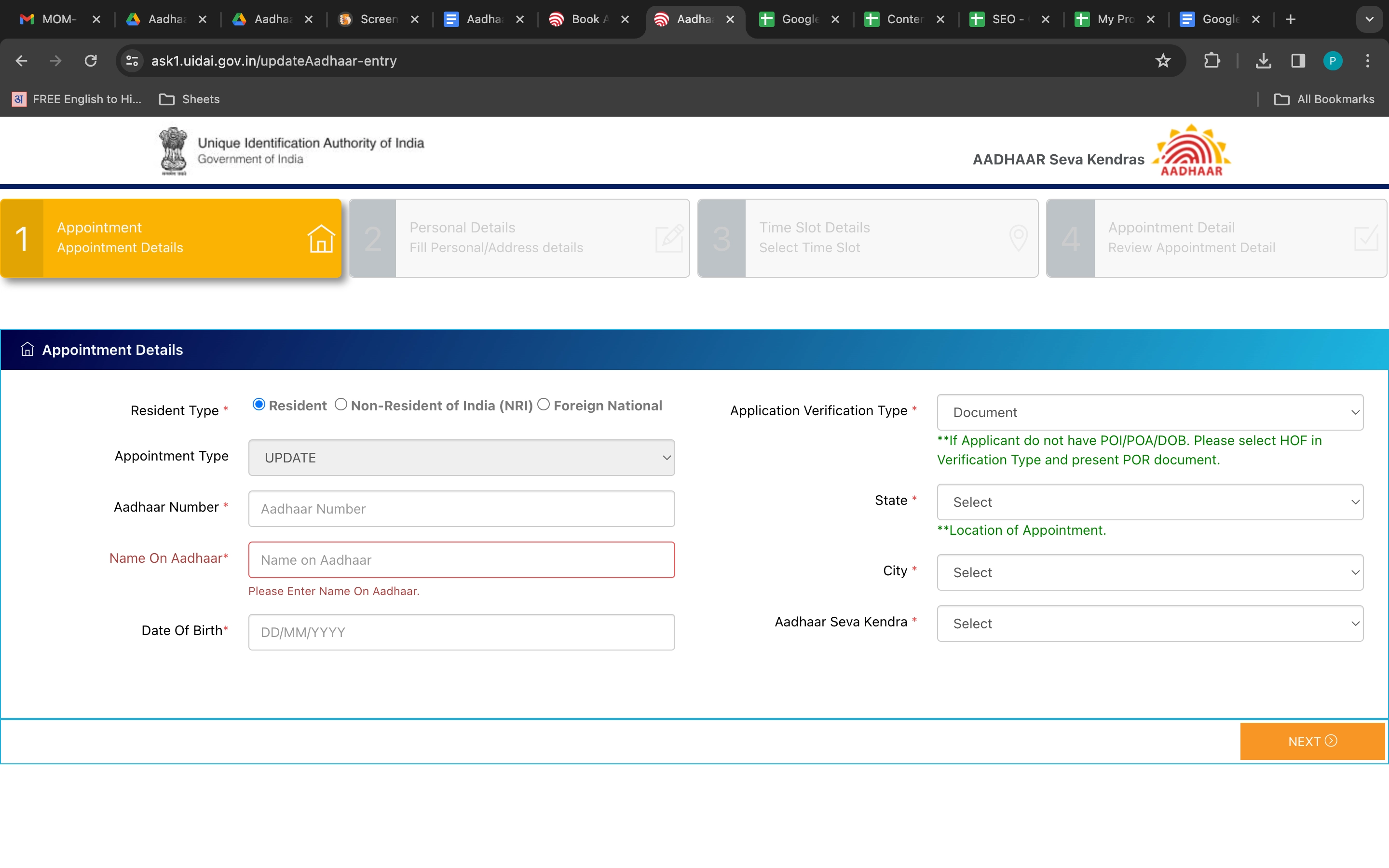
4.Fill in the ‘Appointment details’ and click ‘Next’. And then fill out the ‘Personal Details’.
5.Next, select the “Time Slots” and “Review Appointment Detail” for the Aadhaar registration appointment.
6.Visit the Aadhaar Enrolment Centre with the necessary documents.
7.Complete the application form at the enrolment centre.
8.After completing the process, you will receive an SMS confirmation with a registration number for tracking purposes.
Not sure of your credit score? Check it for free now!

How to Check Aadhaar Address Change Status Online
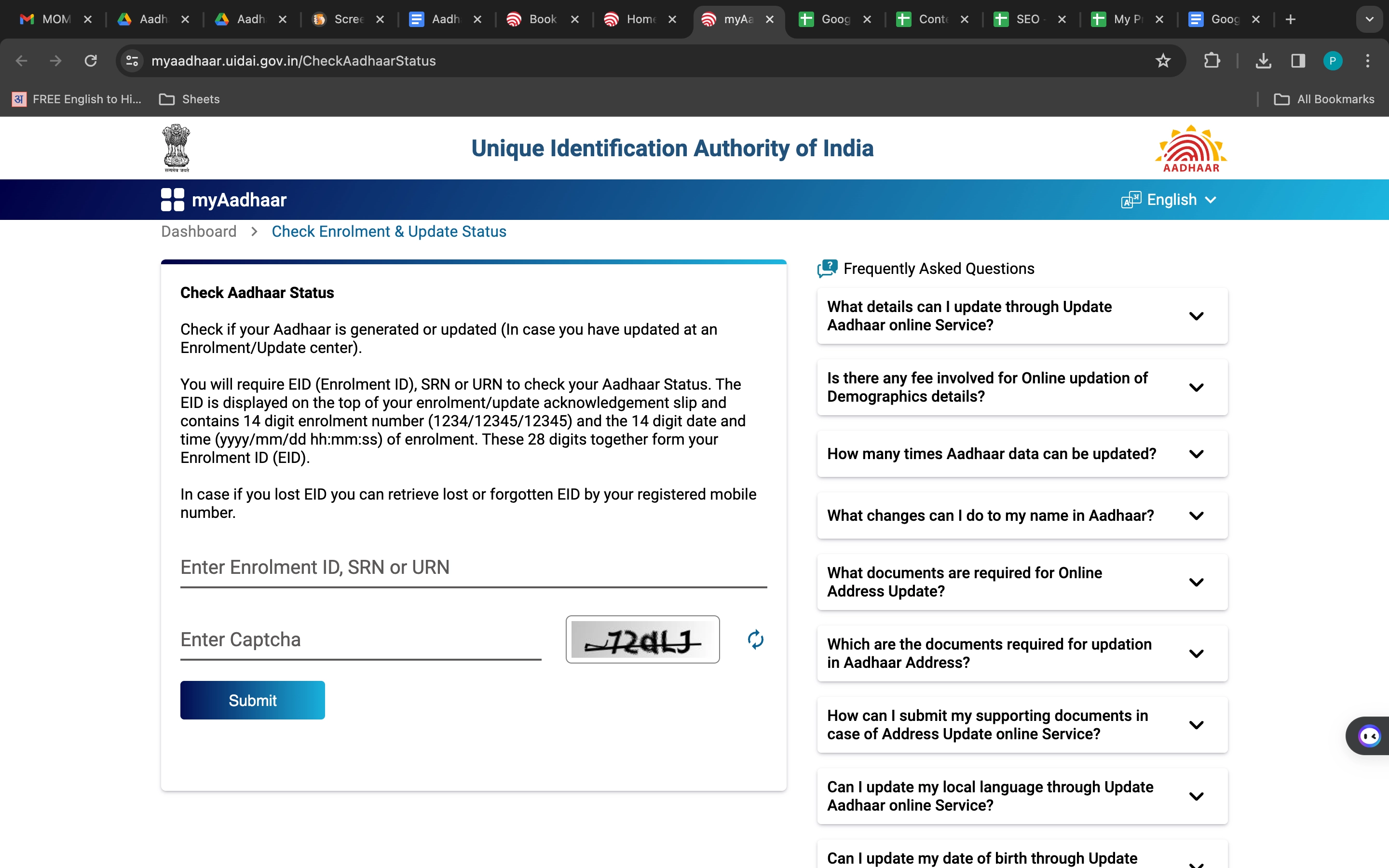
You can check the status of your Address Change Request in your Aadhaar Card online by visiting the official website of UIDAI. Follow the steps below to check the application status of your Address Change Request in Aadhaar card online:
-
- Go to the official UIDAI website through your phone, or desktop.
- Type in your Enrolment ID (EID), Service Request Number (SRN), or Update Request Number (URN) and the code you see on the screen.
- See how your Aadhaar card is being updated step by step: first, your details are entered, then you might need to pay, next your information is checked, then it’s verified, and finally, your Aadhaar card is finished.
- You can track your Aadhaar card being updated in the process. This helps make sure everything goes smoothly
Looking for a personal loan?