
Bank of India’s ‘StarConnect’ is its official internet banking platform, providing secure access to a wide range of financial services. The system uses a dual-password security feature: a Login Password for account access and a separate Transaction Password for authorising payments. Read on as we explain the complete process of registration, login procedures, fund transfers, and how to troubleshoot common technical errors like a locked transaction password or an invalid User ID for Bank of India’s net banking facility.


Features of Bank of India StarConnect Netbanking
The StarConnect platform offers a comprehensive suite of services that allow both retail and corporate users to manage their banking needs without visiting a branch. Key features include the following:
- View and download detailed account statements for any period.
- Initiate 24/7 fund transfers through NEFT, RTGS, and IMPS.
- Open, view, and manage Fixed Deposits (FD) and Recurring Deposits (RD) online.
- Pay utility bills, credit card bills, and direct taxes seamlessly.
- Request new cheque books, view the status of issued cheques, or stop a cheque payment.
- Integrate and view your Demat account holdings and investment portfolio.
- Update personal details and manage account settings.
Eligibility for Bank of India Netbanking
The StarConnect net banking facility is available to all customers who hold an account with Bank of India. However, there are a few basic prerequisites to ensure a smooth registration and activation process. The primary eligibility criteria are as follows:
- Account Holder Status: You must be an active account holder with the Bank of India, with either a Savings or a Current account.
- Registered Mobile Number: Your mobile number must be registered with the bank to receive One-Time Passwords (OTPs) for verification and transaction authorisation.
- Active Debit Card: For instant online registration, you must possess an active Debit-cum-ATM card linked to your account.
- Joint Accounts: For joint accounts, the mode of operation must be ‘Either or Survivor’. Accounts that require joint signatures for transactions may not be eligible for online registration and will require a branch visit.
- Customer Information File (CIF): Your KYC details must be complete and up-to-date in the bank’s records.

Documents and Details Needed for BOI Netbanking
The information required for your Bank of India Netbanking registration depends on whether you choose the online or offline method. The online process is entirely digital and does not require physical documents.
For Online Registration (Instant Activation)
No physical documents are needed. Keep the following information ready:
- Your 15-digit Bank of India Account Number.
- Your mobile phone with the registered SIM card for receiving the OTP.
- Your active Debit-cum-ATM card details, including the card number, expiry date, and ATM PIN.
For Offline Registration (Branch Application)
If you do not have an active debit card or prefer the offline method, you will need to submit the following at your home branch:
- A duly filled and signed Internet Banking Application Form.
- A self-attested copy of your PAN Card.
- A self-attested copy of your Aadhaar Card or another valid photo ID proof, as requested by the branch.
Also Read: Bank of India Personal Loan
How to Register for BOI Net Banking
Bank of India offers two distinct methods for new users to register for the StarConnect internet banking service. The online method is instant, while the offline method requires submitting a form at your home branch.
Online Registration (Using Debit Card)
1. Visit the official Bank of India website and navigate to ‘Internet Banking’ or ‘Key Services’.
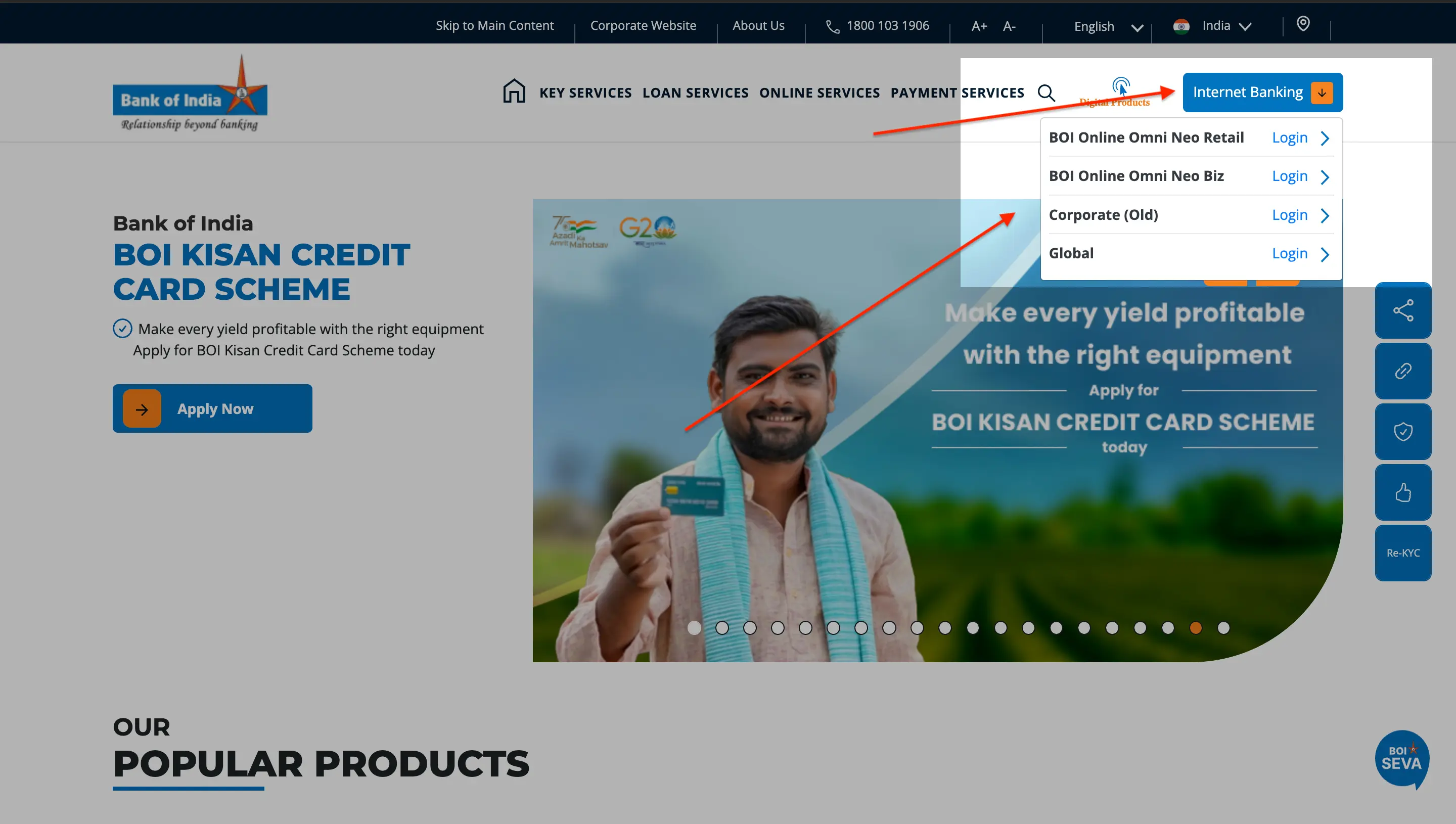
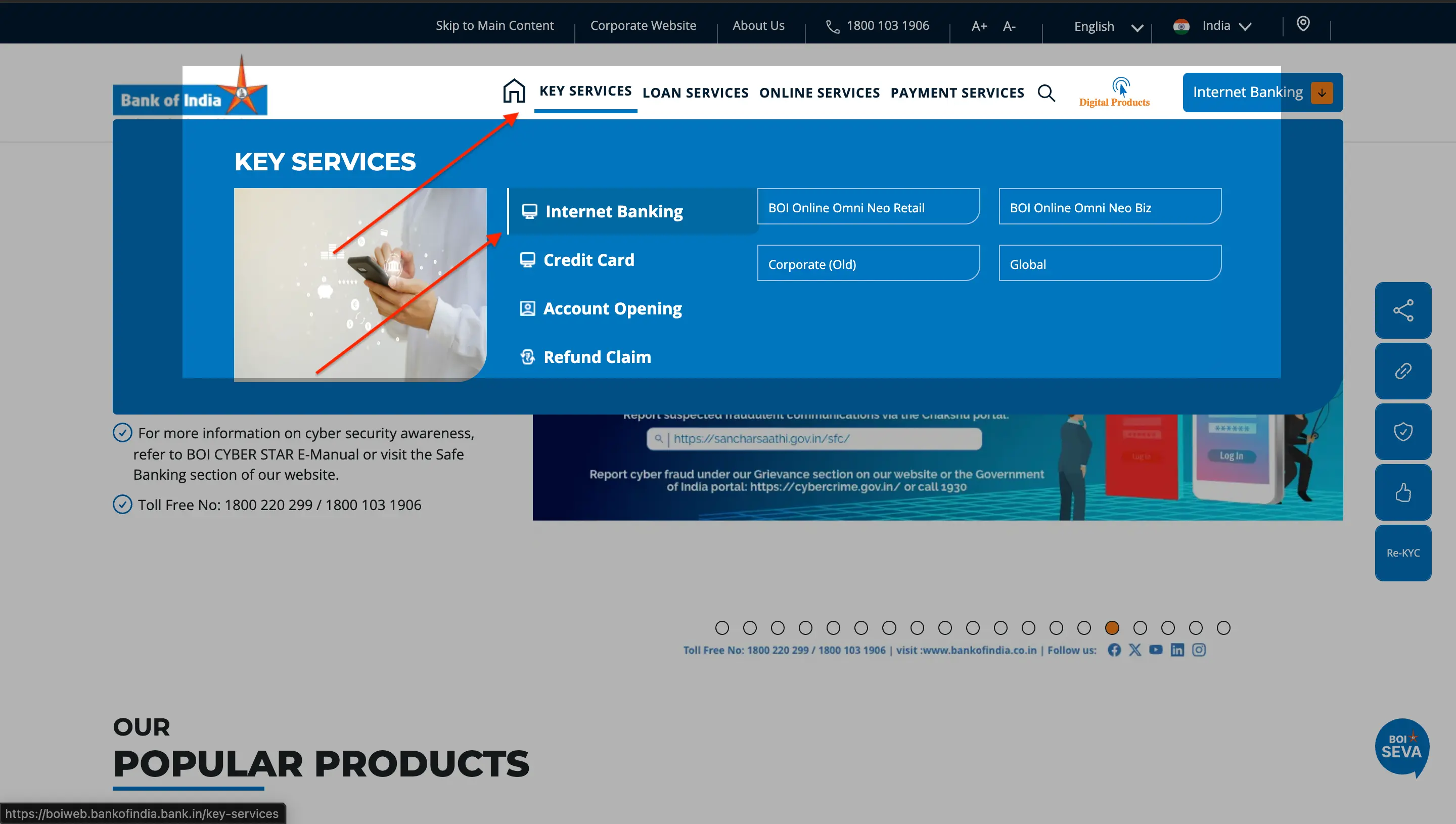
2. On the StarConnect portal, click the ‘New User’ option.
3. Enter your 15-digit account number, registered mobile number, and the captcha.
4. Verify the OTP sent to your mobile number.
5. Enter your active Debit-cum-ATM card details (Card Number, Expiry Date, and ATM PIN).
6. Set your new Login Password and a separate Transaction Password. The passwords must meet the bank’s complexity requirements.
7. Your User ID, which is your Customer ID (CIF), will be confirmed on-screen upon successful registration.

Offline Registration (At the Branch)
- Download the ‘Application for Internet Banking’ form from the Bank of India website or collect a physical copy from your branch.
- Fill out the form with your personal and account details.
- Submit the completed form at your home branch along with a copy of your PAN card and another form of ID if requested.
- The bank will process your application within a few working days and may dispatch the User ID and passwords to your registered address.
How to Login to StarConnect
Logging into your Bank of India Netbanking account requires your User ID and Login Password. Here are the steps to log in to your Bank of India Netbanking.
- Go to the official StarConnect portal.
- Enter your User ID (this is your Customer ID/CIF, not your account number).
- Enter your Login Password using the virtual keyboard for added security.
- Complete the CAPTCHA text shown on the screen and click ‘Submit’.
How to Reset Your StarConnect Login or Transaction Password
If you have forgotten your password, you can reset it online using your debit card details. The process is different for the Login and Transaction passwords.
Resetting the Login Password
Here are the steps on how to reset your BOI login password:
- On the StarConnect login page, click the ‘Forgot Password’ link.
- Enter your User ID and Account Number, then click ‘Continue’.
- Verify the OTP sent to your registered mobile number.
- Provide your Debit Card Number, Expiry Date, and ATM PIN for validation.
- You will be prompted to set a new Login Password.
Resetting the Transaction Password
Here are the steps to resetting your transaction password:
- Log in to your StarConnect account using your User ID and Login Password.
- Navigate to the ‘Options’ or ‘Profile” section in the main menu.
- Select the “Change Transaction Password” option.
- You will be asked to enter your old Transaction Password. If you have forgotten it, look for a ‘Forgot Transaction Password’ link.
- Follow the on-screen instructions, which will again require OTP and debit card validation to set a new Transaction Password.
Troubleshooting Common Login & Transaction ErrorsBank of India’s netbanking platform has specific security protocols that can sometimes cause login issues. Here is how to resolve the most common errors. Problem: Locked User ID or Transaction PasswordThe system will automatically lock your profile after three consecutive incorrect password attempts. A standard password reset will not work in this case. You must unlock your User ID first.
Problem: ‘Invalid User ID’ ErrorThis error typically occurs if you are entering your account number in the User ID field. Your Bank of India Netbanking User ID is your Customer ID (CIF number), which is printed on the first page of your bank passbook. |
Bank of India Netbanking, NEFT/RTGS/IMPS & Beneficiary Management
StarConnect supports all major fund transfer methods. For security, the bank imposes a ‘cooling period’ on newly added beneficiaries to prevent fraudulent transactions.
Beneficiary Cooling Period
You cannot transfer funds to a new beneficiary immediately after adding them. The cooling period and transfer limits are as follows:
| Time Since Beneficiary Activation | Maximum Transfer Limit | Applicable Channels |
|---|---|---|
| 0 to 4 hours | ₹0 | NEFT, RTGS, IMPS |
| 4 to 24 hours | ₹50,000 | NEFT, RTGS, IMPS |
| After 24 hours | Full Account Limit | NEFT, RTGS, IMPS |
Transaction Limits & Charges
Bank of India does not levy charges on online fund transfers made through its digital platforms.
| Transaction Type | Maximum Limit (Per Day) | Charges (Online) |
|---|---|---|
| NEFT | ₹10,00,000 | No charges |
| RTGS | ₹10,00,000 | No charges |
| IMPS | ₹5,00,000 | No charges |
Also Read: Bank of India Business Loan
How to Register for Netbanking Through the BOI Mobile App
You can also complete your first-time registration for digital banking directly through the official ‘BOI Mobile – Omni Neo Bank App’. This process activates both your mobile and internet banking access simultaneously.
1. Download the BOI Mobile – Omni Neo Bank App from the Google Play Store or Apple App Store.
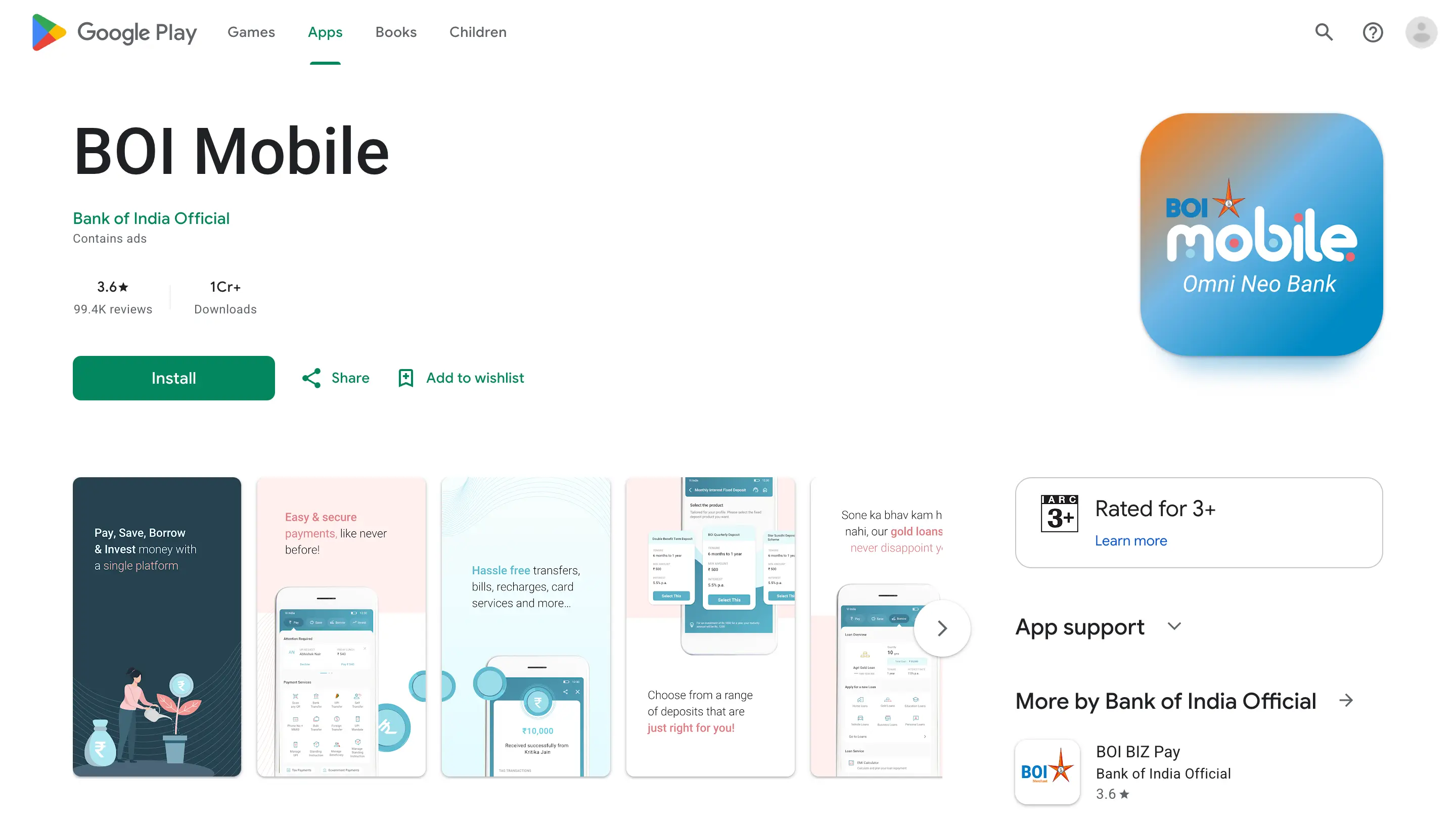
2. Open the app and grant the necessary permissions. Select the “New User” or “Register” option on the welcome screen.
3. Read and accept the terms and conditions to proceed.
4. The app will prompt you to select your registered mobile number (SIM). It will then send a verification SMS from your device. Ensure you have sufficient balance for the SMS and that you are using mobile data, not Wi-Fi, for this step.
5. Once your mobile number is verified, enter your 15-digit account number and your active Debit Card details.
6. You will receive an OTP on your registered mobile number. Enter it in the app to continue.
7. You will now be prompted to create your digital banking credentials. Set your User ID (if not already assigned), a new Login Password, and a separate Transaction Password.
8. Finally, create a 6-digit MPIN which will be used for quick logins to the mobile app.
Upon completion, your Bank of India Netbanking and mobile banking services will be activated. You can use the same User ID and Login Password to access the StarConnect website.
BOI Mobile App Features
The BOI Mobile app, also known as the Omni Neo Bank App, is the official mobile banking application. It complements the desktop net banking experience with features designed for on-the-go use.
- Provides a unified dashboard to view all linked accounts, including savings, deposits, and loans.
- Uses a secure MPIN and biometric login (fingerprint/face ID) for quick and easy access.
- Acts as a digital security token for authorising transactions initiated on other platforms.
- Includes integrated UPI features like ‘Scan & Pay’ for instant merchant payments.
- Allows users to view a digital passbook and request account statements directly from the app.
BOI Net Banking Customer Care for StarConnect Issues
If you face technical issues with your Bank of India Netbanking account, such as login problems or transaction errors, you can contact the dedicated support desk. When calling, specifically ask for the ‘StarConnect Internet Banking desk’ to bypass general support queues.
| Service | Contact Information |
|---|---|
| Toll-Free Number (Internet Banking) | 1800 103 1906 |
| Chargeable Number | (022) 4091 9191 |
| Email for StarConnect Issues | boi.starconnect@bankofindia.co.in |
Check more on Netbanking of different banks from below:

Download the Buddy Loan App Now!
One solution to each of your financial needs at your fingertip.

Scan to download now

