

The process to retrieve an Aadhaar card is simple as facilitated by the Unique Identification Authority of India (UIDAI). Whether you’ve lost your Aadhaar card or need a digital copy, UIDAI provides a hassle-free method to obtain it. By visiting the official UIDAI website and following the prescribed steps. This service ensures that you can access your Aadhaar details whenever needed, contributing to the convenience and accessibility of this vital identification document.
You can now get a duplicate Aadhaar card through multiple ways; by visiting an ASK, by downloading an e-Aadhaar, or by calling the helpline number. Please remember that downloading an e-Aadhaar is considered legally equivalent to a physical card.


Steps to Retrieve Aadhaar Card Offline
The UIDAI has made it convenient for those who have lost their Aadhaar card to retrieve it. You can simply visit an enrolment center or an Aadhaar Seva Kendra and request for an Aadhaar card retrieval. Follow these simple steps:
Step 1: Find the nearest Aadhaar Seva Kendra near you and visit it.
Step 2: The Aadhaar Seva Kendra executive will enter your biometric details or demographic details.
Step 3: Once the verification is complete. The operator will let you know about your EID/UID and you can download the card or get a pint out after making a payment of ₹30.
Looking for a Personal Loan?

How to Retrieve Aadhaar Card Number?
For Aadhaar number retrieval or Aadhaar card EID retrieval, you can visit the UIDAI website, here’s how:
Step 1: Login to the official UIDAI website.
Step 2: Select the ‘Retrieve EID/Aadhaar number’.
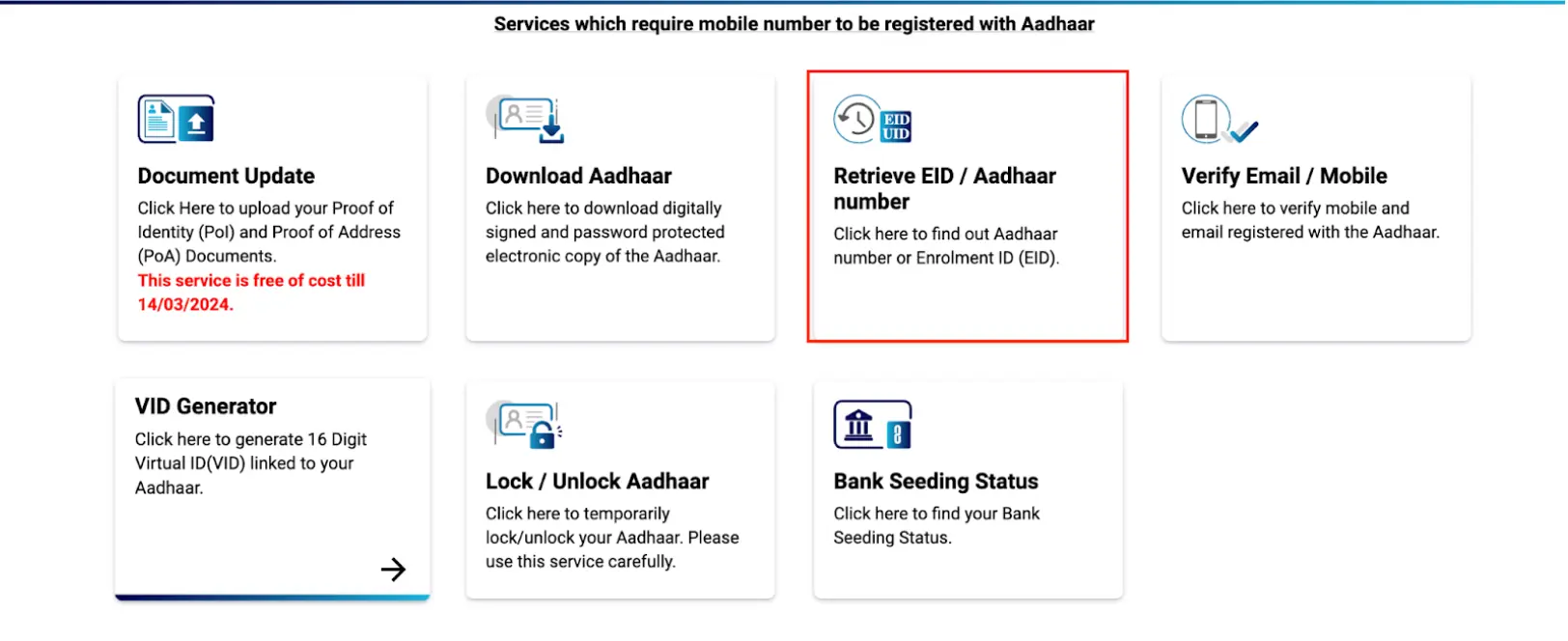
Step 3: Choose an option whether you want to ‘Retrieve Aadhaar Number UID’ or to ‘Retrieve Aadhaar Enrolment Number EID’.
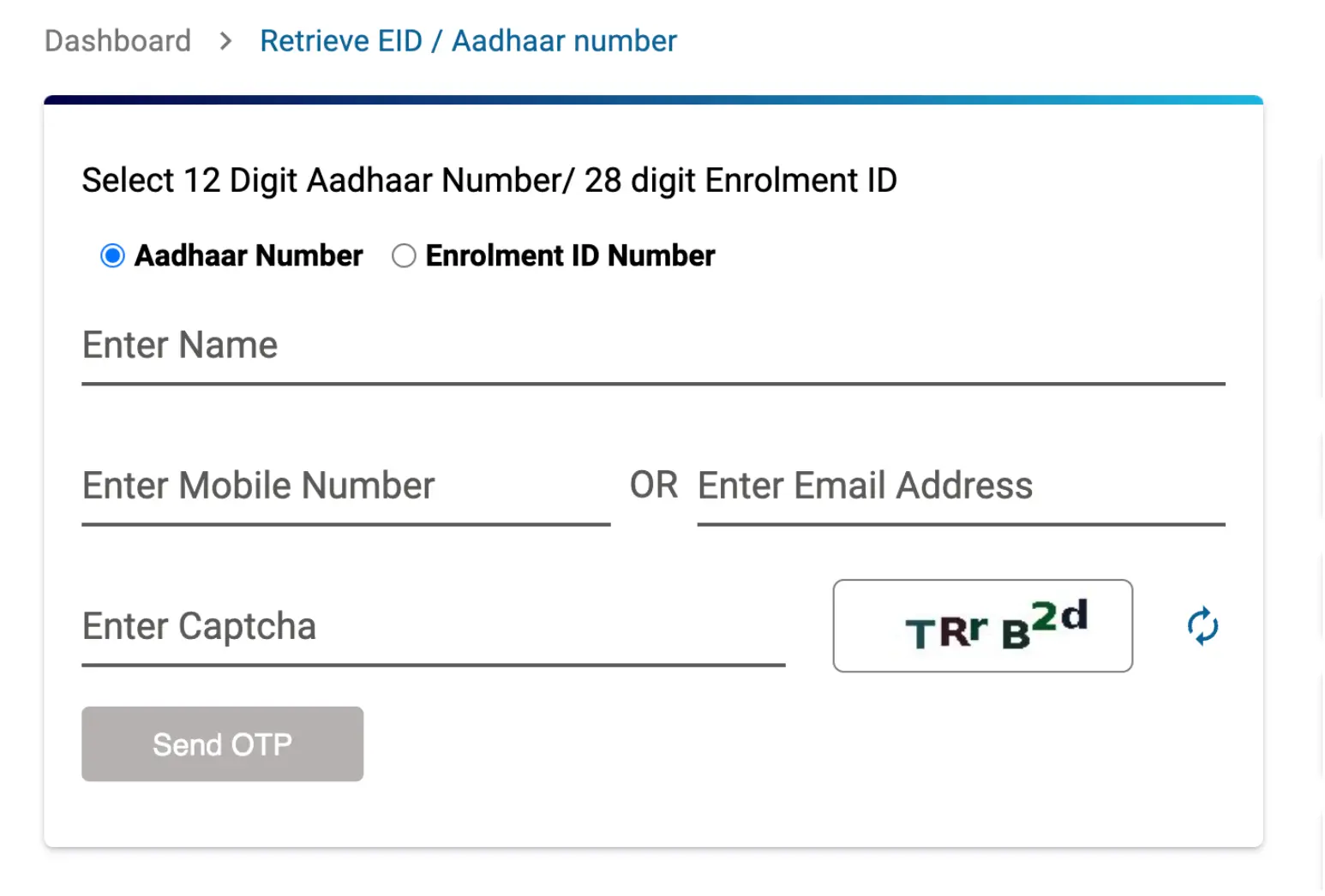
Step 4: Enter your name, email address, mobile number, and captcha code.
Step 5: Click on ‘Send OTP’ and enter the same once you receive it.
Step 6: After verification, the UID/EID will be sent to your registered email address.
Do you need an instant loan?
How to Download Duplicate e-Aadhaar Online?
If your Aadhaar card is lost, you can get a duplicate e-Aadhaar. The steps to download a duplicate e-Aadhaar are simple, all you have to do is
1.Go to the UIDAI website.
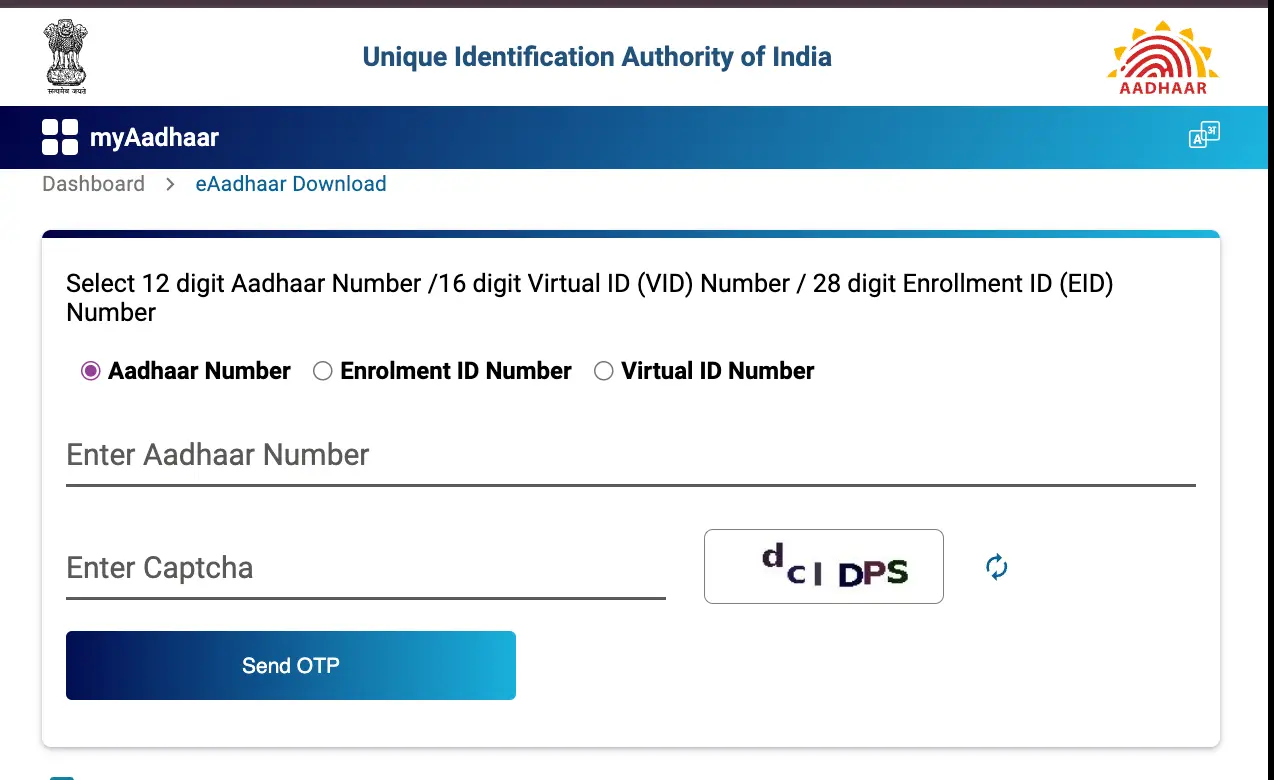
2.Provide your Aadhaar number, enrolment number, or Virtual ID.
3.Enter the captcha code for verification.
4.Click ‘Send OTP’ and receive a One-Time Password on your registered number.
5.Enter the OTP in the designated field.
6.You will receive the e-Aadhaar PDF in your email for download.
Retrieve e-Aadhaar Via Helpline Number
Another way to retrieve an Aadhaar card is to call the toll-free number 1947 and let the customer service department know about the lost card. Give them your Aadhaar number or Enrolment ID and the customer service support will verify your information. Once the verification is successful, a duplicate Aadhaar card will be sent to your address via Post.
Not sure of your credit score? Check it out for free now!
