
Checking the PAN-Aadhaar link status on the NSDL (National Securities Depository Limited) portal provides individuals with a convenient way to verify the progress of their PAN-Aadhaar linkage process.
This ensures compliance with regulatory mandates and facilitates seamless access to financial services, as many institutions require PAN-Aadhaar linkage for various transactions.
By accessing the NSDL portal, individuals can stay informed about the status of their PAN-Aadhaar link and take necessary actions to complete the process if required.
Reasons to Link PAN & Aadhaar
Section 139AA is a provision introduced in the Finance Act, 2017, that mandates the linking of Aadhaar card with a PAN card. This means if you have a PAN card and are eligible for an Aadhaar card, you must link them.


Prerequisites to Check PAN Aadhaar Link Status
Before availing of this service ensure to check that you have the following things in place for a smooth service:
- Have a valid PAN Card
- An Aadhaar Card
- A valid mobile phone number
PAN Aadhaar Link Status Check Without Login
Linking Aadhaar with Voter ID via NVSP (National Voters’ Service Portal) is a quick process that enhances electoral integrity and transparency. Follow the steps below to check your PAN-Aadhaar link status:
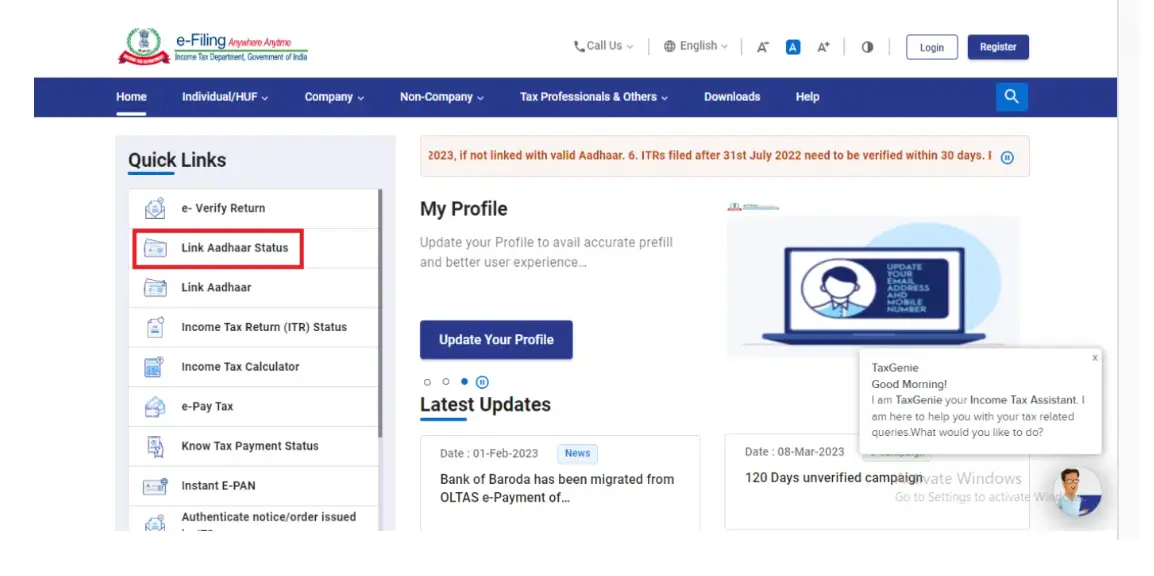
Step 1: Click “Link Aadhaar Status” under Quick Links on the e-Filing Portal homepage for PAN-Aadhaar link info.
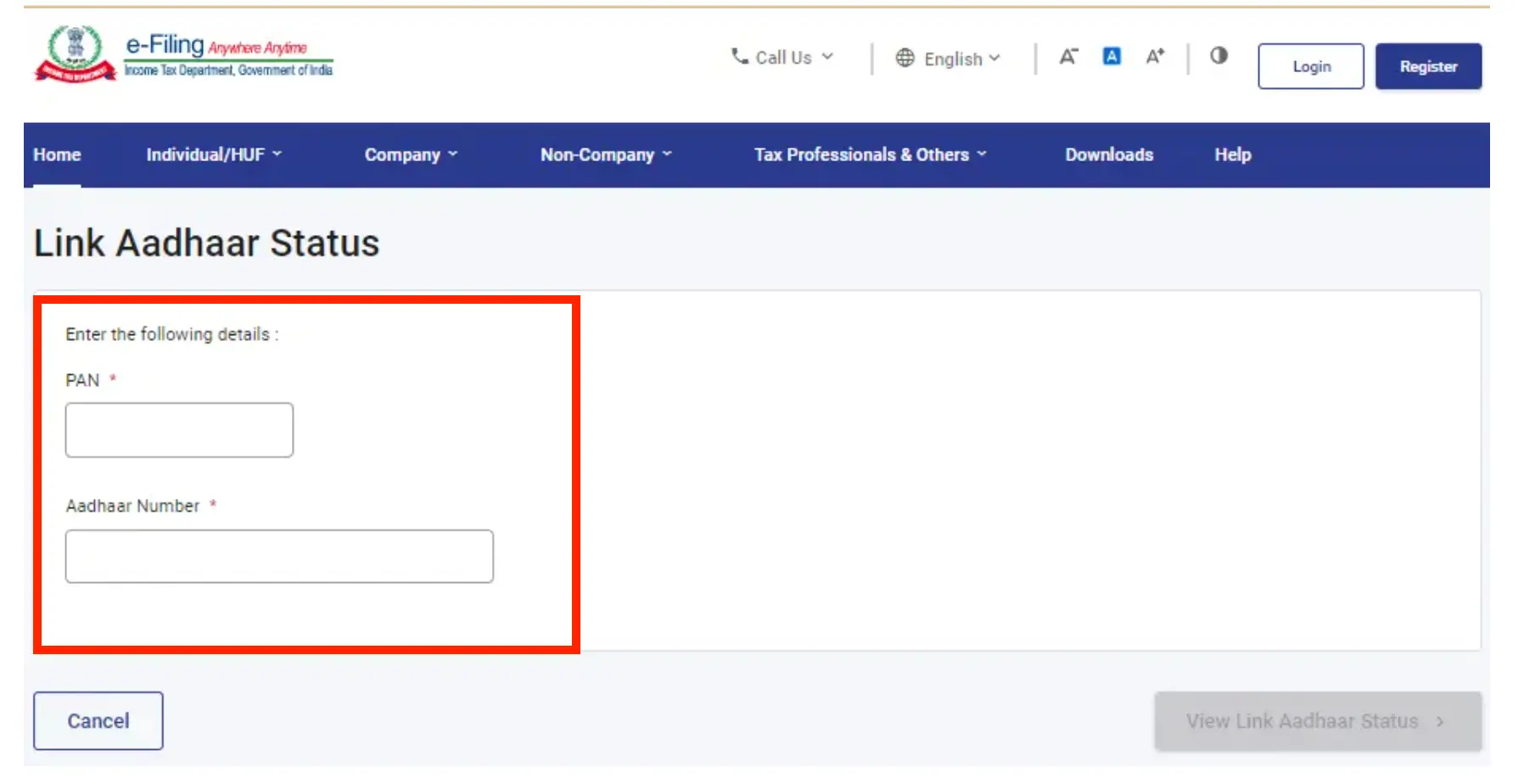
Step 2: Enter your PAN and Aadhaar details and click on ‘View link Aadhaar status’
Step 3: After validating it successfully a message will be displayed that will show your PAN -Aadhaar link status.
- If your status is in progress.
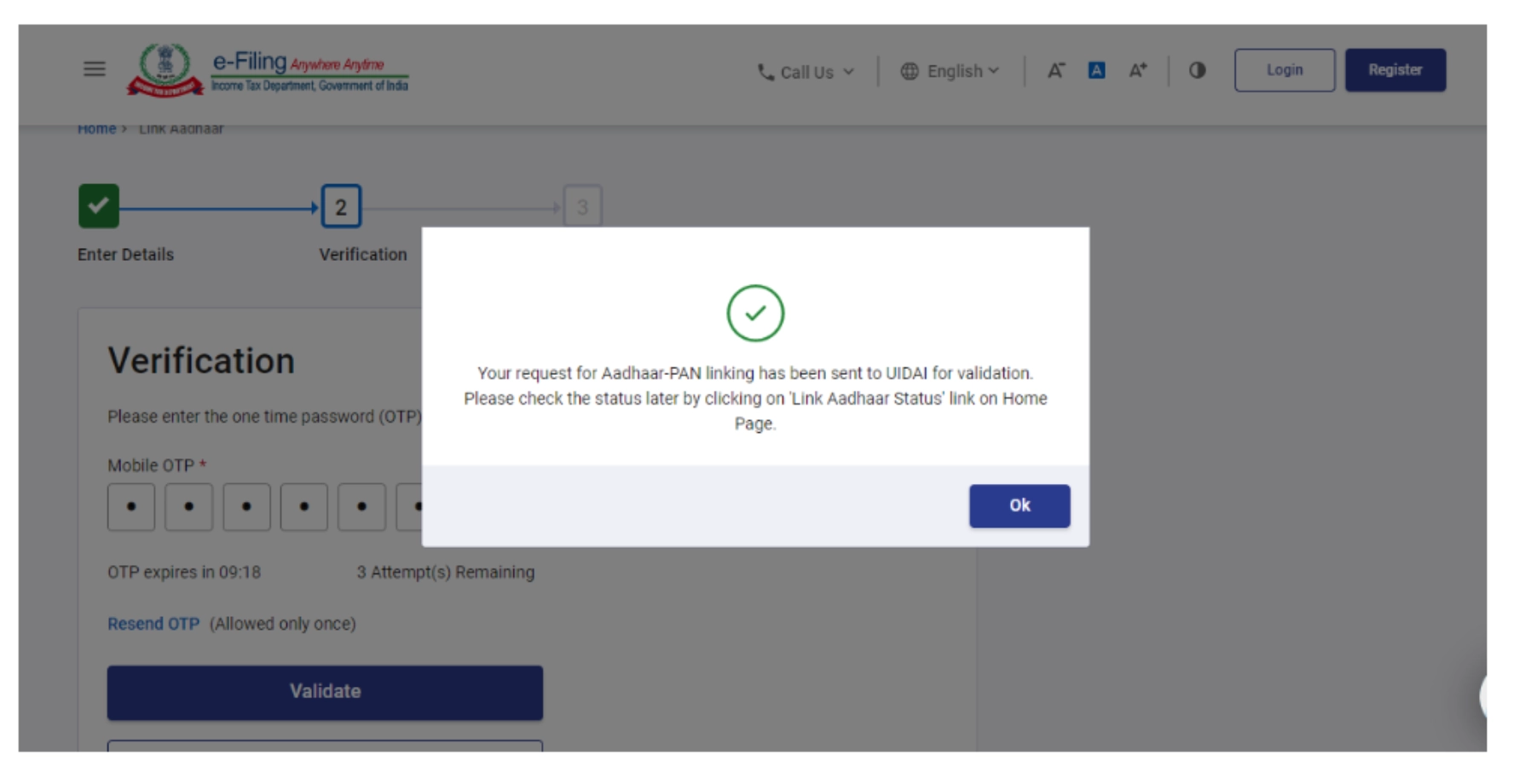
- If your status is completed.
Looking for a personal loan?

PAN-Aadhaar Link Status Check With Login
Tracking PAN-Aadhaar link status on NSDL post-login ensures compliance and convenience. Check the steps below:
Step 1:
- Login into the e-Filing portal homepage and click on ‘link Aadhaar status’.
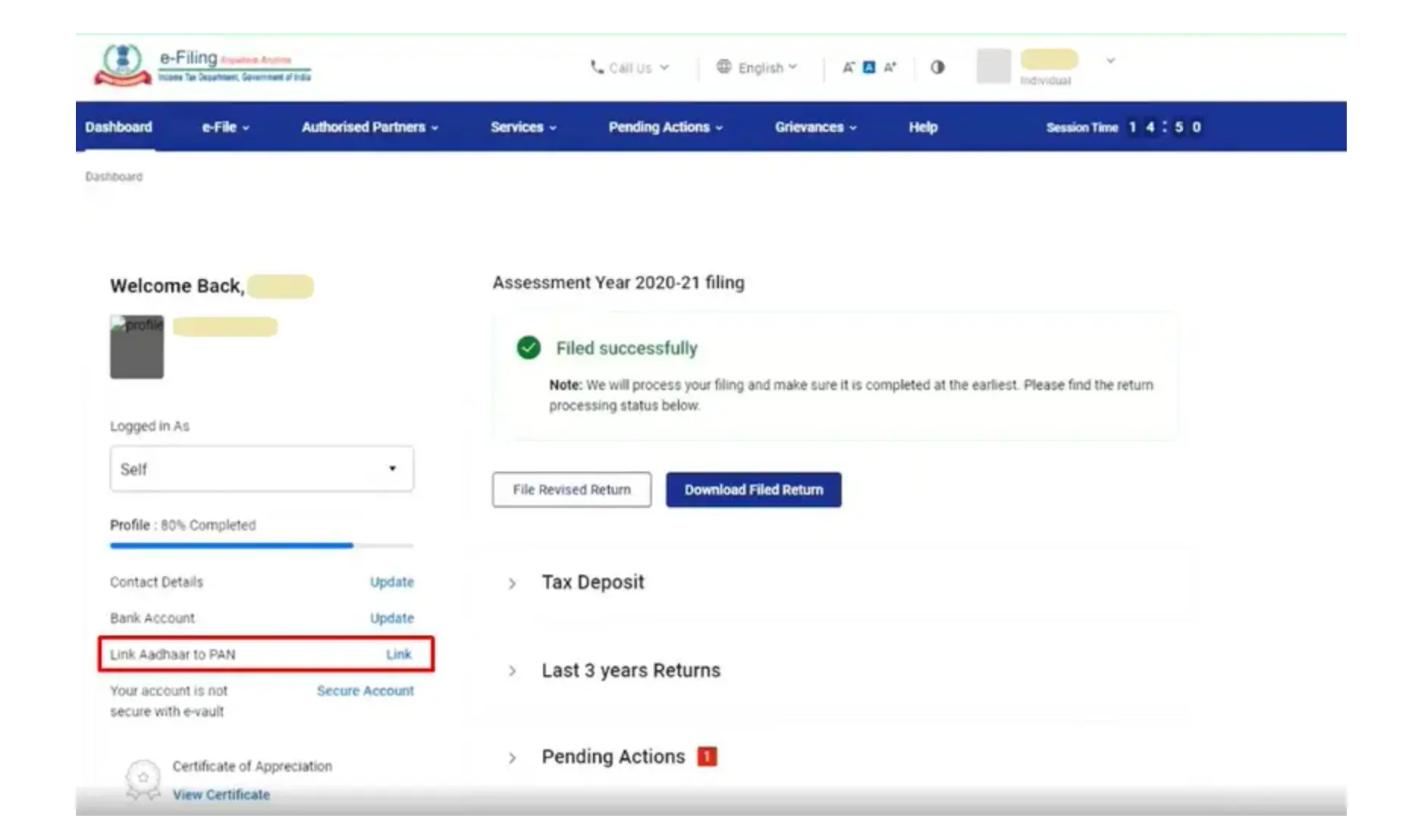
- Login to your profile and go to ‘My Profile’ and then ‘Link Aadhaar status’
(If your Aadhaar is already linked, the Aadhaar number will be displayed. If Aadhaar is not linked, Link Aadhaar Status will be displayed).
Step 2: After successful validation, a message will be displayed showing your link status.
Do you need an instant loan?
How to Link Aadhaar with PAN Card Online
Step 1: Go to the e-filing portal home page and click on ‘Link Aadhaar’ on the left side under ‘Quick links’
Step 2: Enter your ‘PAN’ and ‘Aadhaar number’ and click on ‘Validate’
Step 3: Enter the details required like ‘Name’, and ‘Mobile number’ and click on the required boxes and click on ‘Link Aadhaar’ on the right corner.
Step 4: Enter the 6-digit OTP received on your mobile number that you put in previously and click on ‘Validate’.
Step 5: The request for linking Aadhaar and PAN will be submitted and you can check the Aadhaar PAN link status.
How to Check PAN-Aadhaar Link Status on SMS
Check your PAN-Aadhaar link status by sending an SMS to 567678 or 56161. The SMS should be in the following format:
UIDPAN
For example, if your Aadhaar number is 123456789012 and your PAN number is ABCDE1234F, the SMS would be:
UIDPAN 123456789012 ABCDE1234F
You will receive an SMS response with your PAN-Aadhaar link status.
Not sure of your credit score? Check it now!

Fees for Aadhaar PAN Card linking
Step 1: Go to the e-Filing portal home page and if you are:
- Logged in: Go to your profile section on the e-Filing Portal and click “Link Aadhaar”.
- Without logging in: Visit the e-Filing Portal homepage and click “Link Aadhaar” in the “Quick Links” section.
Step 2: Put in your PAN and Aadhaar card number.
Step 3: Click on ‘continue to pay through e-Pay Tax’
Step 4: Enter your PAN details accurately twice and your preferred mobile number to receive a verification code.
Step 5: Upon successful OTP verification, you will be automatically directed to the e-Pay Tax page.
Step 6: Click proceed on the Income Tax column.
Step 7: Click on the relevant ‘Assessment year’ and ‘type of payment’ as ‘other receipts (500)’ and click ‘continue’.
Step 8: The amount will be pre-filled against ‘Others’. And click ‘continue’
Step 9: Once you finish, a payment slip will be generated. Choose how you want to pay on the next screen. Then, you’ll be sent to your bank’s website to complete the transaction. After paying, you can link your Aadhaar to your PAN on the e-filing Portal.
Who Should Link PAN-Aadhaar
PAN-Aadhaar linking applies to every person who has been allotted a PAN card. However, there are some exemptions for:
- Non-residents (i.e., individuals who are not Indian citizens or residents)
- Individuals below 18 years old
- Individuals who are residing in areas notified by the Central Government where the Aadhaar Act, 2016 is not fully implemented
Consequences of Not Linking PAN & Aadhaar
If you fail to link your Aadhaar with your PAN by the due date, your PAN card will be considered inoperative.
This means you will not be able to:
- File income tax returns
- Carry out financial transactions exceeding certain limits
- Avail of various government benefits.
Ready to take the next step? Apply Now!